

Clients and contacts
How to view personal information relating to a particular client
Learn how to view personal information relating to a particular client in ServiceM8.
Should you need to view the personal information you hold in your ServiceM8 account relevant to a particular client, there are a couple of ways you can do this. You can simply pull up the client and job card/s relevant to the particular client, or use ServiceM8’s report export features.
Client Card
In your Online Dashboard, go to Clients and open the relevant Client Card

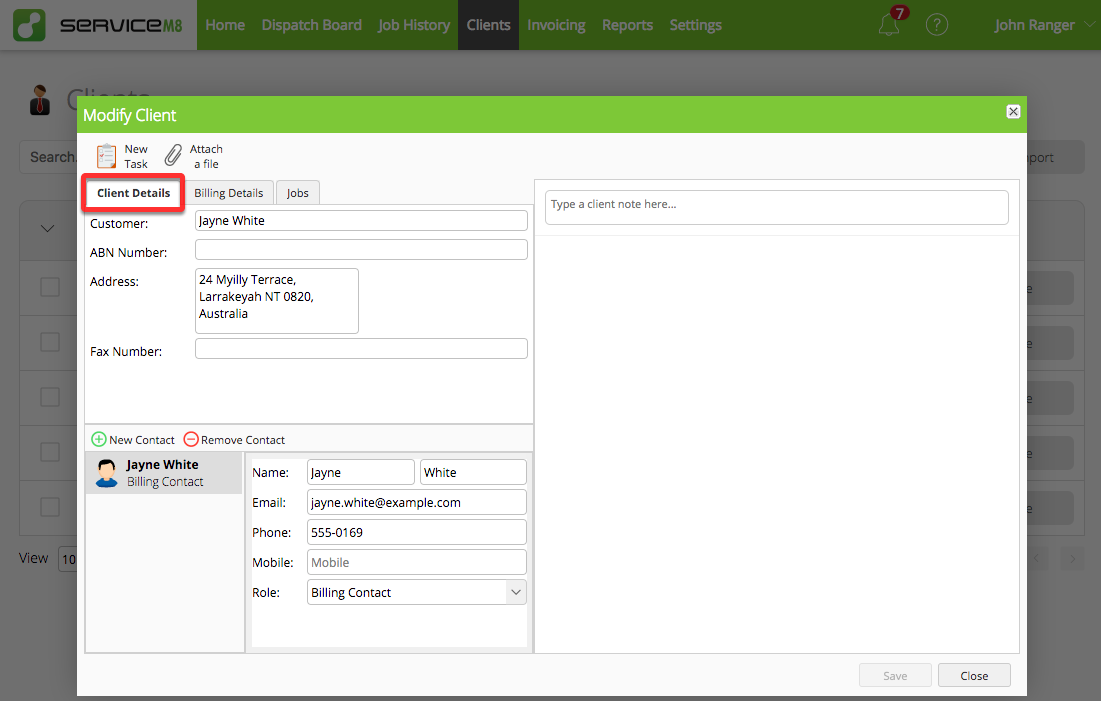
You can also view & open all jobs relevant to a particular client in the Jobs tab of the client card.

Client list export with the Advanced Reporting Pack add-on
You can use the Advanced Reporting Pack add-on to export your all of your clients in .CSV format. The report includes the following details (if entered) held against each client:
- Name
- Contact First
- Contact Last
- Company Address
- Billing Address
- Telephone Number
- Mobile Number
- Email address
- And more

NOTE: the report exports your entire client list. If producing this report to obtain data held for a specific client, take special care to ensure you filter & extract data held only for the specific client.
To learn more about the Advanced Reporting Pack, check out this help article.