

Quotes and invoicing
How to change an invoice date
Learn how to change an invoice date in ServiceM8.
Invoicing immediately on job completion is great for finalising job admin and getting paid. But sometimes, you just can’t send the invoice on site, or the same day (e.g. waiting on suppliers or subcontractors). If you have 7-day payment terms and it takes a week to finalise the invoice, it’ll be overdue as soon as you send it, which can cause issues with your clients.
By default, an invoice’s “date” is the day the job’s status was updated to Completed, or the first date a PDF invoice was produced on the job (whichever occurred first). This is the date on which the invoice’s due date is calculated, as well as the date various automations use (e.g. invoice follow-ups), and the date which syncs through to your accounting software.
First, update your invoice templates
To be able to change the invoice date on jobs, you must ensure all your invoice template/s contain one of the “invoice date” merge fields (introduced September 2022):
- job.invoice_date
- job.invoice_date_extended
On your invoices, these merge fields will autofill with the job’s Completion date by default, however if you Change Invoice Date then generate the invoice, they will display your new date instead.
The ‘Change Invoice Date’ button will not appear if you do not have at least one invoice template containing an “invoice date” merge field (above). However, it’s important to ensure all your invoice templates are up to date with one of the two invoice date merge fields, otherwise you might change the invoice date but use an old template, and the PDF won’t display the updated date you’ve set.
Note, if you created your ServiceM8 account after September 2022, you likely won’t need to update your templates, and can skip ahead to How to Change Invoice Date.
How to update your invoice templates
OPTION 1 — Update your standard template: ServiceM8’s range of standard invoice templates have been updated with the new “invoice date” merge fields, so if you are using a standard template, you can go to Settings > Document Templates, and choose a new standard template by browsing then clicking ‘Use this template’.
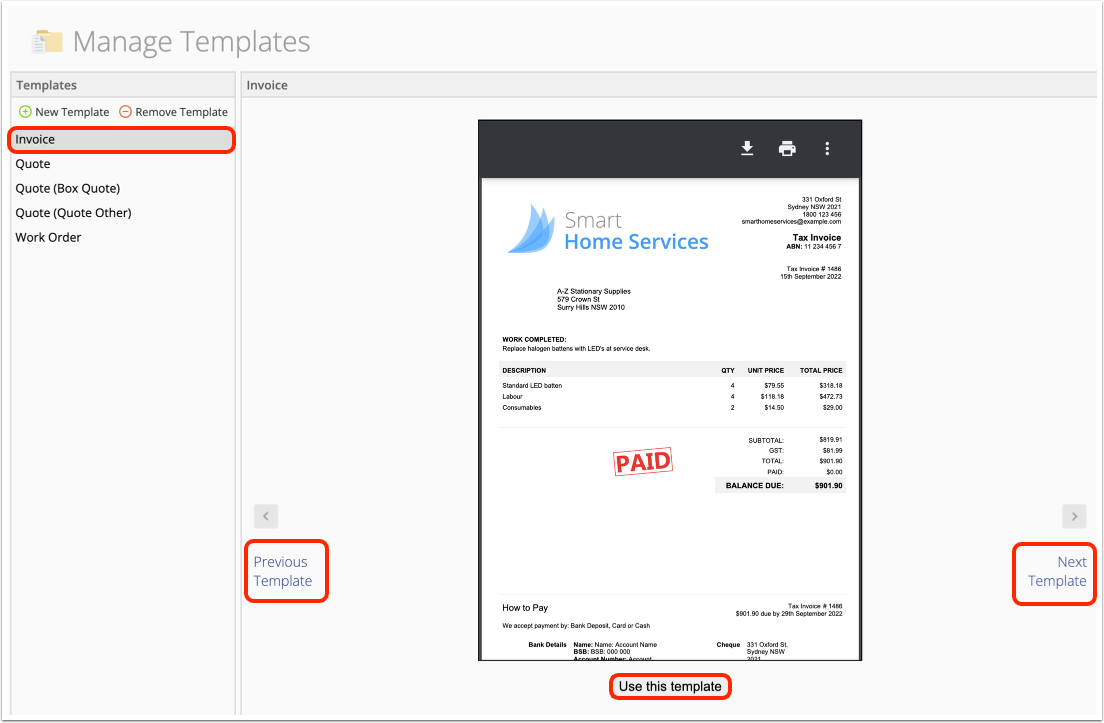
OPTION 2 — Edit your existing templates: if you have custom invoice templates and Microsoft Word, you can download and update your invoice templates with one of the “invoice date” merge fields, then re-upload them back into ServiceM8. Please see this help article on How to modify invoice or quote templates. Note that the merge field required is job.invoice_date or job.invoice_date_extended
OPTION 3 — Contact ServiceM8 Support: if you have custom templates but you’re not familiar with merge fields, please contact our team at support@servicem8.com and we can help make this minor change to your invoice templates. Please include your templates as attachments to your email request — see the first part of this help article on how to download an invoice template, then later in the article for how to re-upload once they’re ready.
OPTION 4 — Contact your ServiceM8 Partner
How to Change Invoice Date (in the Legacy Job Card)
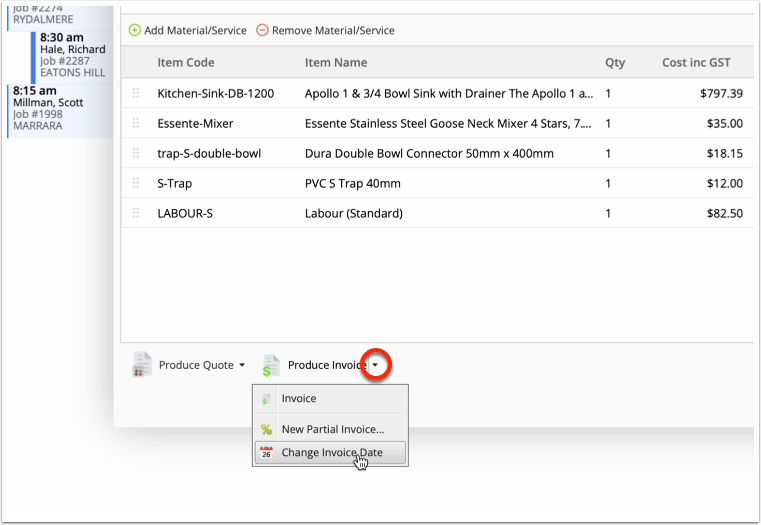
An invoice’s date can only be changed via its job card, in the Online Dashboard. To do so, click the drop-down to the side of the ‘Produce Invoice’ button, then ‘Change Invoice Date’.
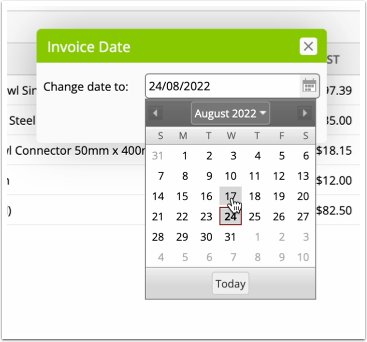
Set a new invoice date, then Save.
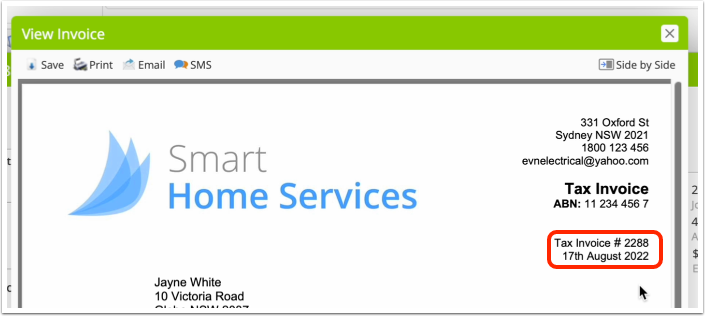
When ready, Produce Invoice. Provided your invoice template is updated with a “invoice date” merge field (see above), the date displayed on your invoice PDF will reflect your new date. Your accounting package, live statements and related automations will all use the new invoice date.
How to Change Invoice Date (in the Enhanced Job Card)
An invoice’s date can only be changed via its job card, in the Online Dashboard. To do so in the Enhanced Job Card, go to the Billing tab, and in the top-right corner, click the drop-down arrow, then “Customise Invoice” and you’ll find an option here to change the invoice date:


