The mobile app
How to scan text with your camera to Forms, Assets, and Services
Learn how to scan text with your camera to Forms, Assets, and Services in ServiceM8.
When completing Forms, creating Assets, or answering Service questions, you can speed up data entry and avoid mistakes by capturing serial numbers and other information through text recognition with the camera in your ServiceM8 App.
- If there is a barcode, it is easiest to start by scanning it.
- If there is not a barcode but there is a label or other identifying information, you can scan an image and ServiceM8 can extract the text.
To scan images to text:
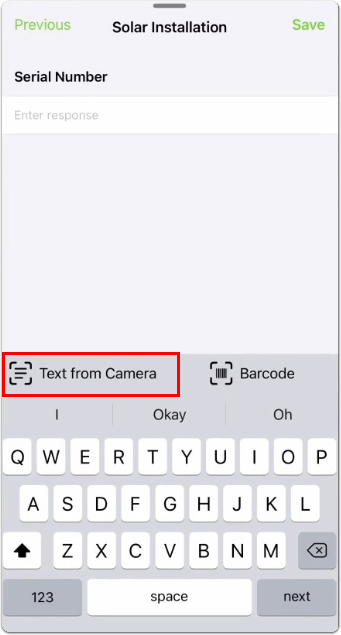
- Tap Text from Camera.
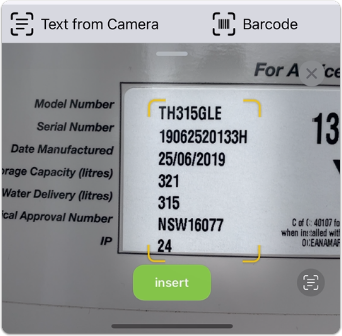
- Point the camera and capture the text within the yellow border.
- If the text captured is appropriate for the field, tap Insert. The information will now be captured in the field.
- If there is too much information captured and you need to narrow it down, proceed to step 4.
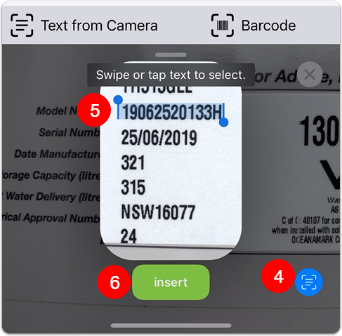
- To select information from within the yellow border, tap the button on the bottom right.
- Swipe or tap the text you want to select.
- Tap Insert.