

Dispatch Board
How to change the order of Queues
Learn how to change the order of Queues in ServiceM8.
You can customise the order in which Queues show on the Dispatch Board online, in the top ‘Queues’ container, and in the Queues tab.
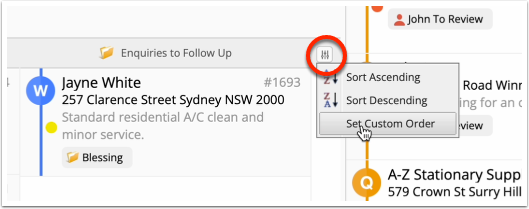
To set a custom order, in the Queues tab, click the sort-order button in the top-right, then ‘Set Custom Order’.
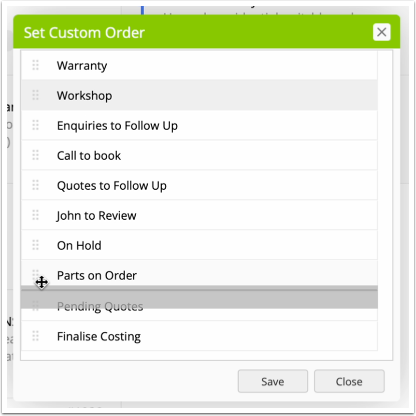
Click and hold the grab bar next to a queue, and drag up or down to reorder. Once done, click ‘Save’ to update the order of Queues as shown in the top container & Queues tab.
Note that this custom order is saved per user, so everyone in the business can customise the order in which Queues show, to suit their role and preferences.