General FAQ
How to use ServiceM8 Measure
Learn how to use ServiceM8 Measure in ServiceM8.
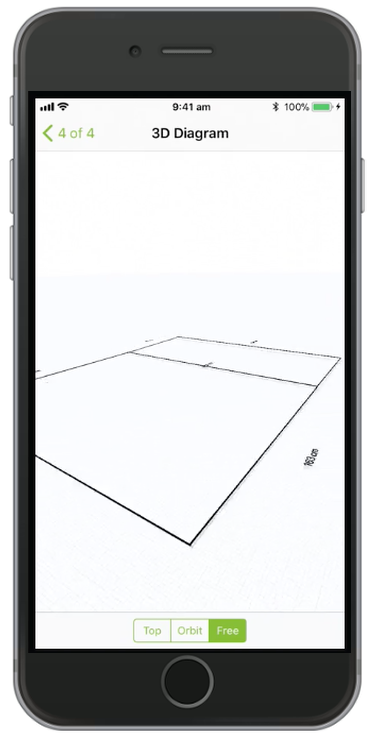
ServiceM8 Measure enables you to measure lengths and areas with your iPhone or iPad’s camera, using Augmented Reality technology. You can measure out lengths, areas, or multiple areas, and even save your measurements to the job diary as 3D interactive diagrams.
Note: this feature uses Apple ARKit technology, and has minimum hardware and operating system requirements:
- iOS 14 or later.
- iPhone: iPhone 11 or later.
- iPad: iPad Pro, or iPad 2017, or later.
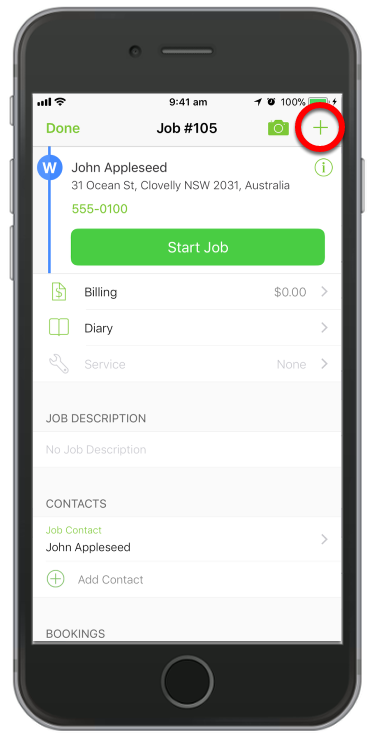
Open a job and tap the ( + ) Job Actions
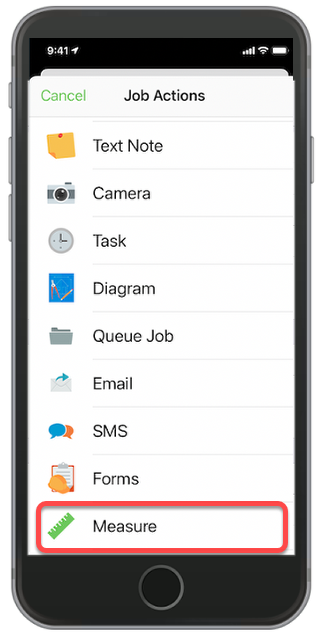
Then Tap ‘Measure’
You need to show the camera the area you plan to measure before you start, so it can learn its surroundings. Move the camera around until the crosshair turns from orange (not ready) to green (ready).
Focus the crosshair on your desired starting point, then tap and hold anywhere on the screen to start measuring
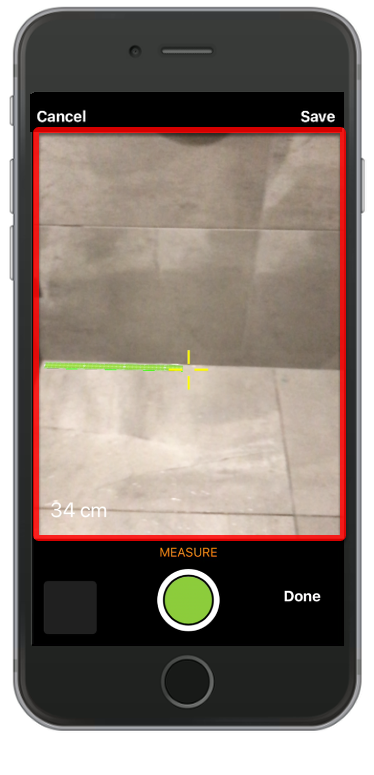
Tap and hold to start measuring, then release to stop. Tap the green button to capture your measurement/s.
You can measure more than one dimension at a time, or link a path of measurements
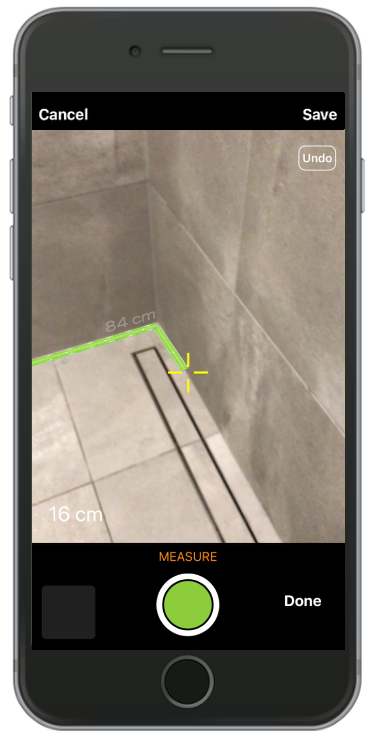
When measuring paths, take care to link the start of a new alignment to the end of a previous alignment.
Tapping ‘Undo’ in the top-right of the camera view will delete the most recent measurement. This can be done more than once.
You can also measure an area, or multiple areas at a time
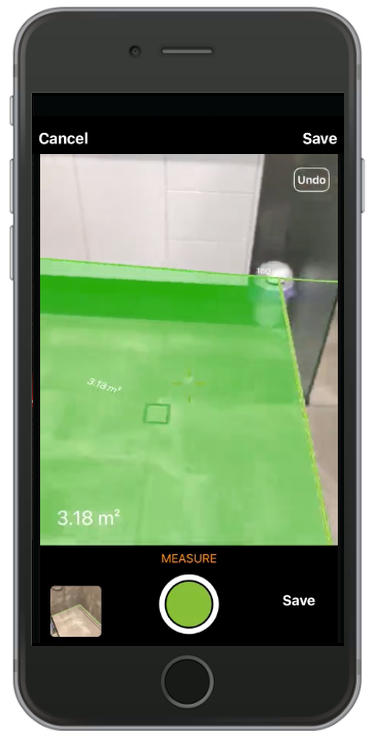
When measuring areas, take care to link the start of a new alignment to the end of a previous alignment. Areas will be shaded green when the area polygon is successfully closed.
Focus the crosshair within the measured polygon to view its area in the bottom left of the camera view.
Tapping ‘Save’ will record the photo and a diagram of the measurement/s in the Job Diary
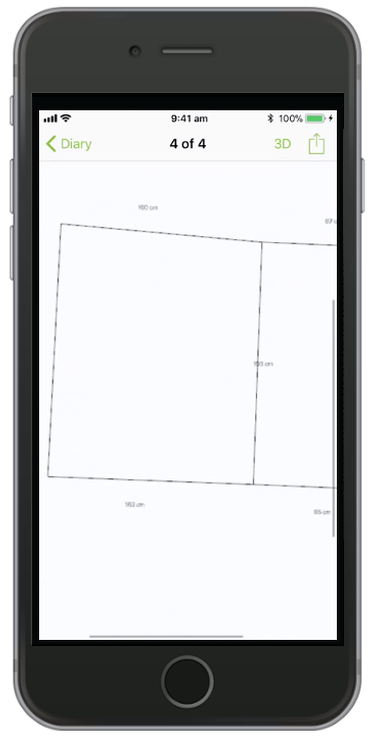
For diagrams, tap ‘3D’ to view and interact with a 3D diagram of your measurement/s