

Clients and contacts
How to edit the order of client first & last names
Learn how to edit the order of client first & last names in ServiceM8.
By default, the names of individual clients display in ServiceM8 with their surname first. For example, “John Appleseed” becomes “Appleseed, John”.
If this doesn’t work for you, it’s possible to change this to have names show just the way you enter them.
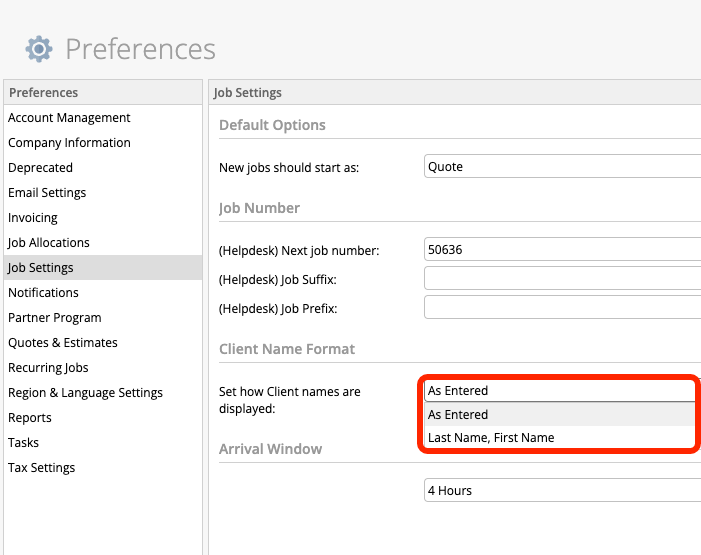
To do so, in your Online Dashboard, go to Account > Settings > Preferences > Job Settings > Client Name Format.
Here you can choose individual clients’ names to display “As Entered”, or “Last Name, First Name”:
When changing this preference, the updated setting will only apply to newly created clients. Existing clients in your ServiceM8 clients database will not be affected by this change.