The mobile app
What is Smart Labour?
Understand what Smart Labour is and how it works in ServiceM8.
Smart Labour allows your job labour to automatically be set based on your check in and check out timer.
To use Smart Labour:
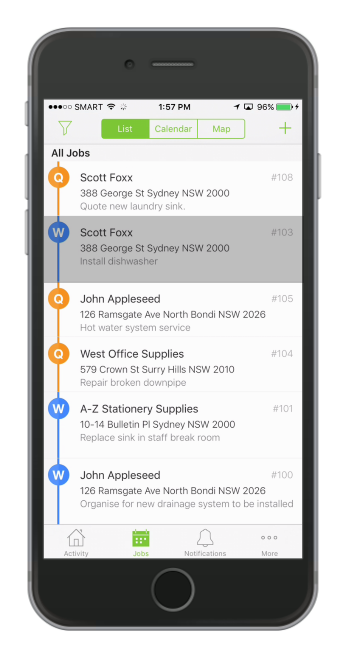
Open a job on the ServiceM8 app
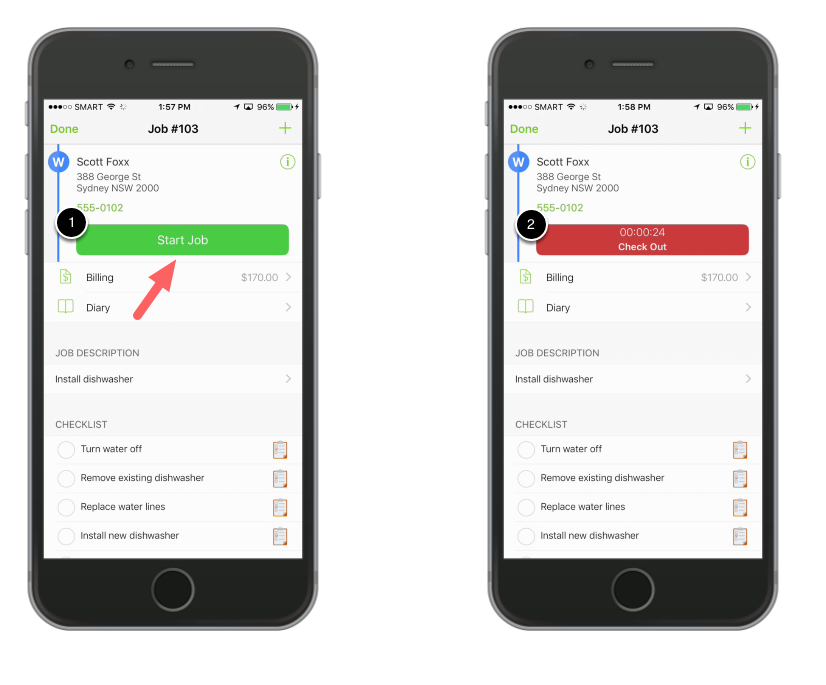
Tap Start Job to check in to the job
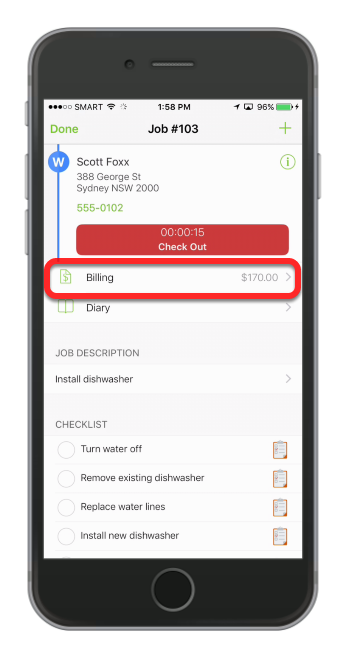
Tap Billing
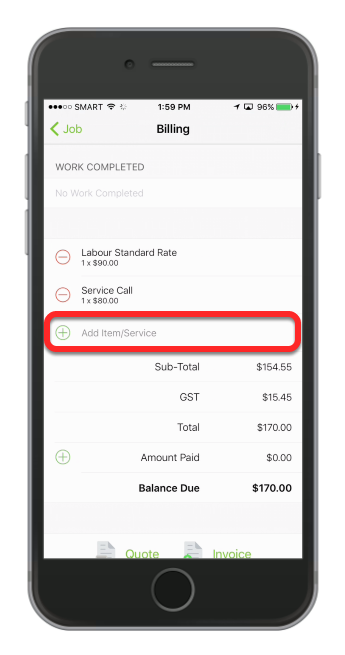
In the billing screen, tap Add Item/Service
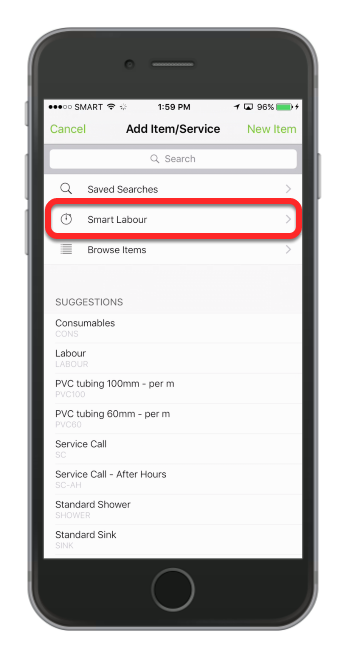
Tap Smart Labour
Tap to select the appropriate labour rate from the list of labour items
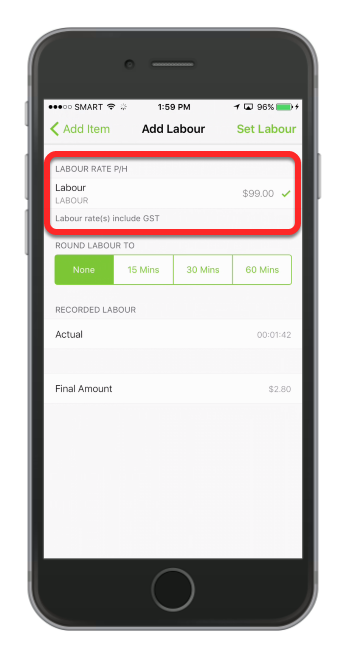
Note: the items available to select in Smart Labour are automatically chosen from your Materials & Services database. Any materials with the word “Labour” or “Labor” in the name will be available to use with the Smart Labour feature.
And if you wish to round your timer to the nearest 15 min / 30 min / 60 min, tap the rounding option.
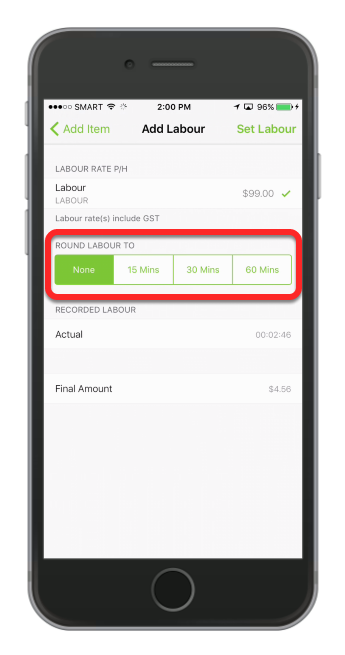
Tap Set Labour
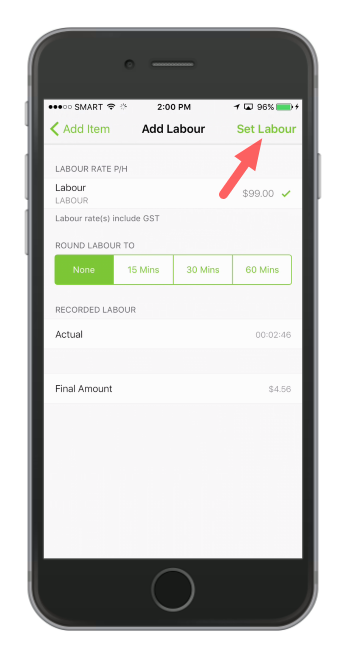
That’s it! Your labour fee for the job is now increasing in-line with your job timer.
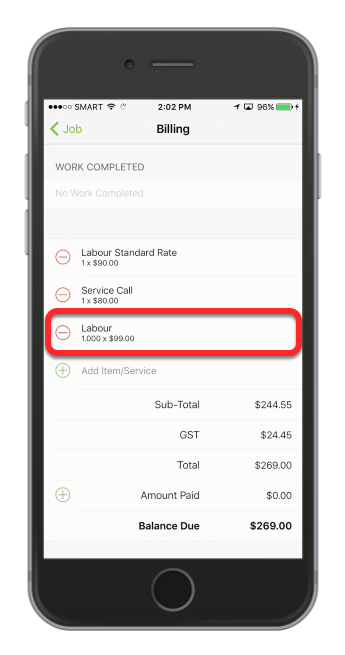
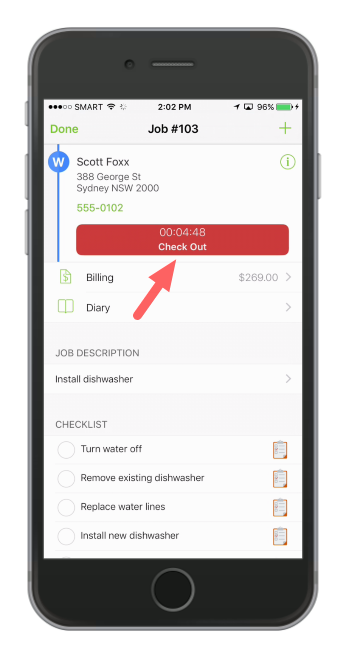
To stop the labour increasing, tap the job checkout button to stop the timer and finalise your labour fee.