

Accounting integrations
How do I change which Xero account receives payments from ServiceM8?
Find out how to change which Xero account receives payments from ServiceM8 in ServiceM8.
When invoices are marked as paid via the ServiceM8 app, or ServiceM8 invoicing page, the money is received into your nominated Xero account. This account is set through your ServiceM8 invoicing Preferences page.
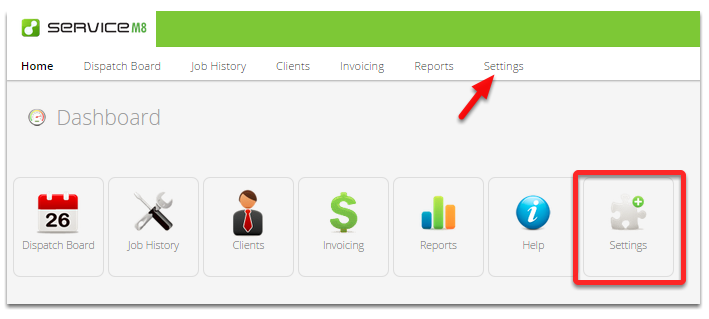
Go to Settings
Click the Preferences
Adjust default account for payments
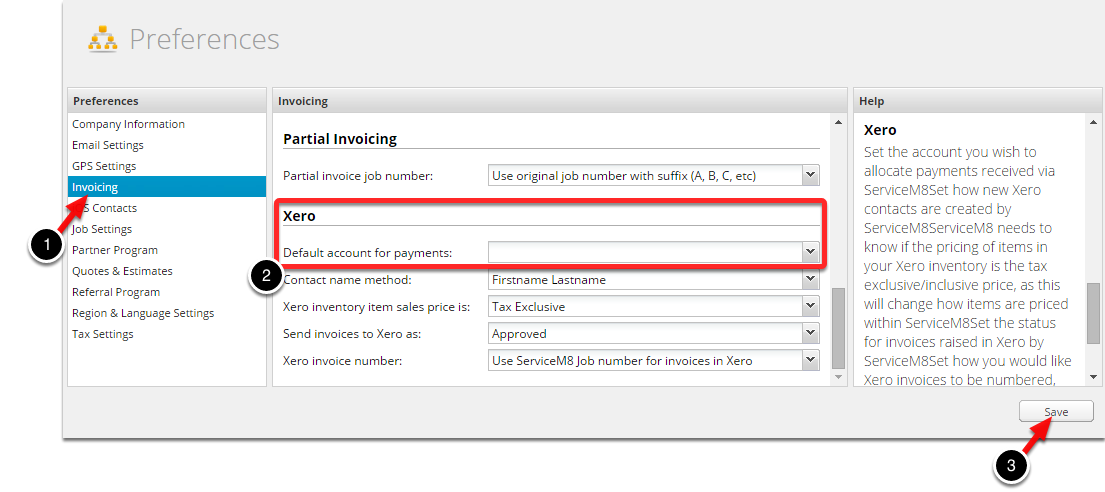
Select the Invoicing option, and then adjust your default account for payments. Don’t forget to hit Save after making any changes.