

Quotes and invoicing
How to save a quote or invoice to the Diary
Learn how to save a quote or invoice to the Diary in ServiceM8.
Although it is not a common practice, there may be times when you want to save a quote or invoice to the job without actually sending it to the client - for example, if the client only wants a printed copy. Saving it to the Diary means it’s ready and accessible without the risk of sending prematurely.
To save a quote or invoice to the Diary:
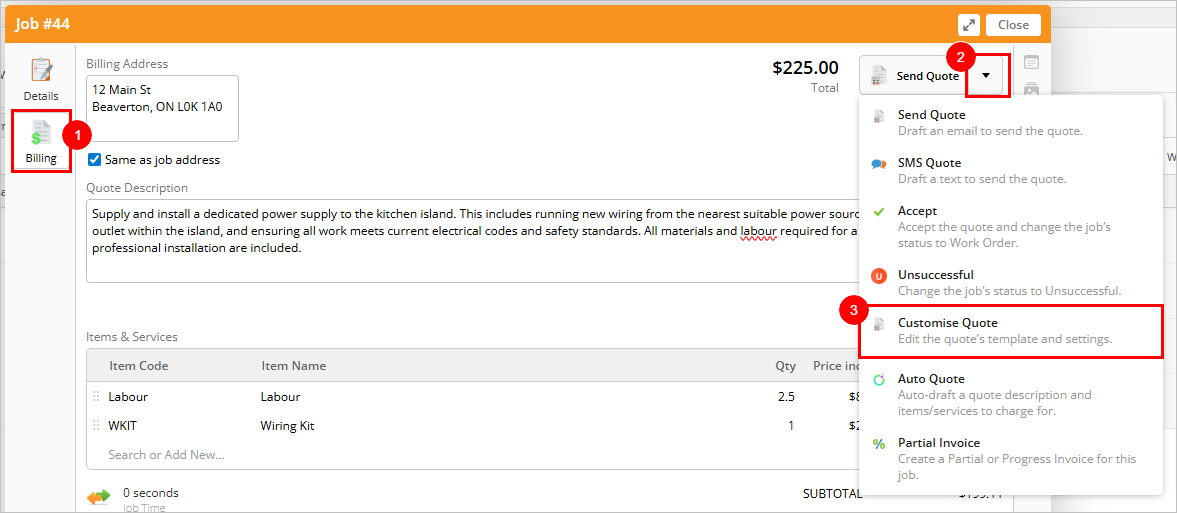
- From the relevant job card, click Billing.
- Click the dropdown arrow on the top right.
- Click Customise Quote (or Customise Invoice, depending on status).
- Select your preferred template and click Save to Diary.
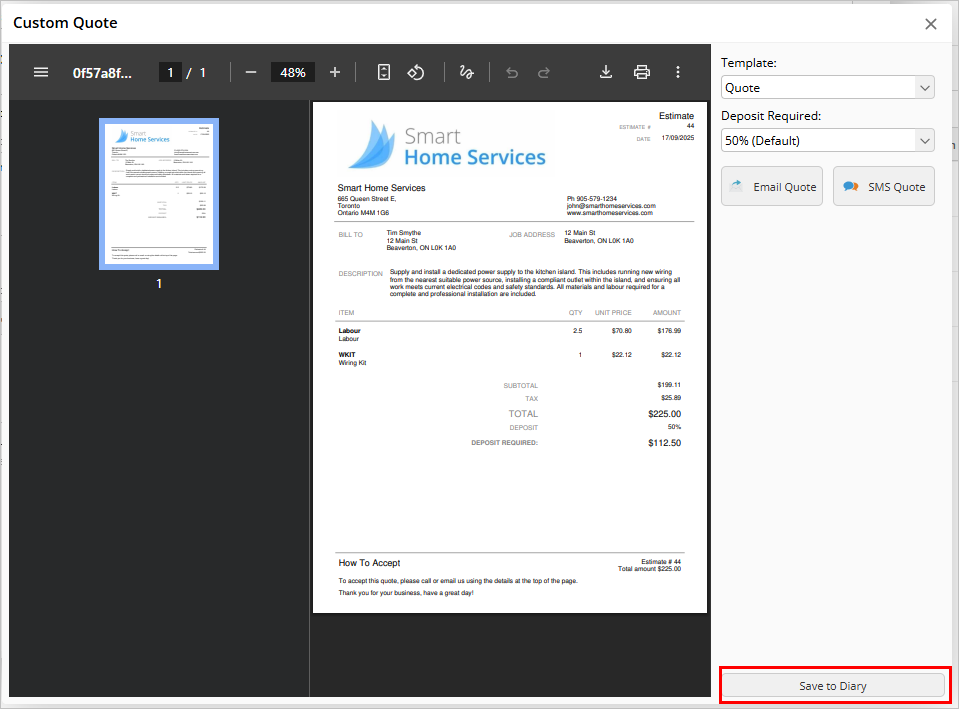
The quote or invoice will now be saved as a PDF in the Job Diary, with the time and date of creation and the staff member’s name noted.