

Account and billing
How to move your billing from Xero to ServiceM8
Learn how to move your ServiceM8 billing from Xero to a direct ServiceM8 subscription.
Xero is ending support for the ability to pay for apps like ServiceM8 via your Xero account.
If you subscribed to ServiceM8 via the Xero App Store and your Xero account, you will need to disable your ServiceM8 subscription in Xero and switch to a direct ServiceM8 subscription by 15 June 2026.
Step 1: Cancel your subscription in Xero
Log in to Xero and cancel your ServiceM8 subscription from the Connected Apps section.
If you need help, follow Xero’s guide: Access, review, or disconnect app connections.
Note:
- This will not cancel or delete your ServiceM8 account. Your ServiceM8 data will not be affected.
- Your ServiceM8 account will move onto a 14-day free trial.
- If you are part-way through your monthly billing cycle, you will not receive a pro-rata credit. Instead, you will get your first month free on whichever direct ServiceM8 plan you choose in Step 3.
Step 2: Return to ServiceM8
Once you have cancelled your ServiceM8 subscription in Xero, return to ServiceM8 to continue.
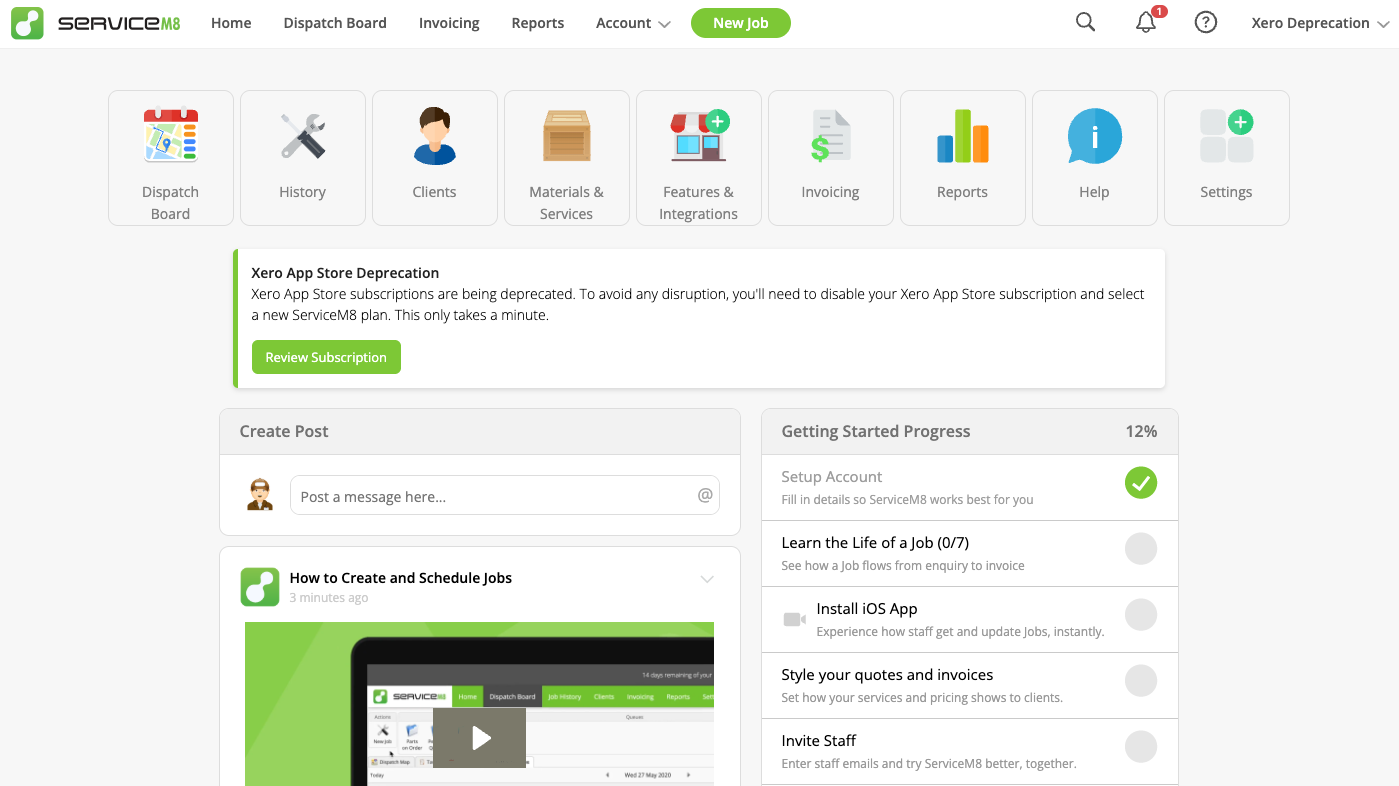
Find the notice in Home, then click Review Subscription.
On the Disable your Xero App Store subscription screen, click Next.
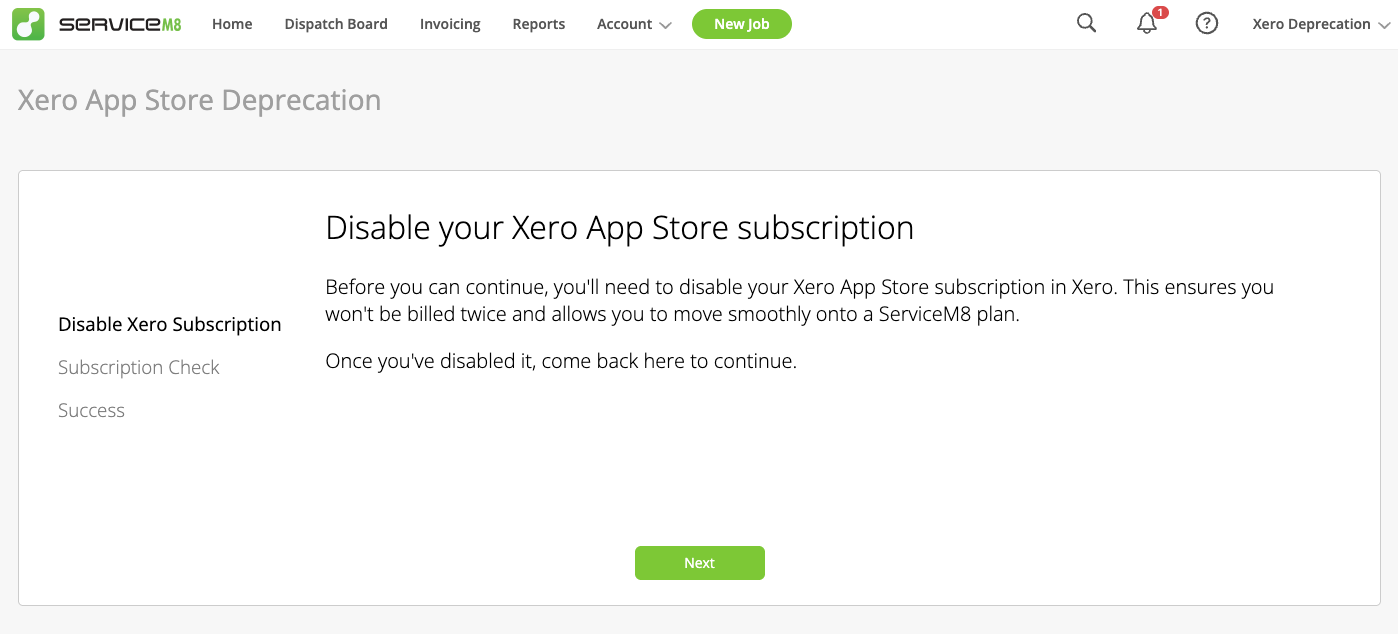
ServiceM8 will then check that your Xero App Store subscription has been cancelled before it lets you continue.
If ServiceM8 still detects an active Xero subscription, you will see a message like this. Return to Xero, finish disabling the subscription, then try again.

Step 3: Choose your ServiceM8 plan
Select a plan to keep using ServiceM8. Each plan available to choose from will show that you receive your first month free.
When do I need to switch?
Please switch to a direct ServiceM8 plan by 15 June 2026 to avoid any interruption.