

Templates
How to download an invoice or quote template
Learn how to download an invoice or quote template in ServiceM8.
(For more information about modifying templates, see this article.)
To download an invoice or quote template:
- From the Online Dashboard, click Settings.


- Click Document Templates.

-
Select the template you want to modify. (For more information about template selection, see this article.)
-
From the Help pane on the right, click click here to download the template.
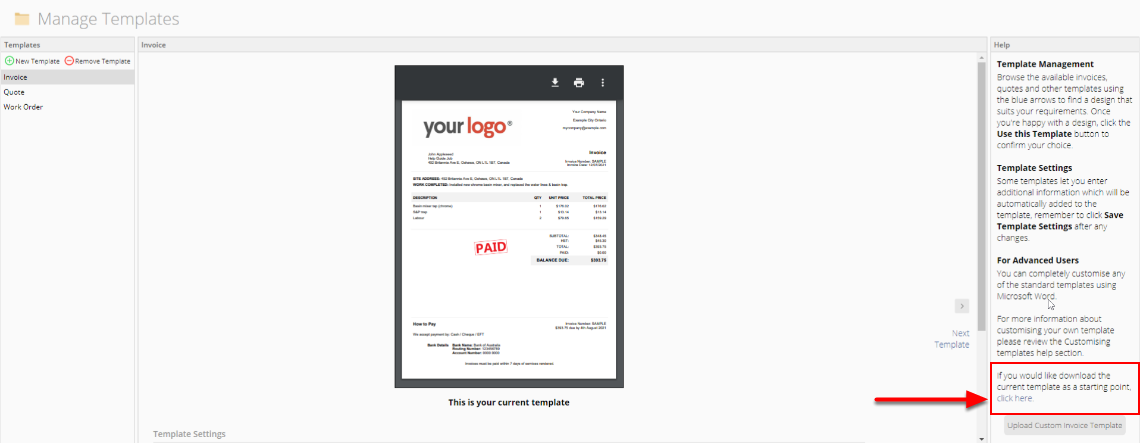

The template will download as a Microsoft Word document to your computer.