Accounting integrations
How to Remove a Payment from Xero
Learn how to remove a Payment from Xero in ServiceM8.
If you need to remove a payment which has been exported from ServiceM8 to Xero, this must be done through Xero.
Determine the Xero account into which ServiceM8 payments are deposited
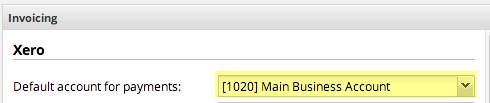
First, you’ll need to know the Xero account into which ServiceM8 saves your payments. This is configured in ServiceM8 Settings > Preferences > Invoicing > Xero > “Default Account for Payments”.
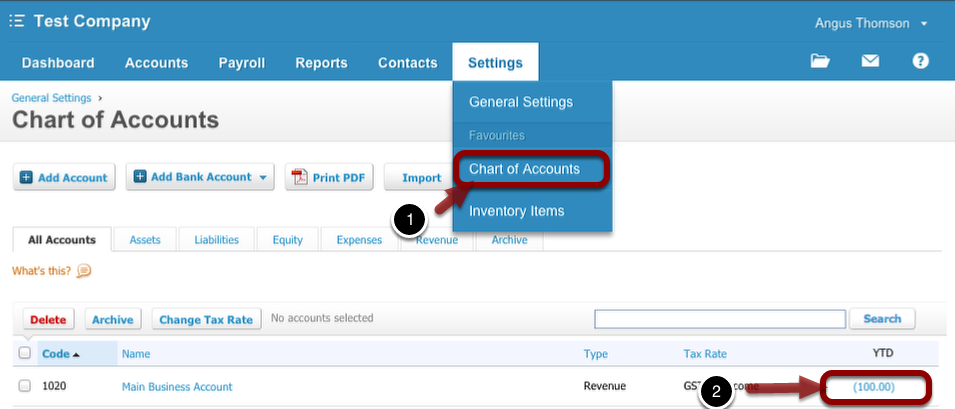
Log in to Xero and go to Settings > Chart of Accounts
In Xero’s Chart of Accounts, find the account which ServiceM8 payments are deposited to, then click the account YTD column to view all transactions for the account.
(Note - do not click the account name, this opens a window to edit the account details instead.)
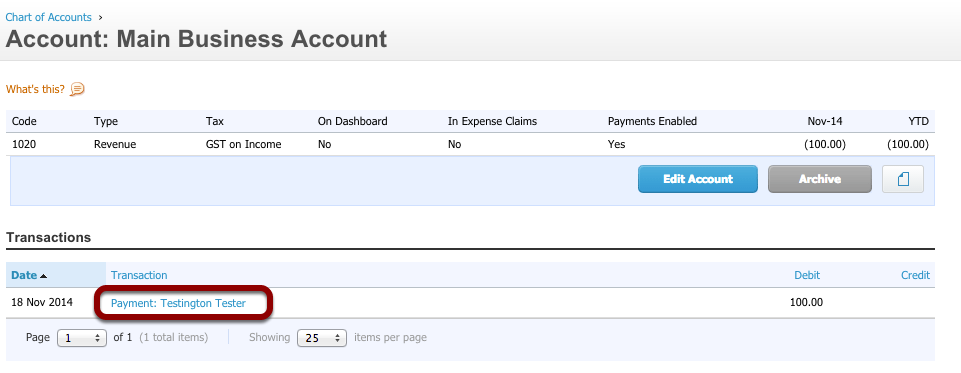
Click the payment you wish to remove
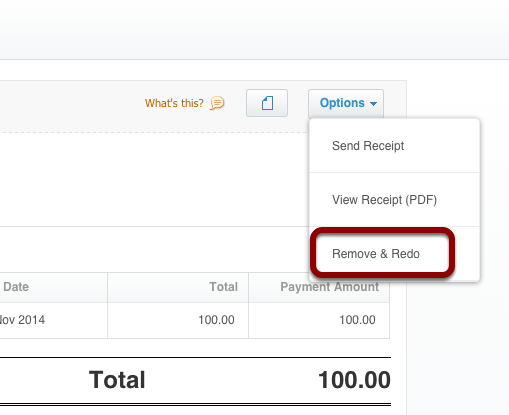
Click the “Options” button at the top right, then click “Remove & Redo”