The mobile app
How do I attach files to jobs in the ServiceM8 app?
Attach an existing document to a job from your device or a file storage provider.
You can attach an existing PDF or other file to a job’s Diary in the ServiceM8 app.
Attach a file from a job
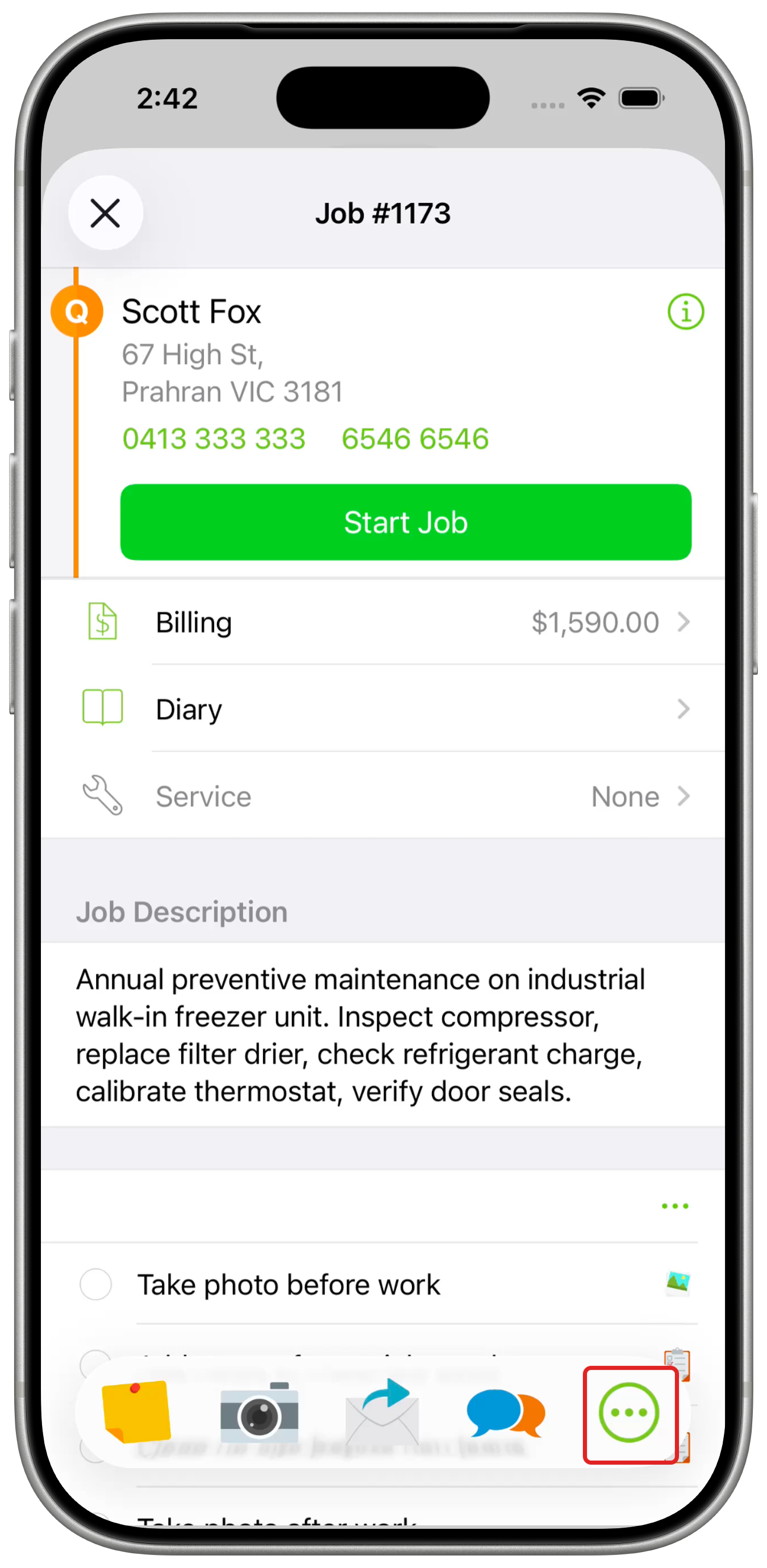
To add Attach File to your Job Actions, tap More (…) → Edit Actions, tap + beside Attach File, then tap Done. Customise the Job Actions bar to place it among your first four actions for one-tap access.
-
Open the Job card and tap More (…) in the Job Actions bar.
-
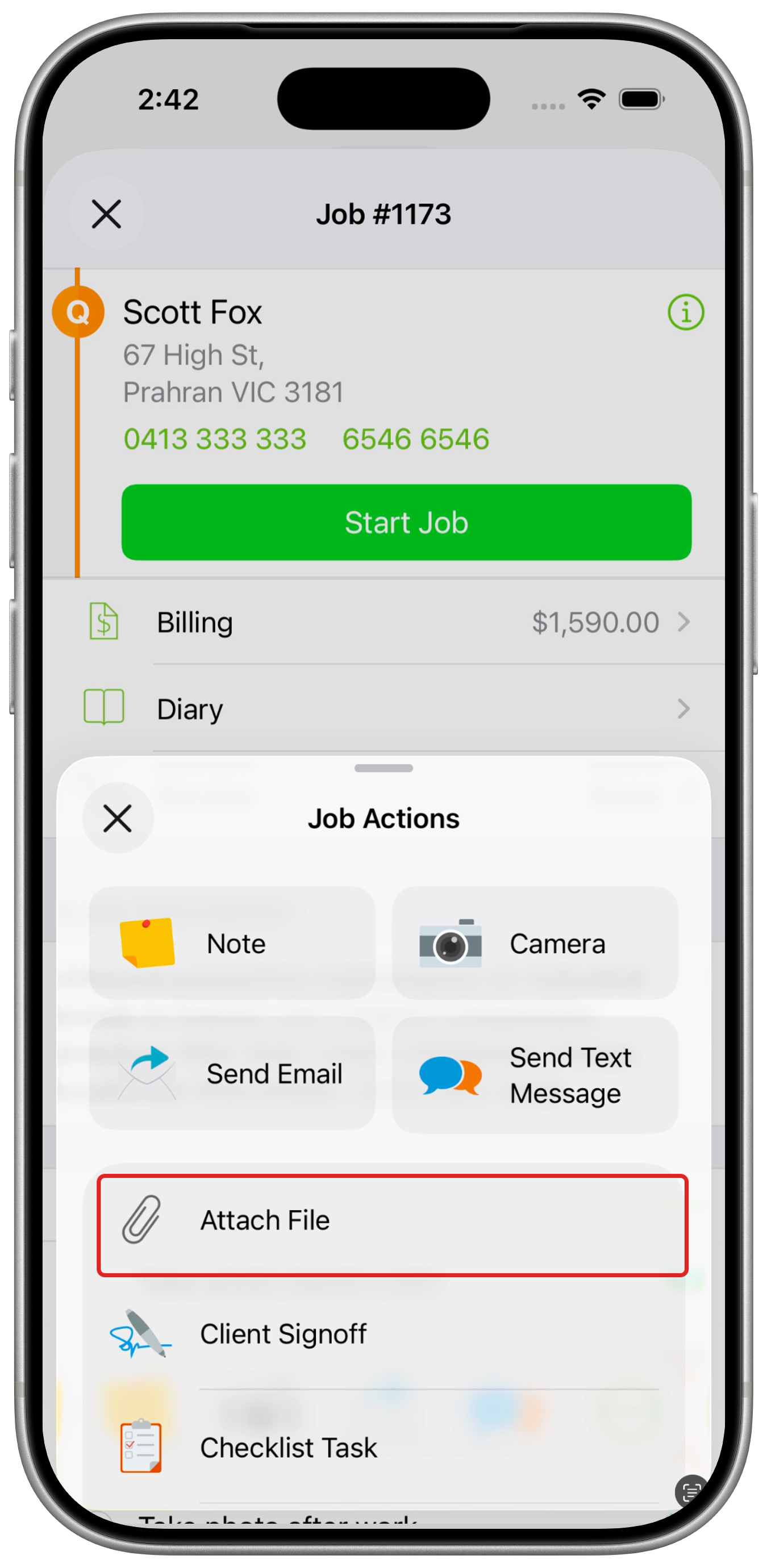
Tap Attach File.
-
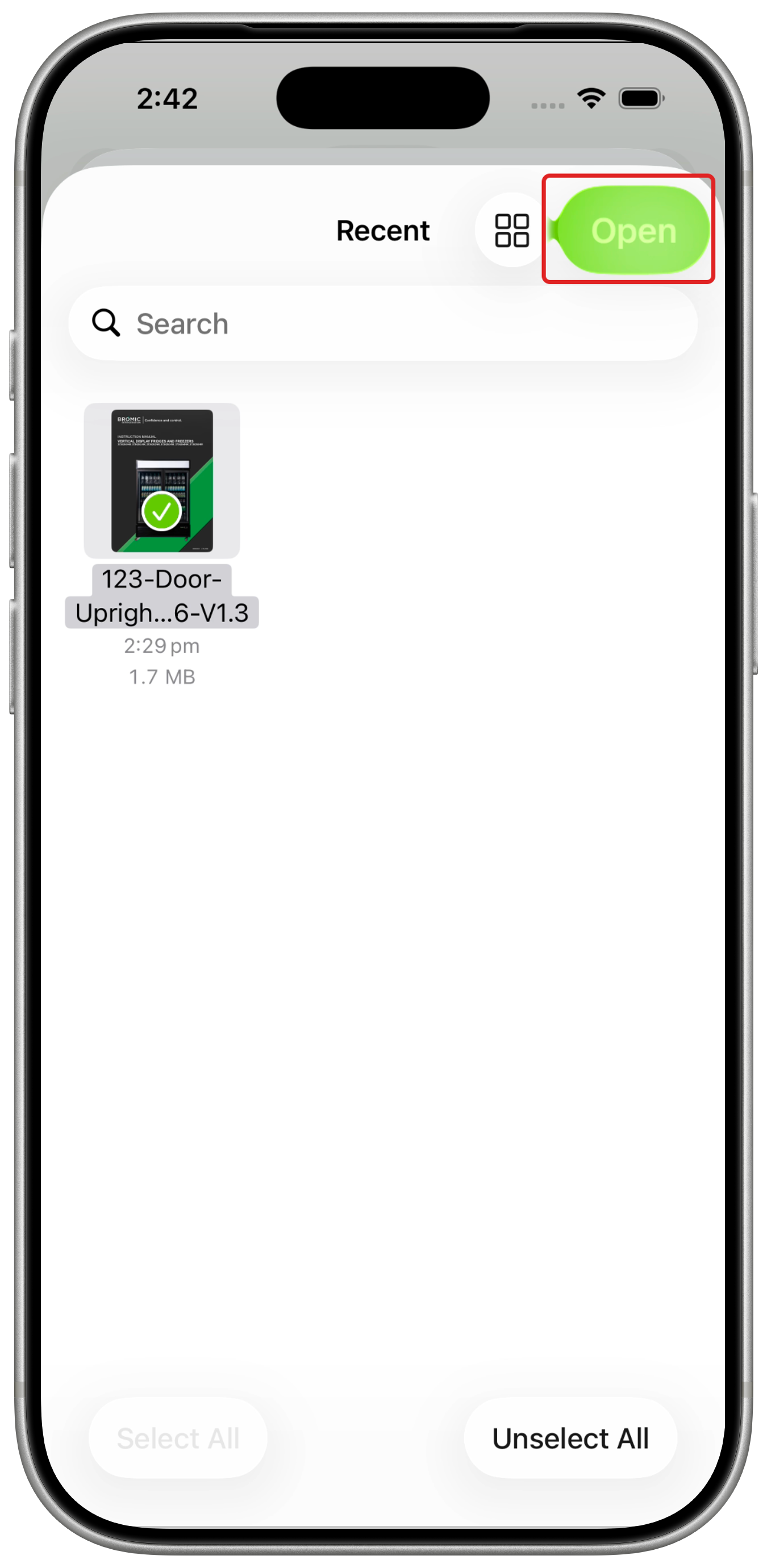
Select the file you want to attach. On iPhone and iPad, use Browse to choose your device, iCloud Drive or another Files provider, then tap Open.
-
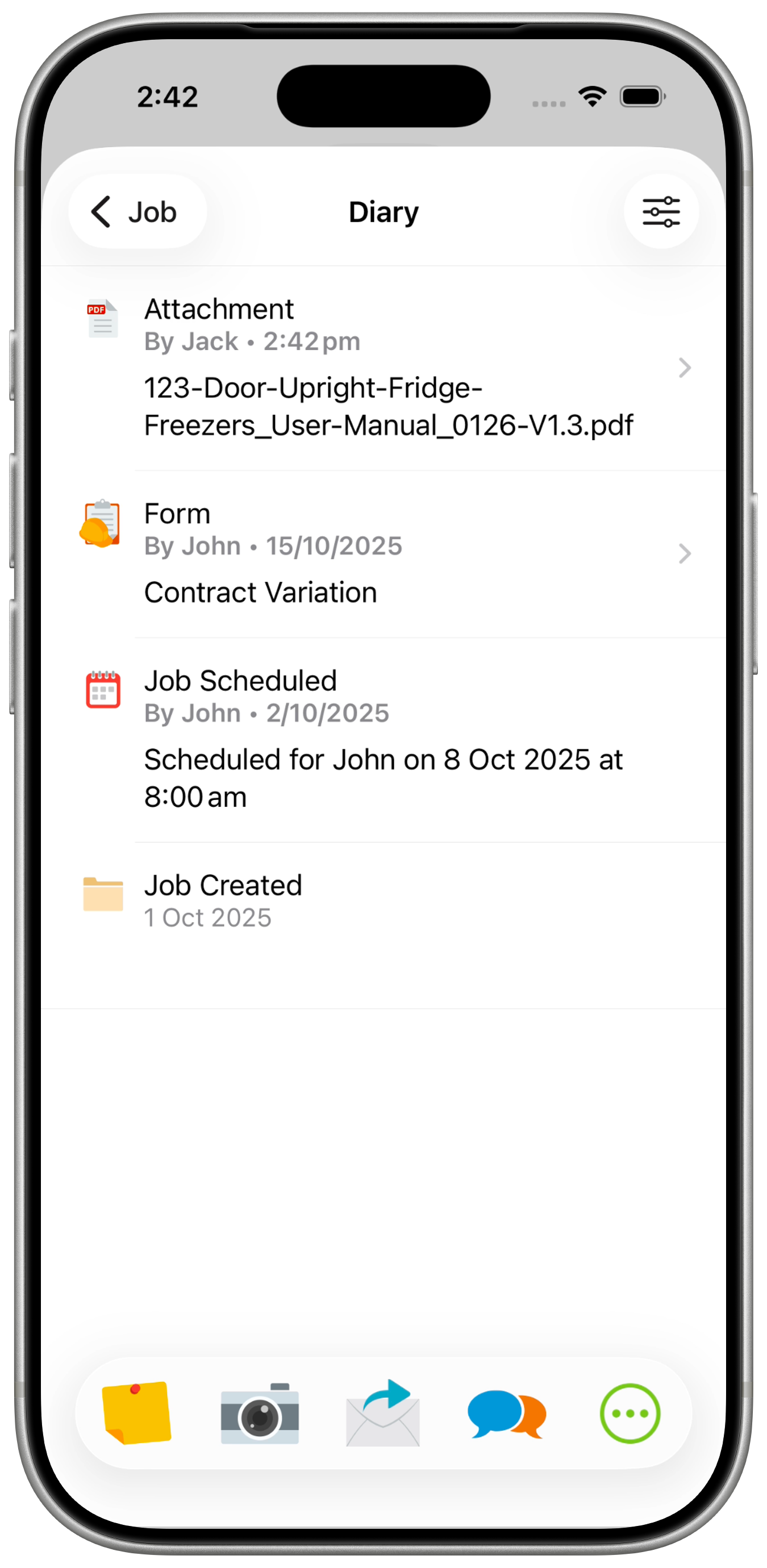
Tap Diary on the Job card to view the attached file.
Attach a file from another app on iPhone or iPad
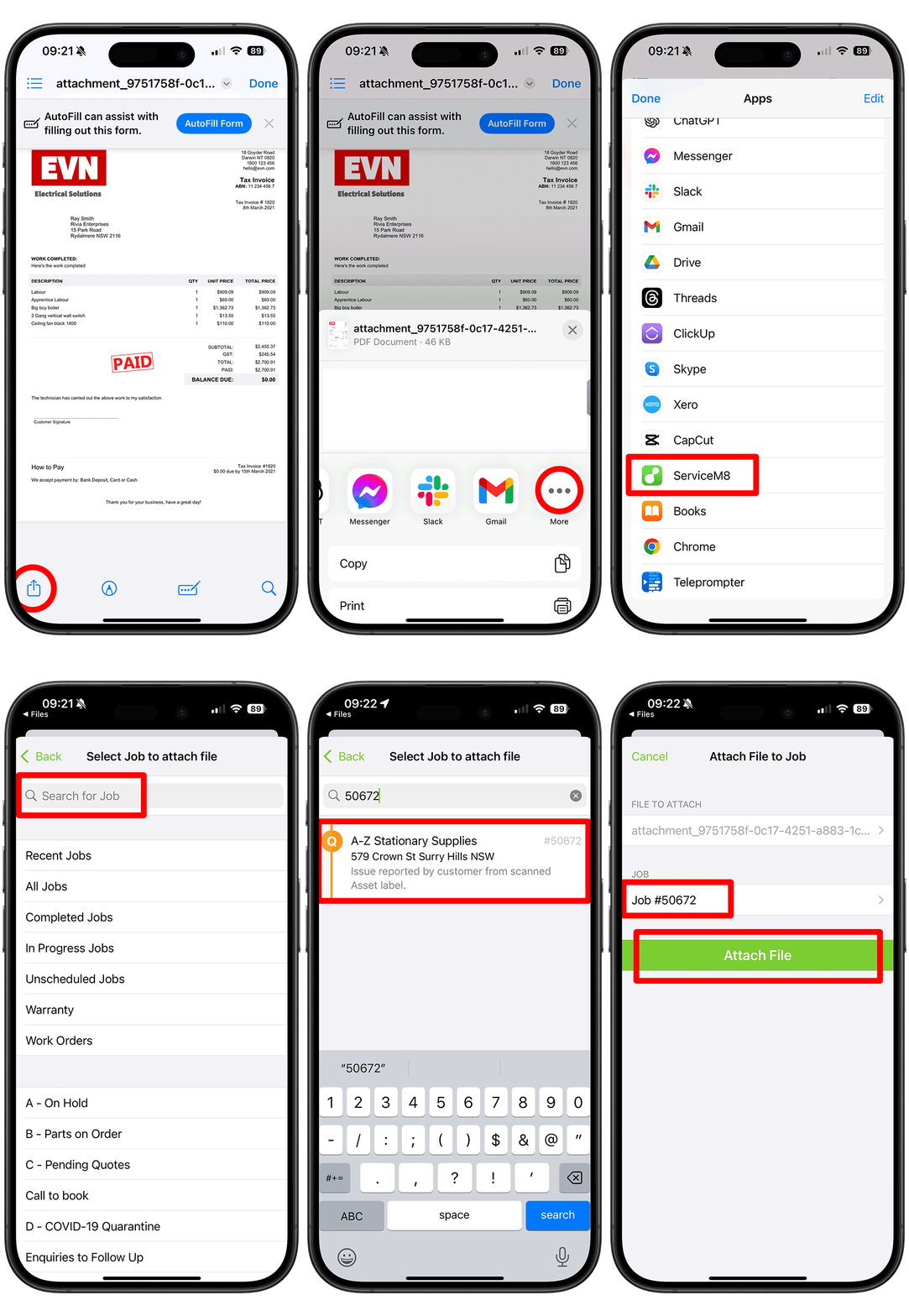
You can also share a file from another app to a job in ServiceM8.
-
Open the file on your device in the app where it’s stored.
-
Tap Share, the square with an upward arrow.
-
Tap ServiceM8. You may need to tap More first.
-
Tap Select job to attach file, then search for and select the Job card.
-
Tap Attach File.