

Communication
How to Edit Notes
Learn how to edit Notes in ServiceM8.
Notes saved to a job Diary can be edited in the Online Dashboard.
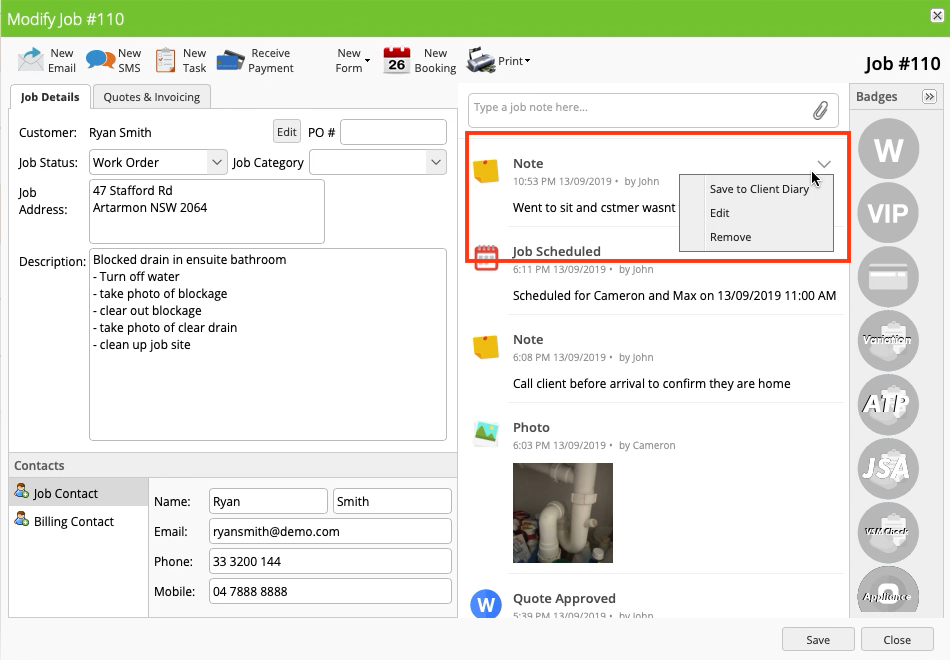
Tap the dropdown arrow at the top right of the Note in the Diary and select Edit to open the edit window.
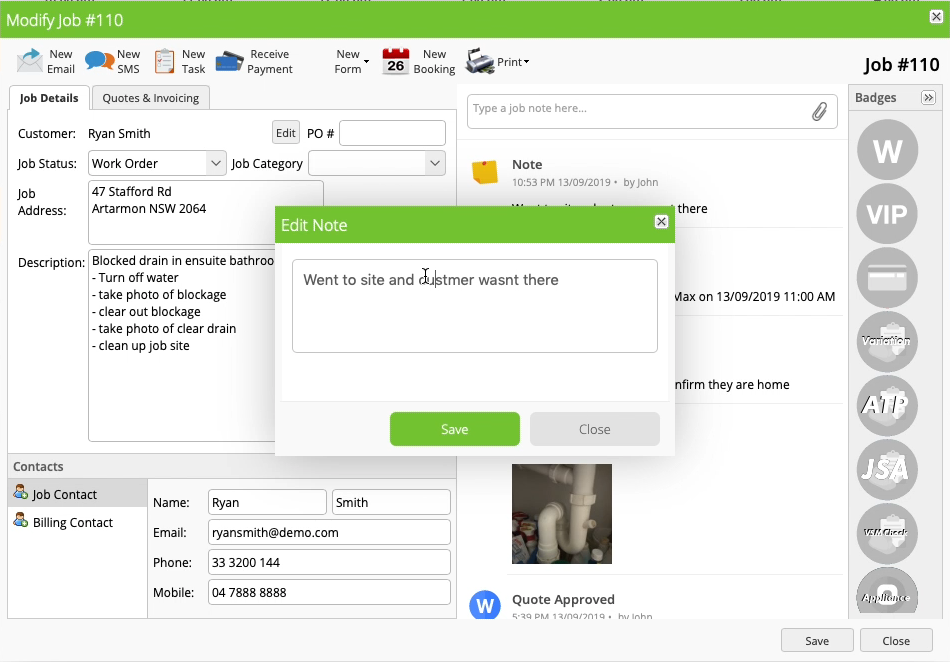
Change the content of the note as desired, then click Save. Your updated note is displayed in the diary.
Viewing a history of changes
If a note has been edited, you can view all previous versions of that note by clicking the dropdown arrow in the note and selecting Version History. This displays a history of all changes made to that note.
Why is the Edit option not shown?
Only the Staff member who created a Note can edit it. You cannot edit Notes created by other staff members.