

General FAQ
What is a ServiceM8 Partner?
Understand what a ServiceM8 Partner is and how it works in ServiceM8.
ServiceM8 Partners are third-party businesses that offer ServiceM8 consultation, setup, training and support services.
A ServiceM8 Partner can streamline your account setup and train your team, plus add a lot of value in transitioning your workflows and matching your business requirements with ServiceM8’s functionality.
You can also engage a Partner at a later date for further training, optimisation, or specific feature implementation. Further, some Partners can help you build custom Forms or integrations. Not all Partners offer all services, so make sure you discuss what services you require.
When you engage with a ServiceM8 Partner they will send you an invitation to connect to your account to help provide you with support; this will appear in the Home tab of your Online Dashboard.
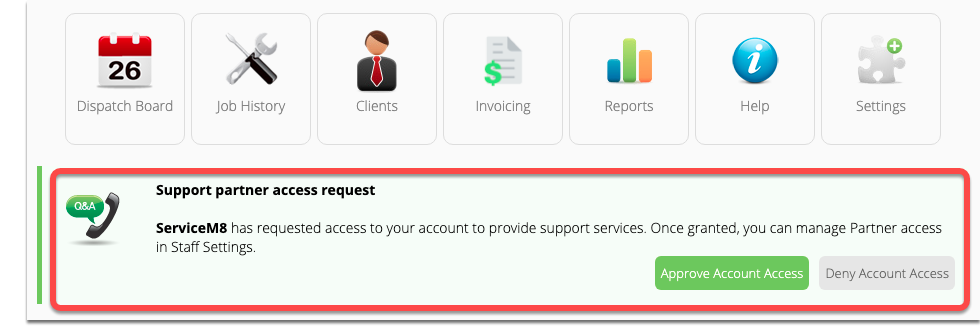
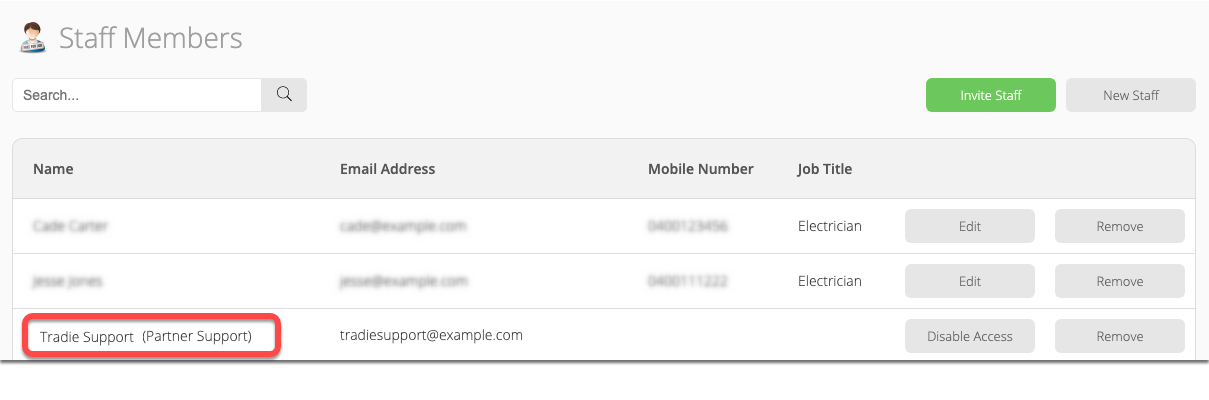
You can see which Partners are connected to your account at any time in the Online Dashboard (go to Settings > Staff).
- What access does my Support Partner have to my account?
Partners will have full access to your account while their access is Active. However, they cannot access your ServiceM8 subscription settings, Account Owner Settings, or the Account Cancellation process.
A Partner’s access to your account will automatically expire if they do not access your account for 60 days, which means they won’t be able to access your account until you enable their access again. You can disable a Partner’s access at any time in your Online Dashboard by navigating to Settings > Staff, then clicking ‘Disable’ next to the Partner’s name.

- Can I see when a Partner has logged in to my account?
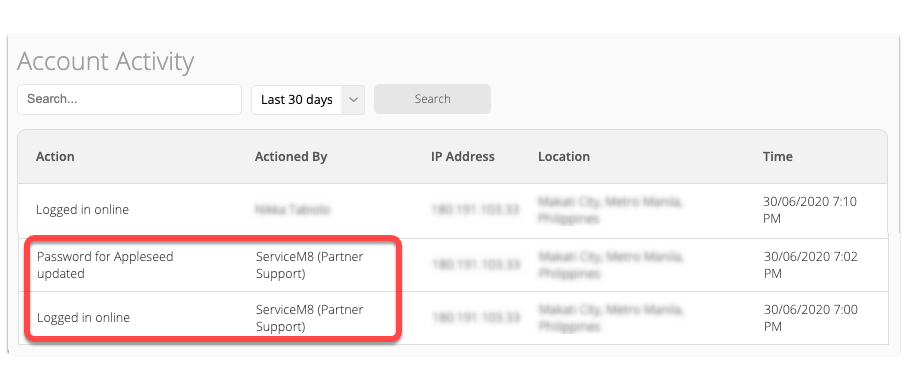
Yes. When a Partner has logged in to your account it will be visible in Account Activity (in your Online Dashboard, go to Settings > ServiceM8 Account > Account Activity). You can also see certain other actions they have completed while in your account.
- What’s the difference between Disabling a Partner’s access and Cancelling their connection?
When you Disable a Partner’s access, it keeps the Partner connected as your Support Partner, however they cannot access your account until access is re-enabled by you. To re-enable a Partner’s access to your account (e.g. if they need access to help you with something), go to Settings > Staff, and click ‘Enable’ next to the Partner’s name.

When you Disconnect from a Partner, it completely disconnects and removes the Partner from your account. You won’t be able to contact them for support from your account’s help menus, and they will be removed from your Staff list. See How to Disconnect from a Partner.
If you are happy with the service your Partner has provided but would like to control their access to your account, it’s recommended you only Disable their access, in case you need their support in future.
- What’s the difference between a Staff Member and a Partner?
A Staff Member will always have access to your account, in accordance with their security role, and are invited/created by a Business Owner in the account.
A connected Partner has the ability to temporarily access your account, via their Partner Portal, for the purpose of providing you with support. This access will automatically expire if they haven’t accessed your account for 60 days, or you can Disable their access at any time in Settings > Staff. When first connecting with a Partner, they will send you a Partner Support invitation (appearing in your Home tab), which you must accept before they can access your account.