

Jobs and scheduling
How can I quickly add new jobs for clients I deal with multiple times?
Find out how to quickly add new jobs for clients I deal with multiple times in ServiceM8.
To quickly create a new job for an existing client:
Click the New Job button on the Job Dispatch Board

Click the Customer field, and type the client’s name
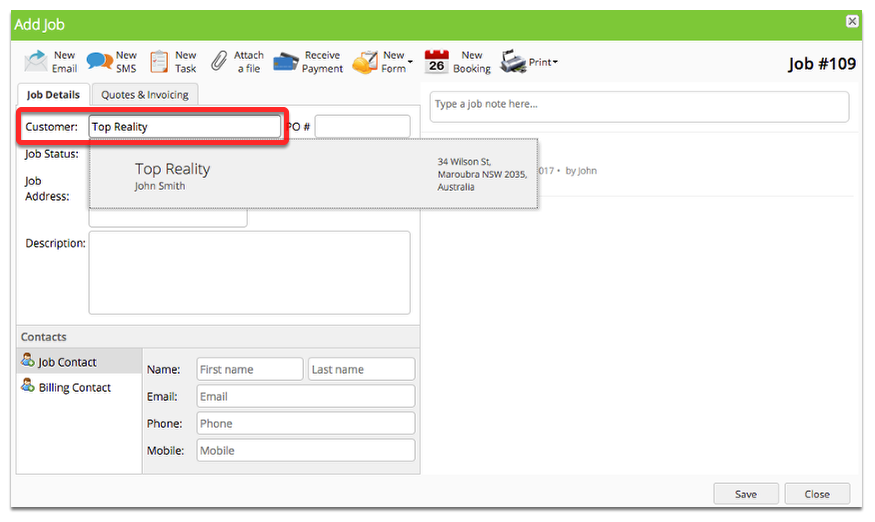
You’re done.
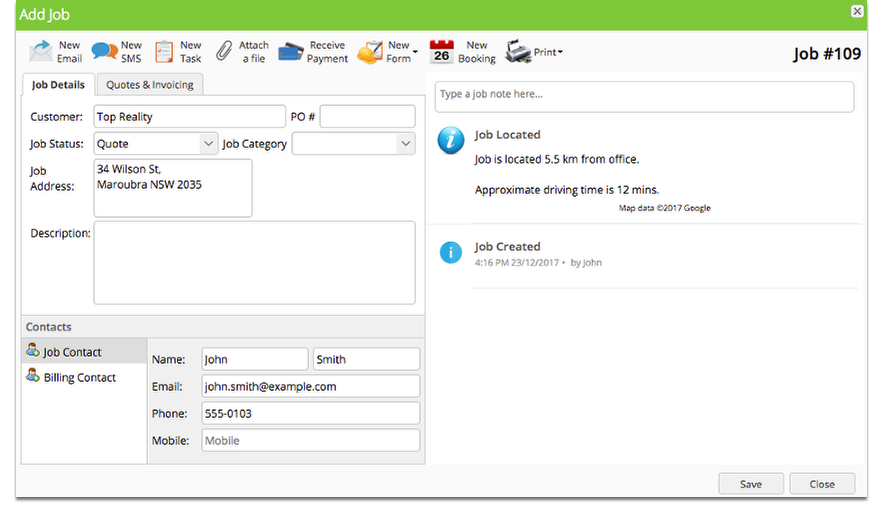
ServiceM8 will bring up clients matching your search in a list, and once you select the correct client the details will be automatically populated into your job.
Help! I can’t remember the companies name, but i remember the contact was John Smith.

Not a problem, type John Smith into the company search and bring up all companies who have a John Smith contact.
That’s great. But now i’ve got a missed call from a client - all I have is their phone number!
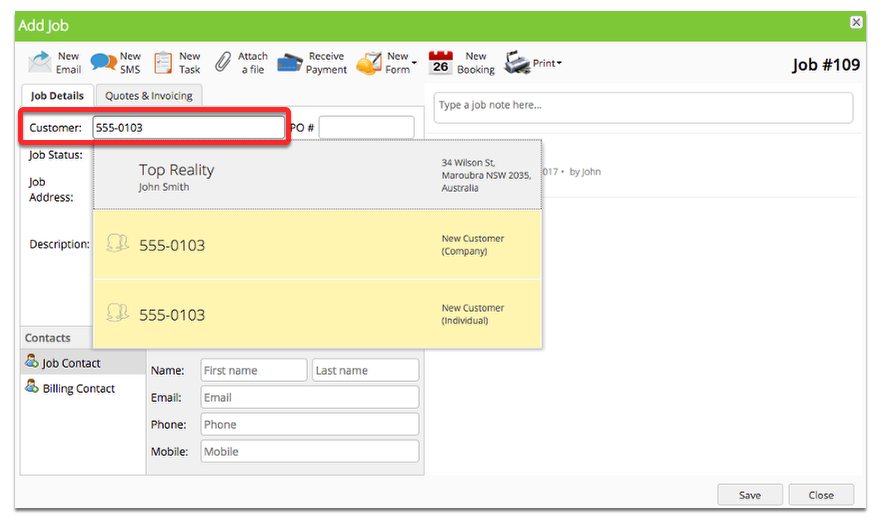
Still not a problem, type their phone number into the company search and bring up matching clients.
In fact, anything about a past job can be used to lookup a client:
- Job addresses
- Phone numbers
- Client Contacts