

Templates
How to remove itemised materials from invoices or quotes
Learn how to remove itemised materials from invoices or quotes in ServiceM8.
All invoices and quotes in ServiceM8 are generated from templates. Whether or not your invoices and quotes itemise materials and services will depend on the templates you use.
There are two ways you can remove itemisation from your invoices and quotes, both of which involve templates:
1. (easiest!) Choose a new invoice or quote template.
Go to Settings > Document Templates from the Online Dashboard and select an invoice or quote template that meets your business requirements. Some templates itemise services and materials, while others will only display a description of the work completed and subtotals or totals.
Go to this article to learn how to select a new invoice or quote template.
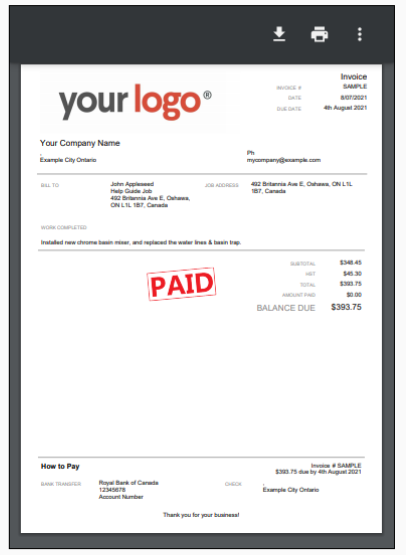
Example of an invoice displaying a total and job description only (no itemisation):

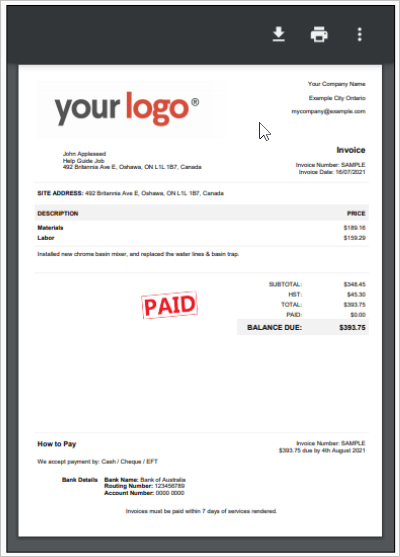
Example of an invoice that displays total labour and total materials as two separate line items:

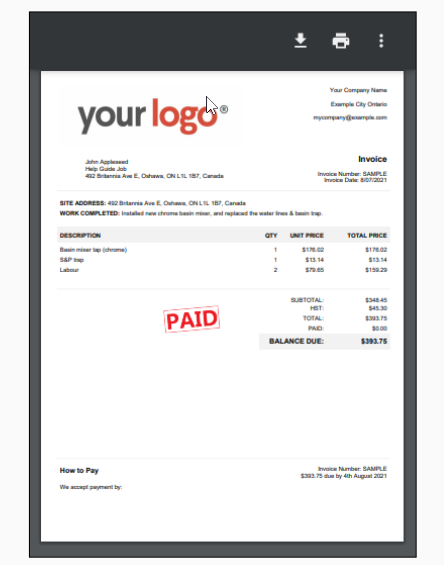
Example of an itemised invoice:

2. Delete lines from an existing template.
If you don’t want to switch to a template without itemisation, you can delete the materials and services detail from your invoices by modifying your current template.
If you’re comfortable using Microsoft Word, refer to this article to learn more about modifying templates. You will need to delete the cells that reference «jobMaterial.xxx» fields, and adjust the formatting accordingly.
And, as always, if you don’t have the time or inclination to modify your template yourself, our ServiceM8 Partners can provide professional help.