Photos, notes and attachments
How to filter a job Diary
Learn how to filter a job Diary in ServiceM8.
You can easily filter a job’s Diary down to the type of record you’re searching for, such as files, images, job notes or correspondence. Here’s how:
Mobile app
To filter a job’s Diary in the app, open the Diary then tap the filter icon in the top-right corner:
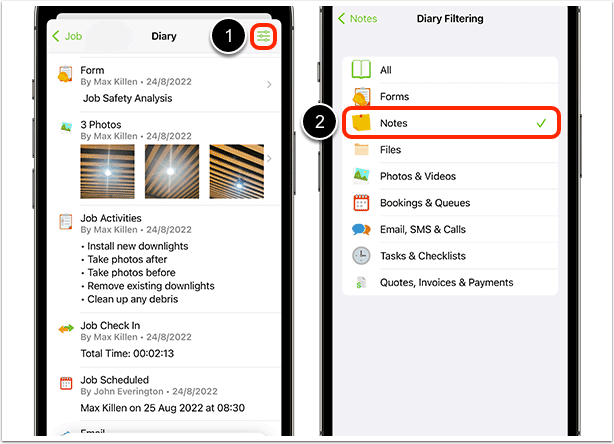
To clear the filter, tap the icon again and reset to ‘All’.
Online & Desktop App
To filter a job’s Diary in the Online Dashboard, click the filter icon in the top-right corner of the Diary pane.
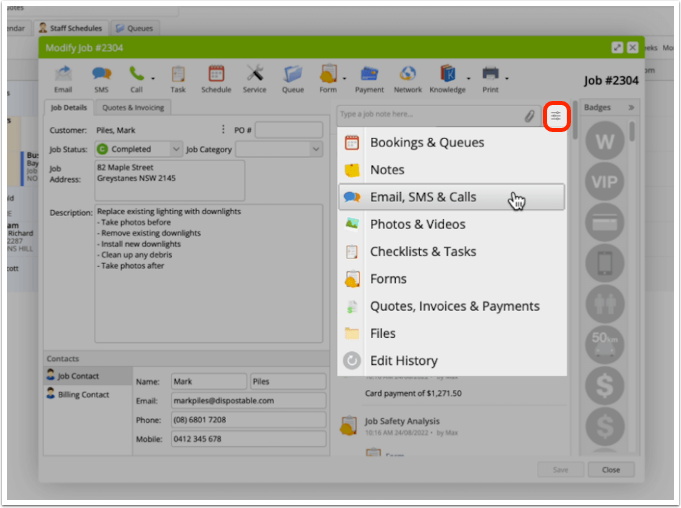
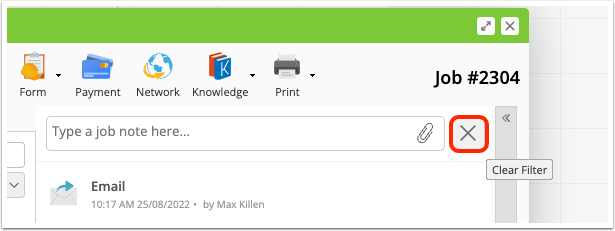
To clear the filter, click the icon again: