Quotes and invoicing
How to send quotes for remote signature
Learn how to send quotes for remote signature in ServiceM8.
You can require your customers to sign quotes remotely upon acceptance when you send them the quote via Email or SMS.
First, you will need to set up your quote template to include the special “Customer Signature” field. You can learn how to add this to your quote template here.
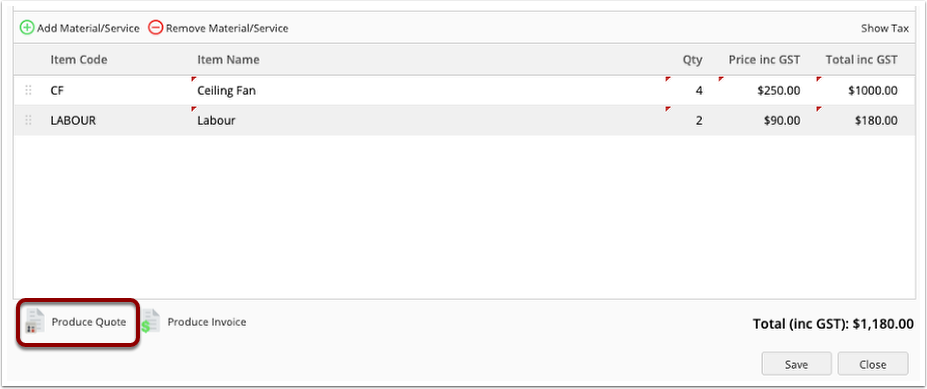
Once you have your template set up, add your materials and in the job card and select Produce Quote. If you have multiple quote templates, make sure you select the quote template that includes the special “customer signature” field.
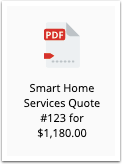
The PDF Icon shows that it is a signable document
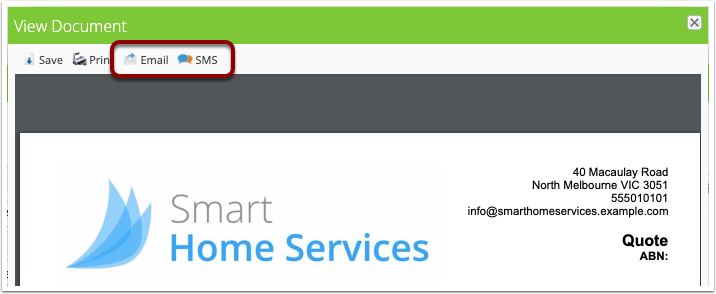
You can now email or SMS the quote to the customer
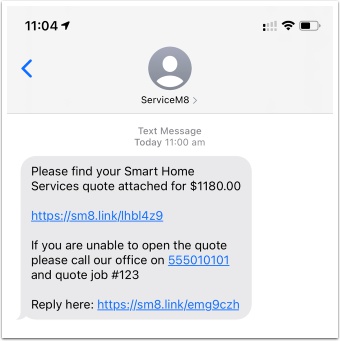
When the customer receives the SMS, it includes a link to view and sign the quote
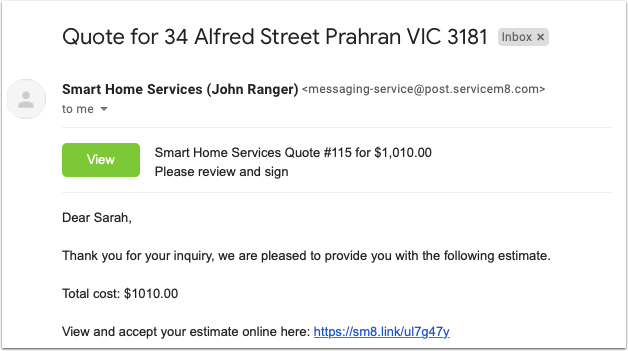
When the customer receives the quote by email, the email will have a button at the top of the email, as well as the link to view the quote in the email body. Both of these will take them to view the quote online.
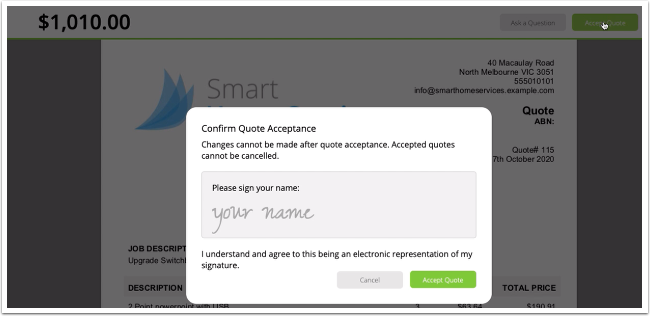
When viewing the document, clicking the Accept Quote button will prompt the customer to sign the document to accept the quote.
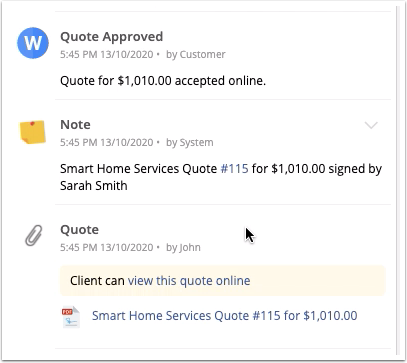
The job status will be updated to Work Order, and the quote PDF will be updated to include the customer’s signature. The PDF icon is also updated to show that the document has been signed.