

Quotes and invoicing
How to auto-approve invoices
Learn how to auto-approve invoices in ServiceM8.
For some businesses, the additional process of approving invoices through to the integrated accounting package isn’t required.
When checking out of a job in the app, you can choose to immediately approve the invoice to your integrated accounting package.
This option is only available to staff with ‘Show Invoicing’ privileges (Settings > Security Roles > View/Edit > Invoicing > Show Invoicing:
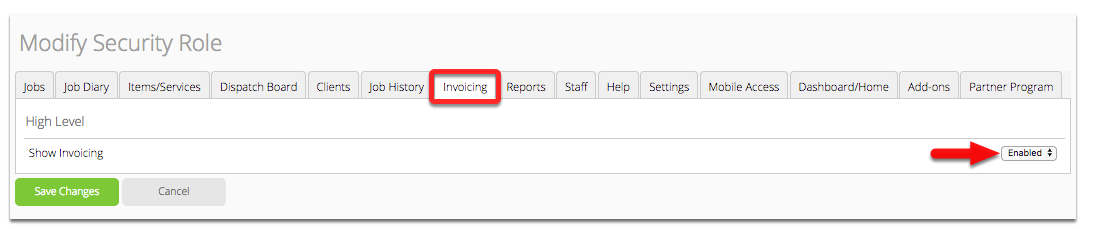
After you have configured the required settings, you can choose to auto-approve invoices in the Check Out view on the app.
Here’s how:
Check Out of a job

Tap Job Completed, then tap Approve Invoice

If you have integrated with an accounting package it will appear here

NOTE: toggling this setting on one job will apply the same “On” or “Off” setting to all subsequent jobs on that specific device, until toggled again.