

The mobile app
About the ServiceM8 Android app
Explore ServiceM8 for Android, its features, and the main differences from the iOS app.

ServiceM8 is available for Android with almost all the same functionality as the iOS app. You can manage jobs, schedules, client communication, quotes, invoices, and payments from your Android device.
Download ServiceM8 from Google Play.
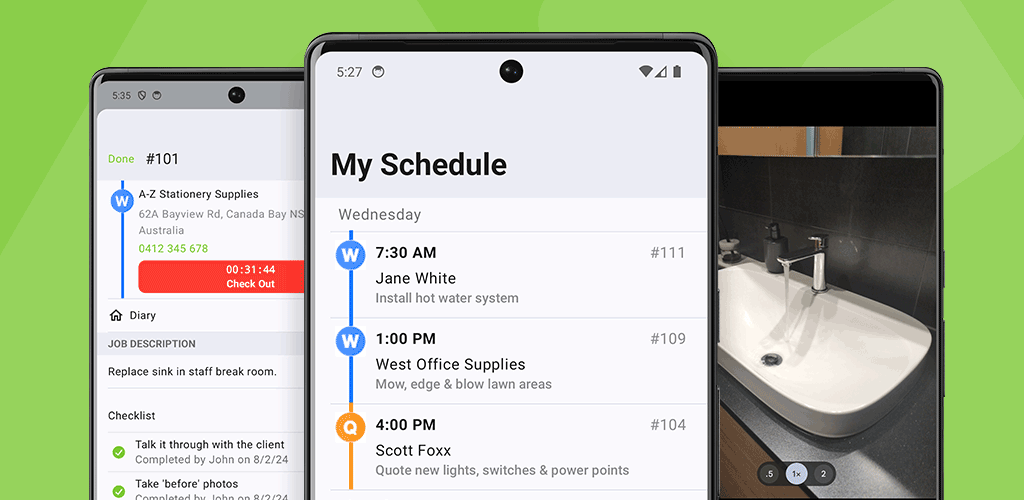

About the ServiceM8 Android app
You can use ServiceM8 for field work and job management on Android, including viewing other staff members’ schedules, accessing client job history, and managing billing. Your access depends on your staff permissions and the features enabled in your account.
Key features of ServiceM8 for Android
With ServiceM8 for Android, you can:
- View your schedule and other staff members’ schedules
- View job and client details in the Job card, and access client job history
- Create new jobs
- Schedule jobs at fixed times or in booking windows
- View the job Diary
- Call, email, and SMS your clients
- Navigate to jobs and send your clients an On the Way text
- Create, edit and delete checklist items, manage multiple checklist sections, and set assignments and reminders, subject to your checklist permissions
- Complete Forms
- Track navigation time and time on site for billing
- Send jobs to Queues
- Add notes
- Take and annotate photos, and share job photos to other apps
- Scan documents
- Use the voice-to-tag action for photos
- Mark jobs as Completed or Not Complete
- Add Materials/Services to charge for
- Generate and send PDF Quotes and Invoices
- Accept payments and deposits
- Create and send Proposals
- Use Asset workflows and local barcode lookup
- Send staff messages
- Receive Network Requests via the Inbox with ServiceM8 Network, and convert them to jobs
- Send Network Messages
- Clock On and Off your shift for payroll
Main differences from the iOS app
ServiceM8 for Android supports most of the same workflows as the iOS app. The main differences are:
- Room Scan and AR: Room Scan capture, 3D viewing, and AR measurement are not available on Android.
- Diagrams: You can annotate photos on Android, but drawing diagrams is not available.
- PDF editing and filling: Editing or filling PDFs from attachment previews is not available. You can still view PDFs and use separate signature workflows.
- Camera tagging: Android has a voice-to-tag action, but it does not have the full automatic and in-camera tagging behaviour of the iOS app.
Minimum requirements
To run the ServiceM8 Android app smoothly, your Android device must meet the following requirements:
- Operating system: Android 8.0 or higher
- Regular Updates: Keep both the app and your device’s operating system up to date for optimal performance.
Tap to Pay on Android
You can accept contactless payments directly on an eligible Android phone when Tap to Pay has already been activated for your account. The initial account activation workflow is not available in the Android app.
Tap to Pay requires Android 13 or later, NFC, and a phone that meets Stripe’s supported-device and security requirements. A phone that can run ServiceM8 does not necessarily support Tap to Pay.