

The mobile app
How do I set up Caller ID with ServiceM8?
Find out how to set up Caller ID with ServiceM8 in ServiceM8.
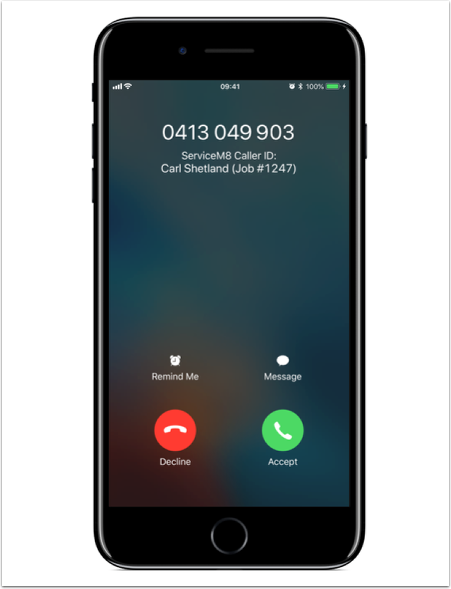
Taking phone calls from clients is part of the job, and their experience with you over the phone is an important part of their experience with the business as a whole.
So, it’s important to answer and conduct calls professionally. A simple but really useful development to help with this has been Caller ID:
- You know who’s calling before you answer;
- You have a moment to gather your thoughts about them & what they may be calling about;
- You can greet them by name; and
- It saves on situations where you’re distracted trying to figure out who the caller is, or needing to ask their name again.
But with so many jobs and clients coming through the business, it’s not really practical for every team member who may deal with a client to save their contact details into their iPhones.
However, ServiceM8 has a simple solution to help, automatically providing Caller Identification for clients the business is currently or has recently dealt with.
It takes four taps to activate ServiceM8’s Caller ID. ServiceM8 will be able to identify whether incoming calls are from a client associated with a current job in ServiceM8, and provide this information to be displayed with the incoming call’s number:
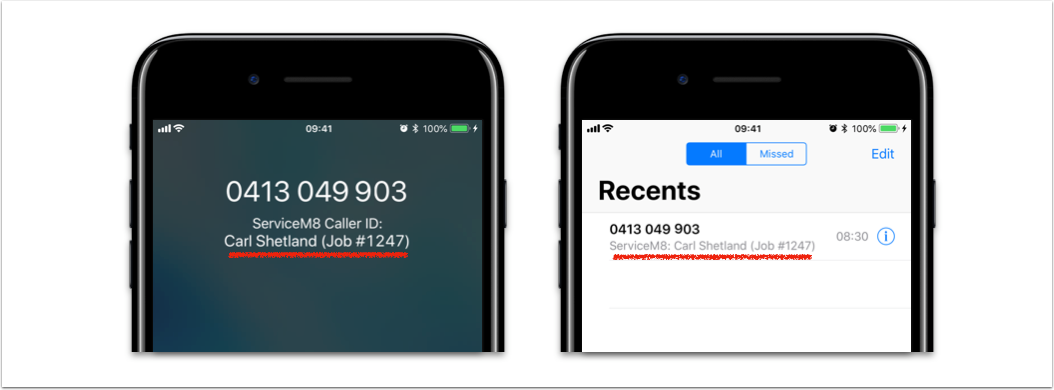
Activating ServiceM8 Caller ID
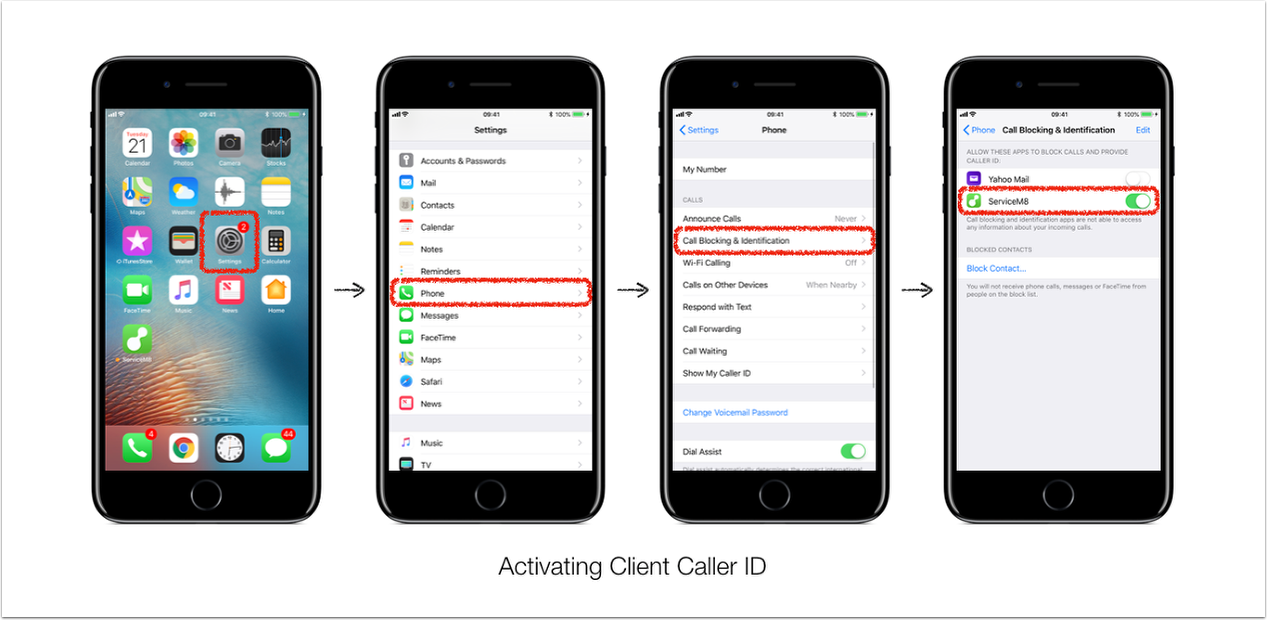
On your iPhone, go to Settings > Phone > Call Blocking & Identification, and allow ServiceM8 to provide Caller ID.
- Note that by activating this setting, ServiceM8 will only provide Caller Identification — it will not block any calls on your behalf.
- It may take up to 24 hours from activation for ServiceM8 Caller ID to start identifying calling client numbers.
- ServiceM8 will identify and supply information attached to the 100 most-recent clients the ServiceM8 account has dealt with i.e. in progress & recent jobs.