

Account and billing
How to reset your password when you’ve forgotten it
Learn how to reset your password when you’ve forgotten it in ServiceM8.
In this tutorial will show you how you can reset the password and regain access to your account.
Here’s how:
Go to the ServiceM8 login page
Click this link - https://www.servicem8.com/login-page
Click “Forgot your password?” link

Enter your email address and click the Reset Password button
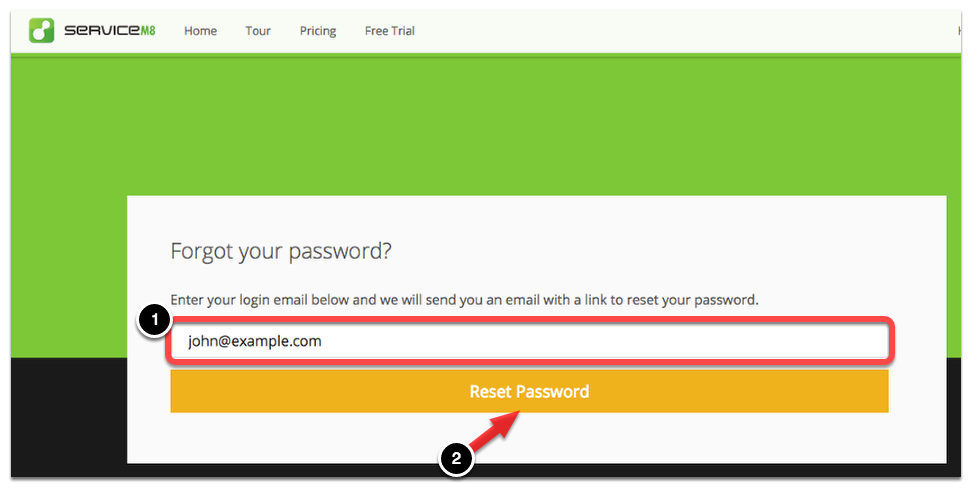
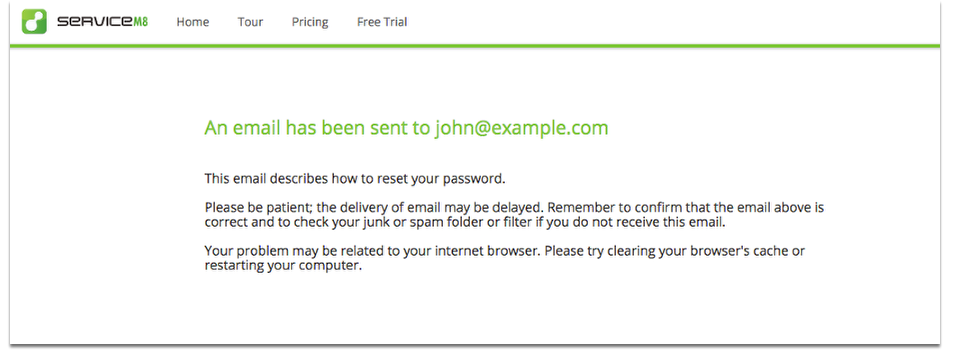
You will receive a link to create a new password via email.
Now go to your email mailbox
Click the link “Click Here”

Enter the new password and click Reset Password button
Note: Password must be at least 6 characters with 1 number or special character.

Once successful you will see this message.
