Accounting integrations
How to sync the ServiceM8 Fields to the Custom Fields in QuickBooks Online Advanced
Learn how to sync the ServiceM8 Fields to the Custom Fields in QuickBooks Online Advanced in ServiceM8.
1. Create the custom fields in QuickBooks. Ensure that the Data Type is Text and number and that all Sales Forms (like Invoices, Estimates, Sales Receipts, Credit Memo, and Refund Receipt) are ticked.

Note:
- To update your QuickBooks Online settings in ServiceM8, you need to export at least one invoice to QuickBooks. Only then will the updated custom fields appear under Settings > Preferences > Invoicing > QuickBooks Online. If you make changes to custom fields, you will have to export another invoice before the new custom fields can be seen in ServiceM8.
- Only the first three custom fields of the “Text and Number” data type, whether active or inactive, are supported.
2. Go to Settings > Preferences > Invoicing > QuickBooks Online. Add the ServiceM8 field code to the equivalent custom field from QuickBooks Online, and save.

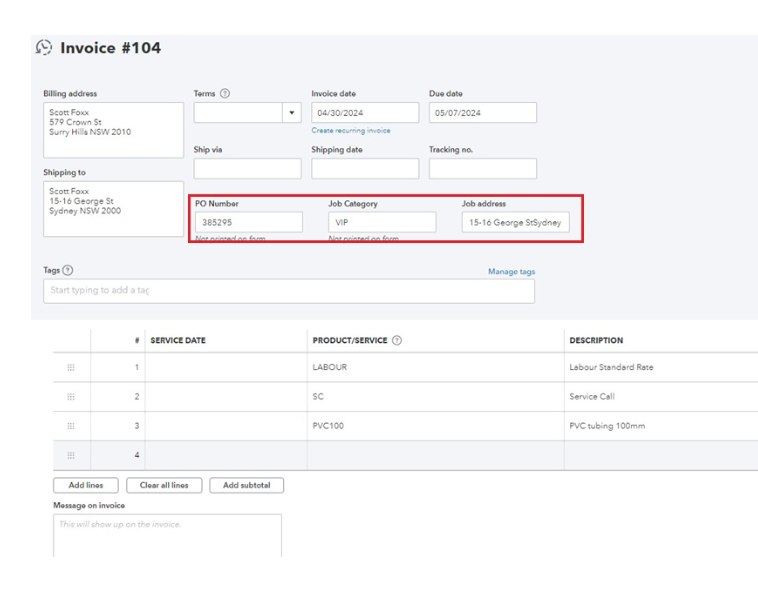
The information entered in the ServiceM8 field will sync to the QuickBooks Online invoice: