

Accounting integrations
Approving jobs without syncing to accounting
Learn how to approve jobs without syncing to accounting in ServiceM8.
On occasion, you may need to approve a job without sending it through to your accounting package - for example, if it is already in your accounting package.
To approve a job without syncing to your accounting package:
- Go to Invoicing > Awaiting Approval.
- Tick the box next to the invoice in question.
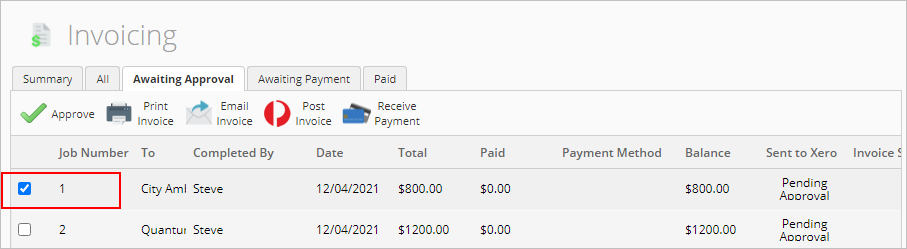
- Right-click on the invoice.
- Click Approve Job(s) without sending to Xero.

- A confirmation message will appear. If you are sure you want to mark this job as paid without sending to your accounting package, click OK, I agree.
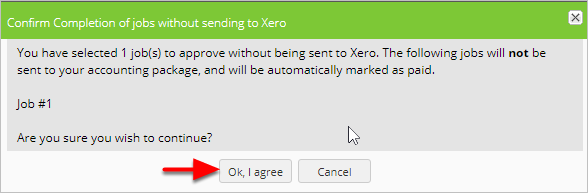
Your approved job is now marked as paid, but it has not been sent to your accounting package.