

Quotes and invoicing
What do I set the tax setting to when importing materials?
Learn about what do I set the tax setting to when importing materials in ServiceM8.
In this lesson you will learn what to set the tax settings to when importing materials.
Price Includes Taxes
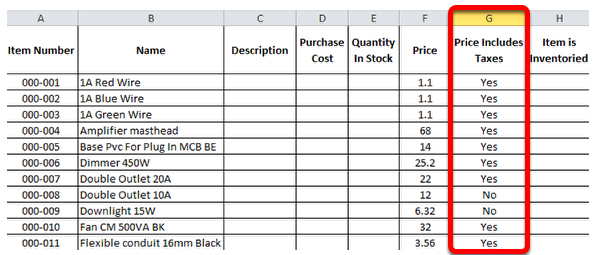
The ‘Price Includes Taxes’ needs to be set with Yes’ and ‘No’ or ‘Y’ and ‘N’ or ‘1’ and ‘0’.
Set the Price Includes Taxes to ‘Yes’ if the price of the material includes GST.
Or set the Price Includes Taxes to ‘No’ if the price of the material excludes GST.
Tax Rate
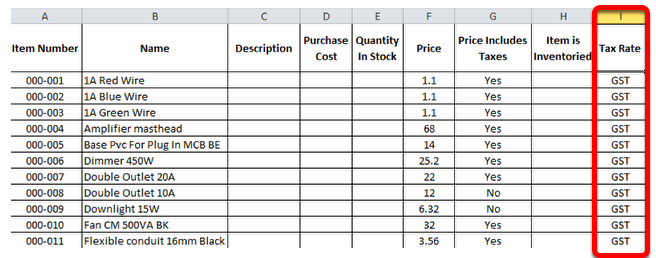
The ‘Tax Rate’ needs to be set to code of the tax that apply to that item.