

Quotes and invoicing
How to insert section description lines in Quotes & Invoices
Learn how to insert section description lines in Quotes & Invoices in ServiceM8.
For large or complex jobs, breaking up your quote or invoice with some simple headings and structure can go a long way in helping clients understand what they’re looking at.
When preparing a quote or invoice, you can insert simple description lines between items, giving you the ability to break up your quotes & invoices into sections. Note that you’ll need to use a quote or invoice template which itemises your materials & services.
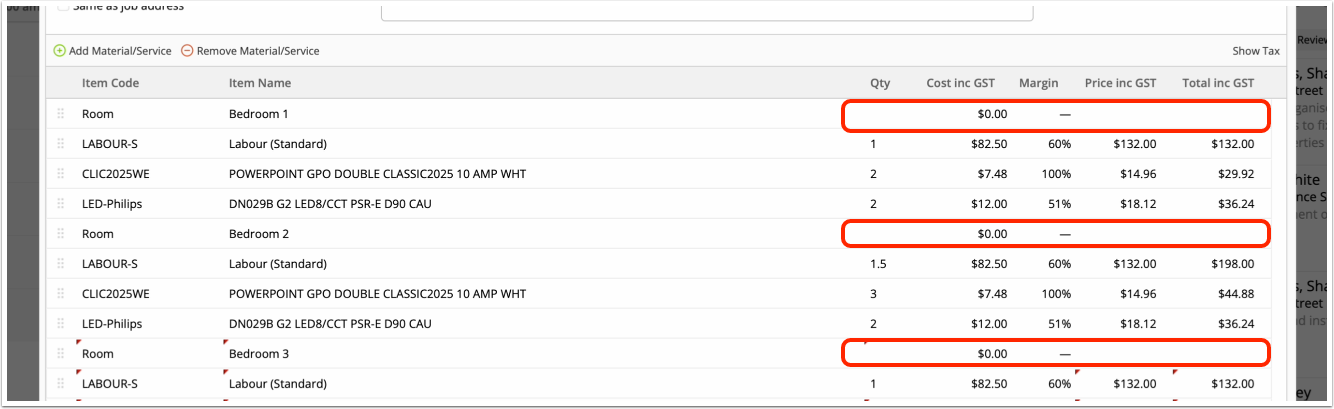
To create a description line, just set its Quantity, Cost & Price to zero:
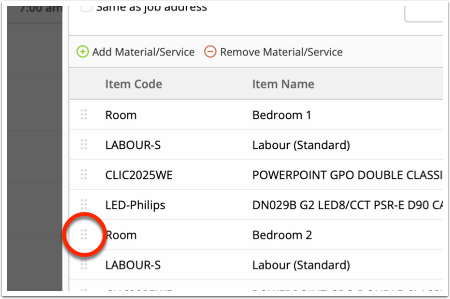
Use the grab handles to drag and place your description lines to suit:
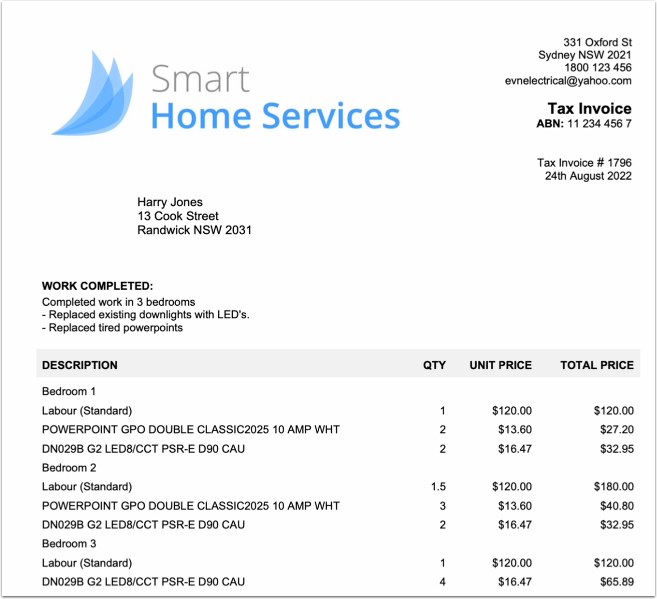
And they will display as simple section lines on your quote/invoice PDF.
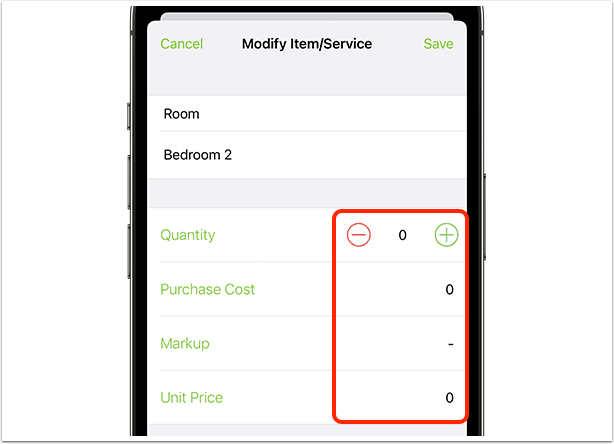
It’s the same in the ServiceM8 app — simply tap Add Item/Service > New Item, and ensure the new item’s Quantity, Cost & Price is set to zero:
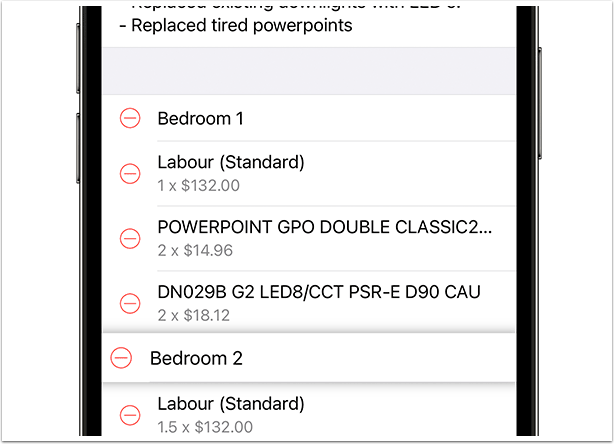
If you need to move section lines & regular items around to ensure they display correctly on your quote/invoice, just press, hold & drag them up and down to rearrange their order.
TIP: For even more control over how you present services on your quotes and invoices, check out the Bundles Add-on, which lets you group several materials, services and/or labour items together into one line item on your quotes and templates.