Jobs and scheduling
How to customise the Jobs view
Learn how to customise the Jobs view in ServiceM8.
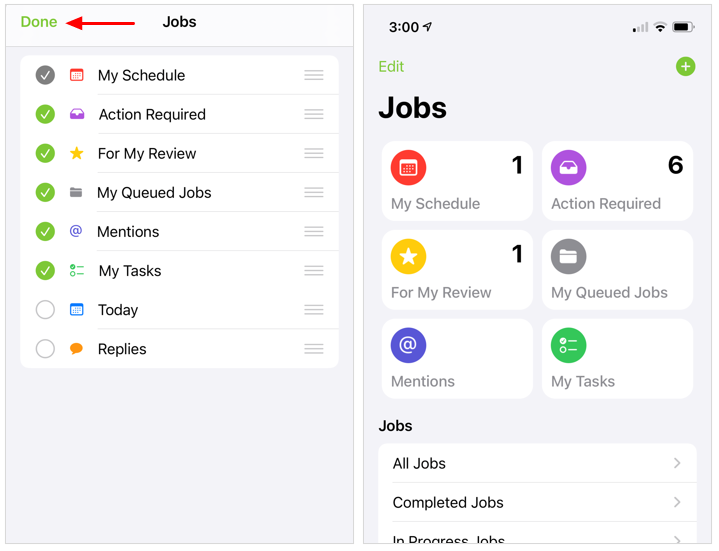
The Jobs view in the ServiceM8 App is a powerful tool to help you stay organized and in control of your workload. You can customise your Jobs view to reflect what lists you want displayed, and in what order. (For a full explanation of the Jobs view and the available lists, read this article.)
Note that My Schedule is the default list and cannot be hidden from the Jobs view.
To customise your Jobs view:
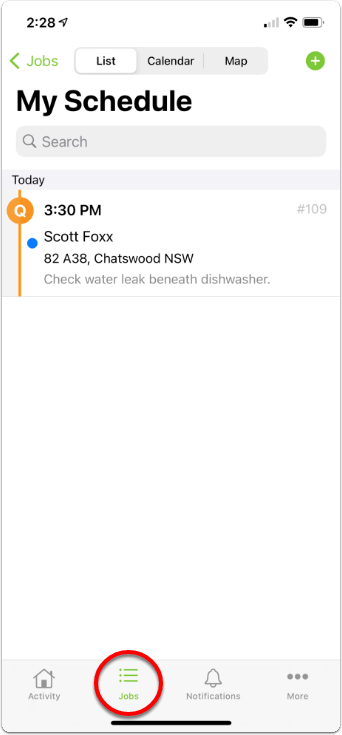
- From your ServiceM8 App, tap Jobs.
- If a list appears instead of the Jobs home page, tap Jobs again or swipe left-to-right to go back a level.
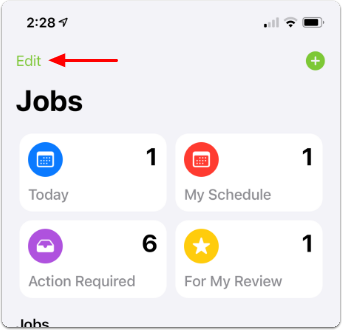
- Tap Edit.
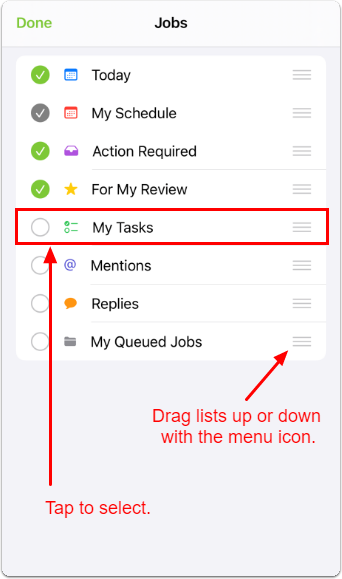
- Tap to select any lists you would like to appear in Jobs view (or to deselect those you don’t). To adjust the order of the lists, drag them up or down with their menu icon (≡).
- Tap Done.