

Jobs and scheduling
What are Job Categories?
Understand what Job Categories are and how it works in ServiceM8.
To view, organise & run basic reports by different job types or characteristics, you can use Job Categories.
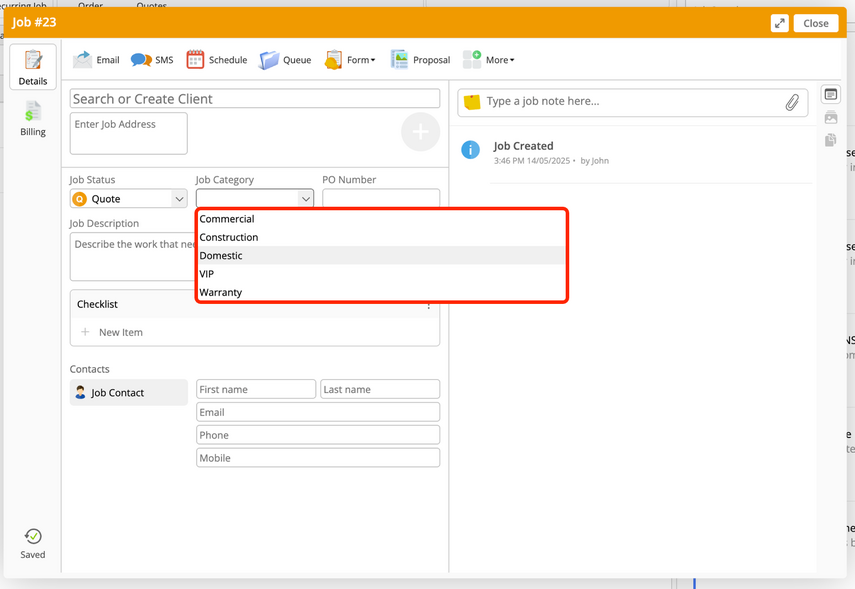
You can create custom Job Categories in the Online Dashboard, and assign a Job Category in the job card (next to ‘Job Status’).
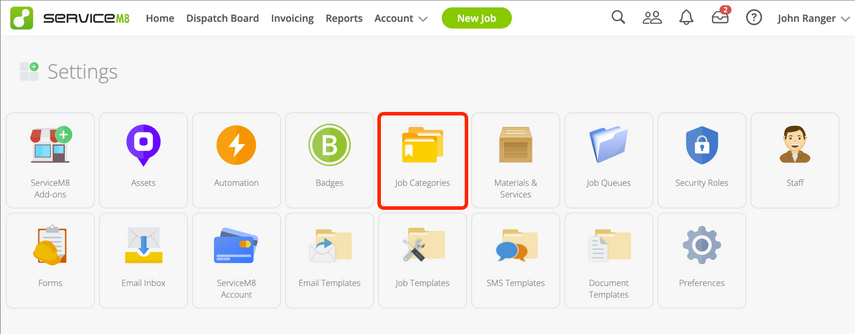
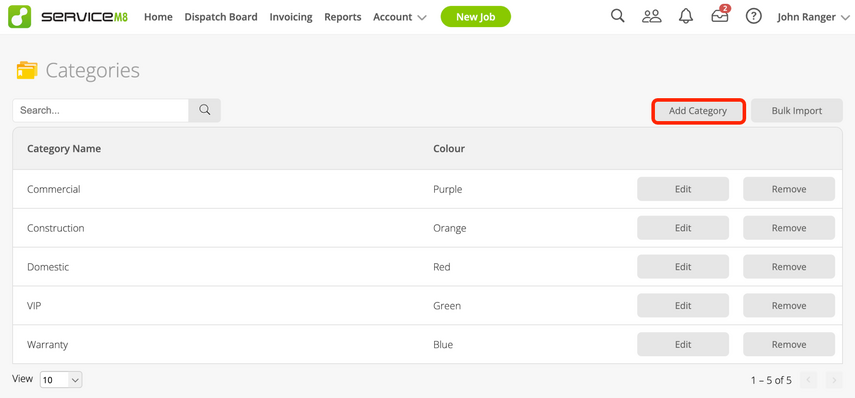
Go to Account > Settings > Job Categories to edit existing categories, or create new ones:
You can then assign a Job Category as part of creating & editing jobs:
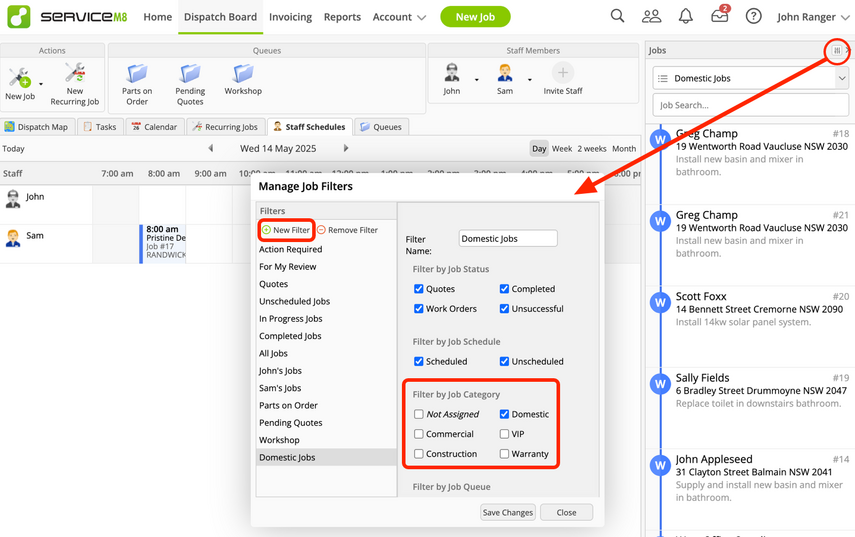
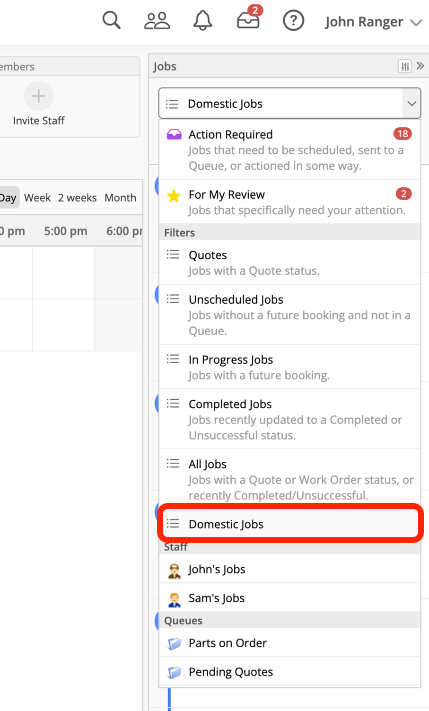
You can also create filters to view jobs by Category in the Dispatch Board:
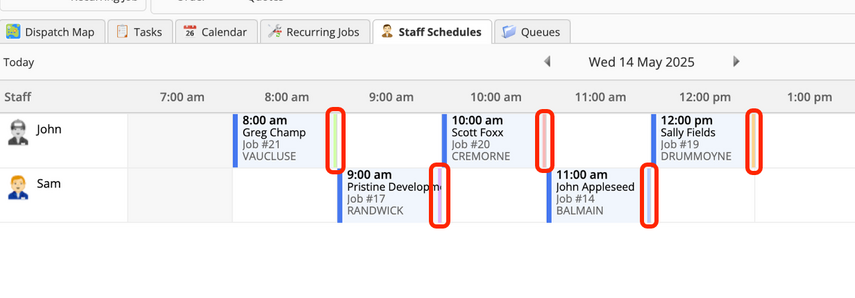
Colours set to Job Categories provide a quick way to visually distinguish jobs on the Staff Schedule:
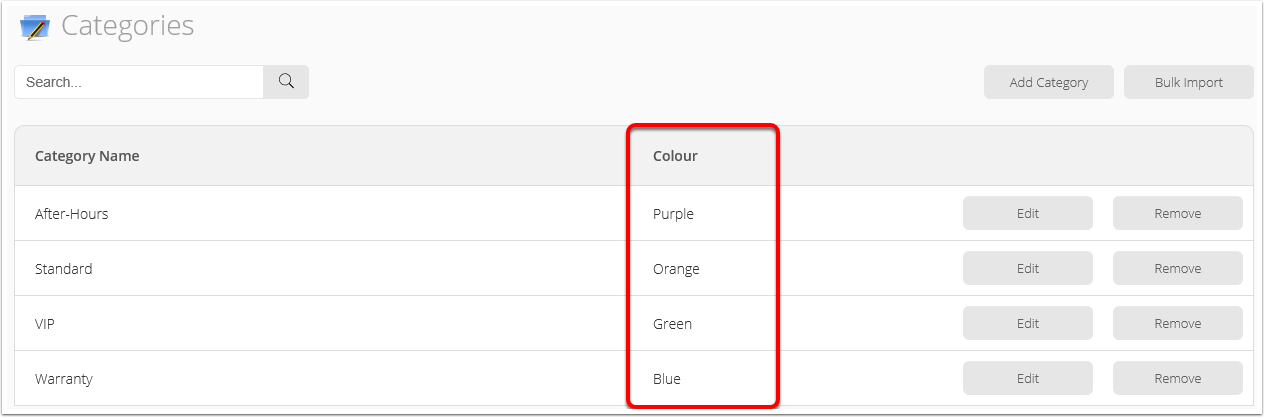
You can check or edit the Job Category colours in Settings > Job Categories.
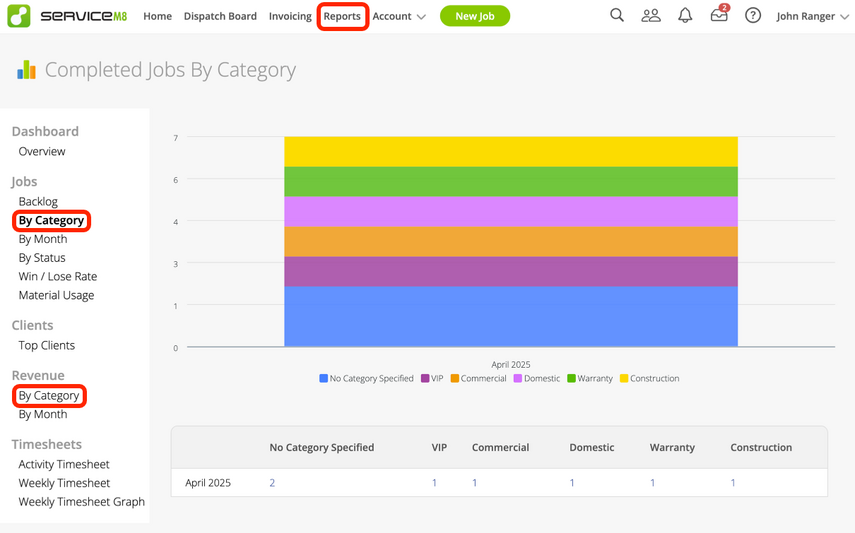
You can also view breakdowns of job volume & revenue by Category in the Reports tab:
And, when exporting your jobs to Excel it is possible to segment the data by Category:
