Photos, notes and attachments
How to tag photos and videos
Learn how to tag photos and videos in ServiceM8.
Tagging photos and videos in ServiceM8 helps you find them later using Global Search. This article explains the iPhone and iPad camera controls for tagging one or more photos using default or custom tags, and removing tags. Android has a separate voice-to-tag action; see About the ServiceM8 Android app.
Tagging photos and videos
When you take a photo or record a video using the ServiceM8 App, you can add a tag immediately or upon review. Note that:
- The camera automatically detects and tags common objects (for example, computers or sinks).
- More than one tag can be applied to a photo or video.
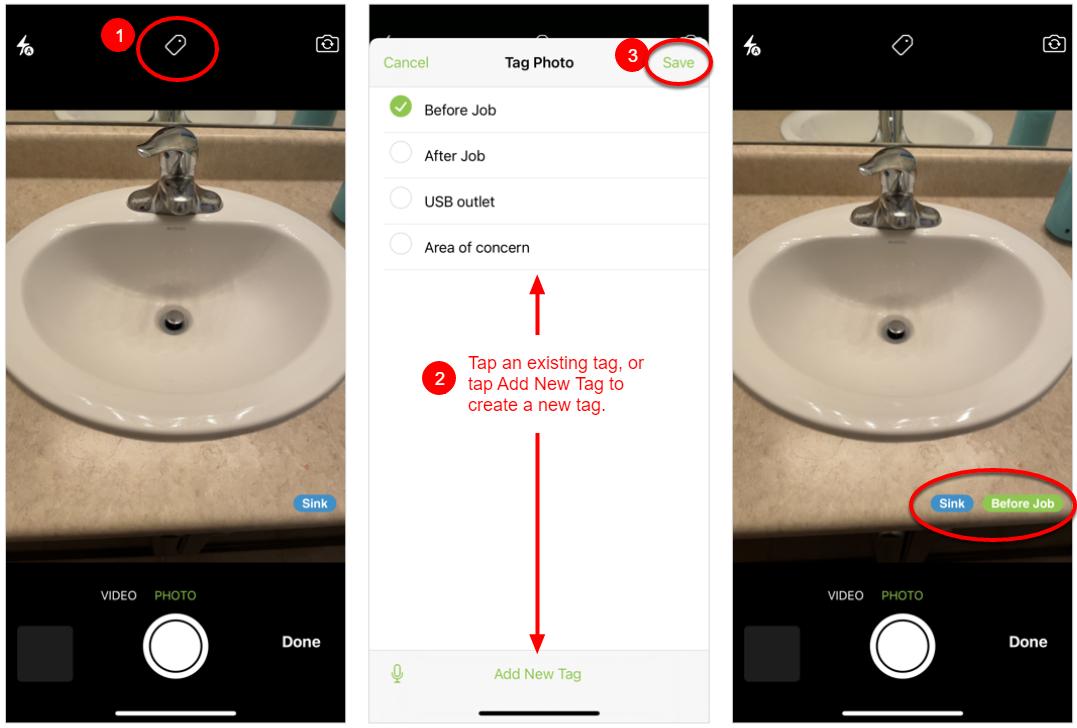
To tag the photo or video immediately:
- Before you take the photo or video, tap the Tag icon.
- Tap an existing tag, or add a new tag.
- Tap Save.
- Take the photo or record the video. The tag will be applied once saved.
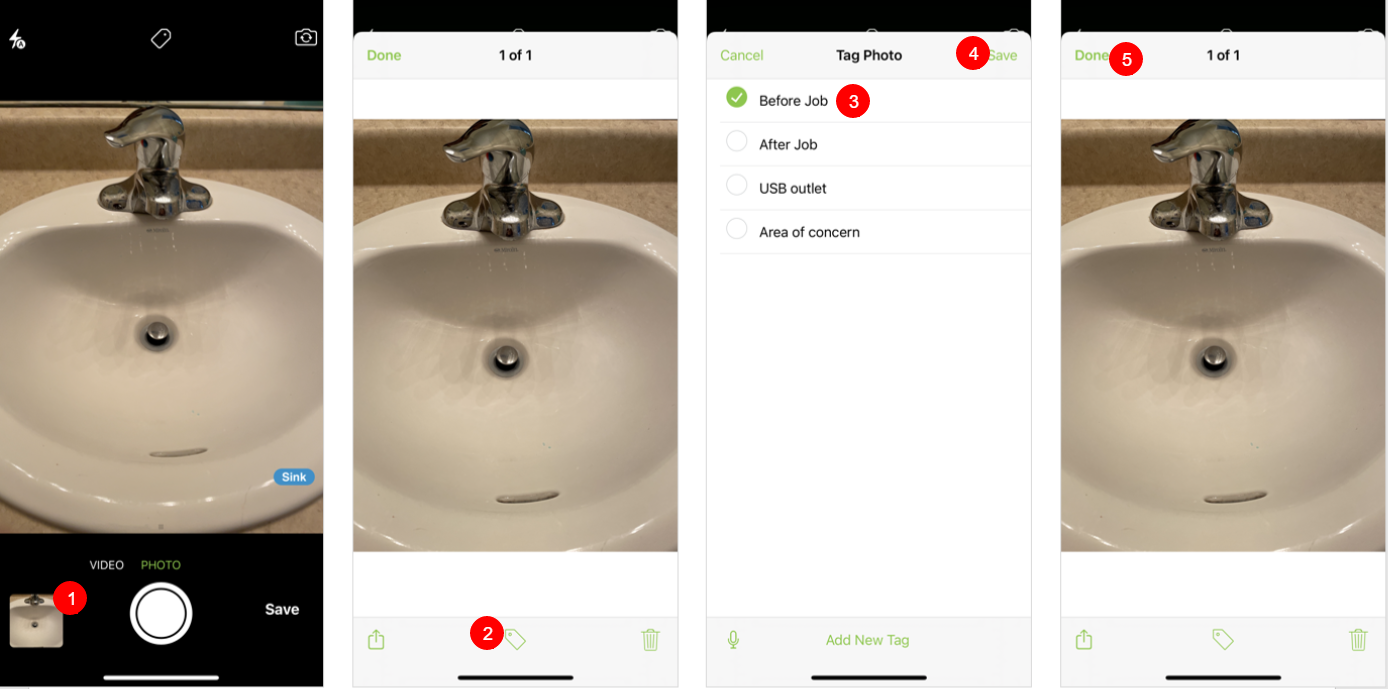
To tag the photo or video upon review:
- After taking the photo or video, tap the thumbnail.
- Tap the Tag icon.
- Tap an existing tag, or add a new tag.
- Tap Save.
- Tap Done.
Removing tags
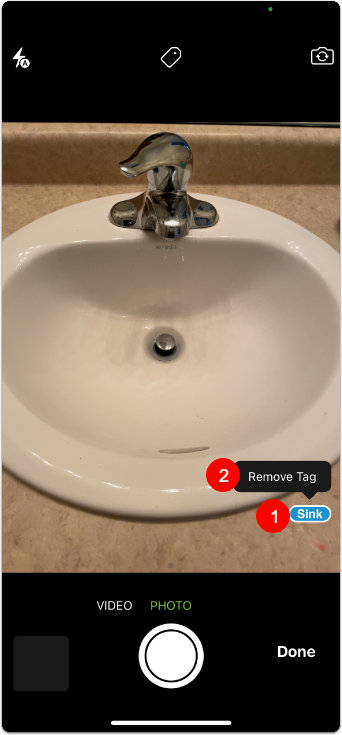
To remove an automatic tag from a photo or video:
- Before taking the photo or video, tap the automatic tag.
- Tap Remove Tag.
To remove a tag you have applied to a photo or video:
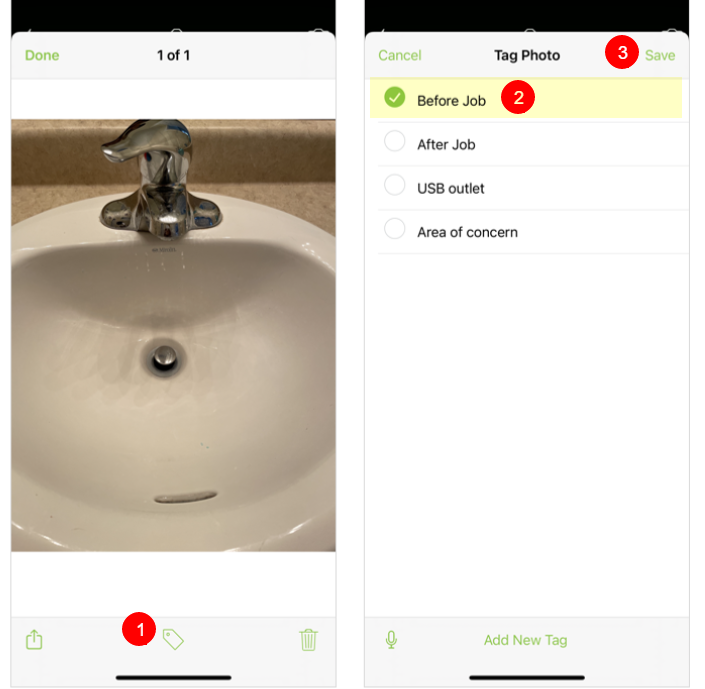
- Open the photo and tap the Tag icon.
- Tap the tag to remove the checkmark.
- Tap Save.