Quotes and invoicing
Approving an invoice from the app
Learn how to approve an invoice from the app in ServiceM8.
In this lesson you will learn how to approve an invoice directly within the mobile app. You must have permission to use the Invoicing feature in ServiceM8 - by default, Business Owners and Finance staff have this capability.
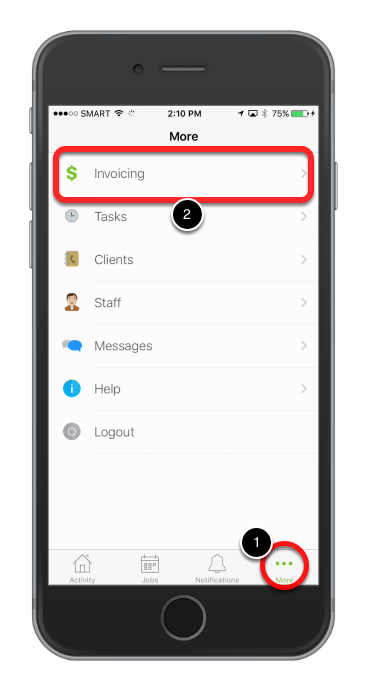
From the main screen, tap More… then tap Invoicing
In the Invoicing screen, swipe up or down to browse a job for approval, awaiting payment and paid jobs.
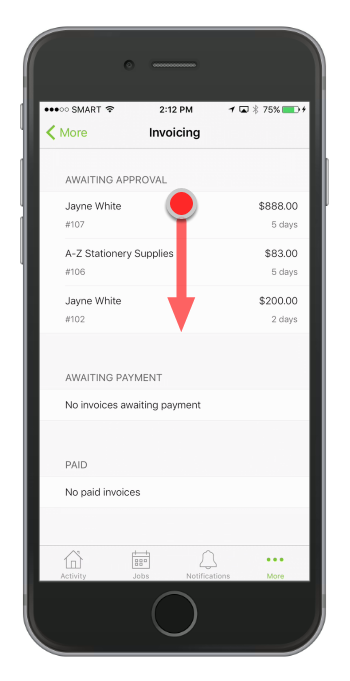
Note:
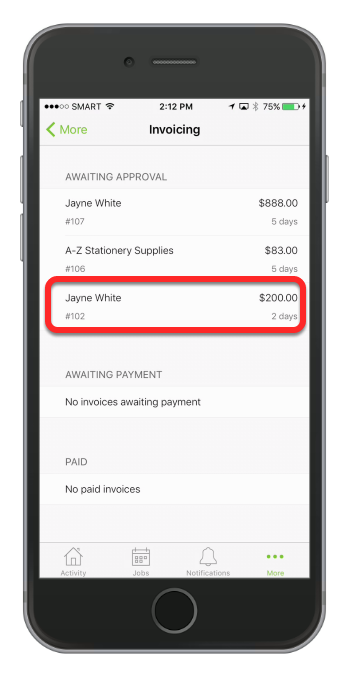
Tap a job from Awaiting Approval list
Tap Approve invoice to proceed
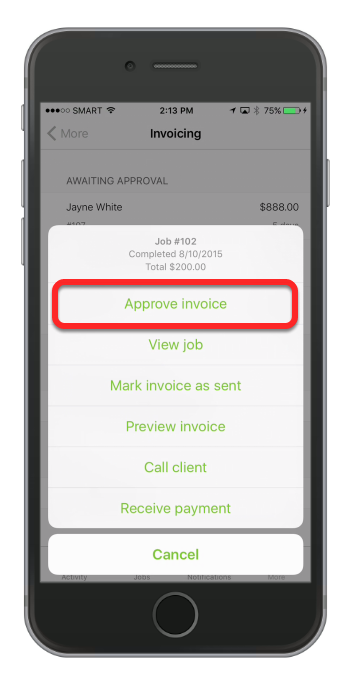
From here you can:
- Approve an invoice
- Mark the invoice as sent
- Preview an invoice
- Phone a client
- Review the job
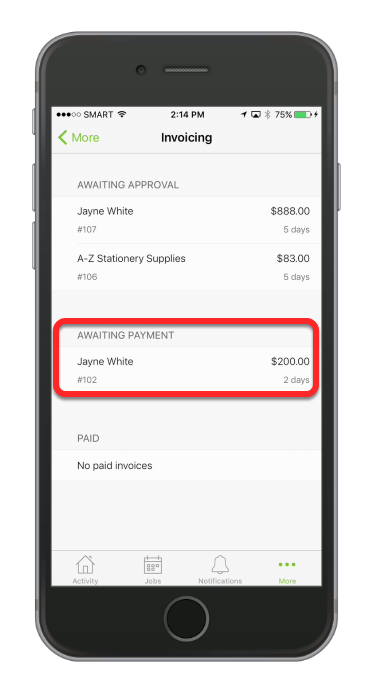
Once approved, the job will move to Awaiting Payment or Paid