

Photos, notes and attachments
How to draw diagrams in the ServiceM8 app
Learn how to draw diagrams in the ServiceM8 app in ServiceM8.
It’s hard to beat drawing up a diagram or sketch to create a clear and shared understanding of something.
Using the ServiceM8 app, it’s possible to sketch something out, then save it to the job Diary (just like a photo — safely stored against the same job record, where the whole team can access it.
You can create diagrams in the ServiceM8 app on iPhone and iPad. Diagrams in the iPad app also support drawing with Apple Pencil, which, when combined with the extra screen space of an iPad, allows more accuracy and detail.
Here’s how Diagrams work:
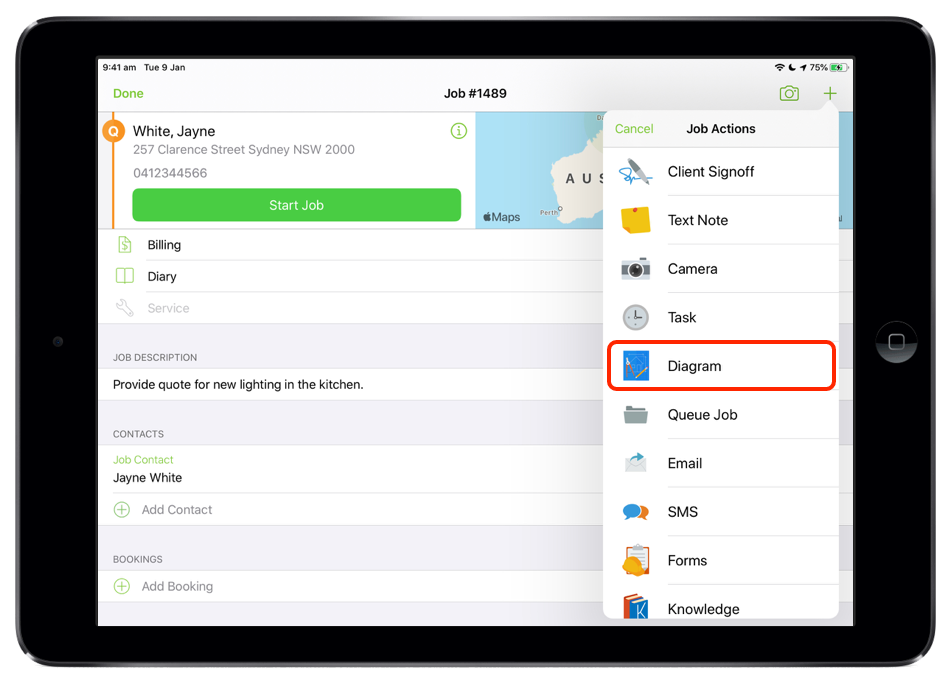
From a job card, tap the Job Actions menu (+), then Diagram
Draw!
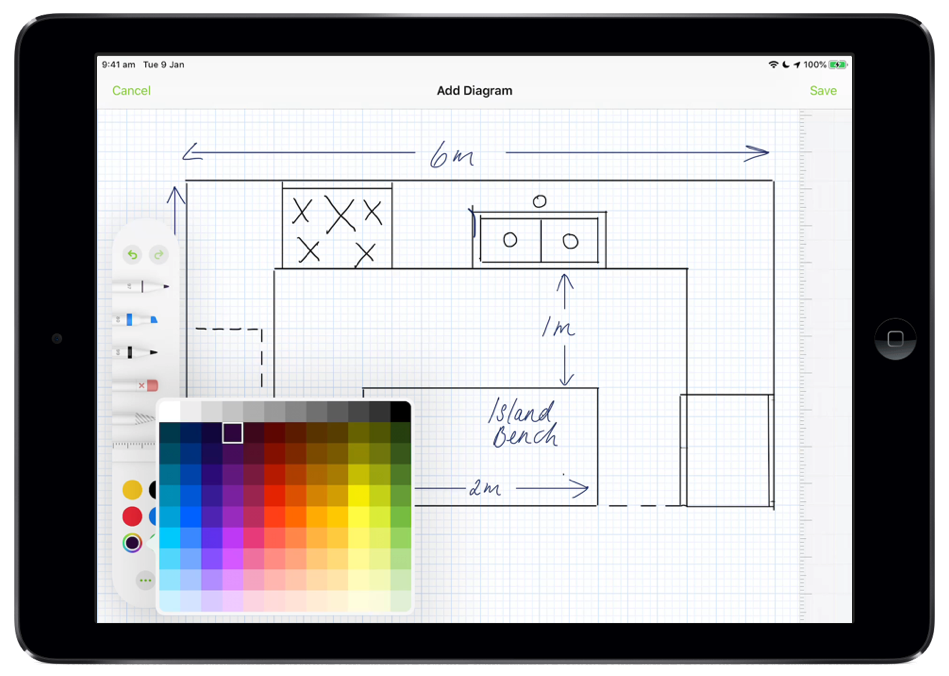
The markup toolbar will appear on screen, which includes:
- Three different pen types, with the ability to set a wide range of colours (tap once on a pen type to adjust its weight and transparency)
- An eraser
- A lasso tool, enabling you to select and move markups you’ve already made
- A ruler, enabling you to draw straight lines, at certain degrees
- Undo & redo tools
- An ability to minimise the markup toolbar, providing more space to draw
Once you’re finished your sketch, tap ‘Save’ and the diagram will save to the job Diary.
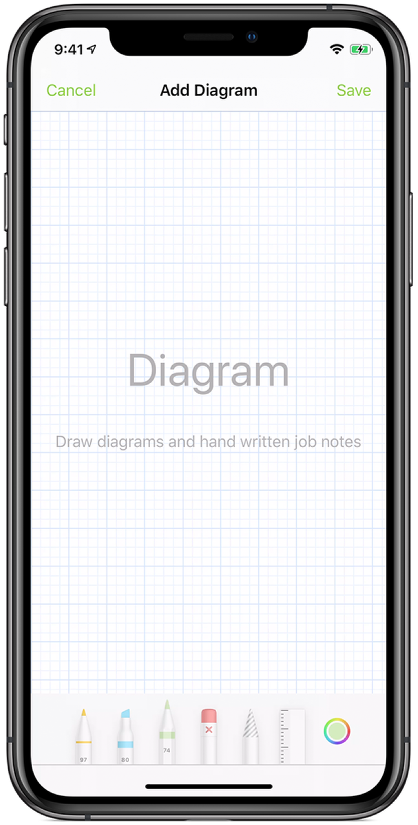
Diagram is available on both the iPad and iPhone version of the ServiceM8 app
Also check out the ability to mark up photos taken with the ServiceM8 camera direct from a job card, or when taking photos while completing a Form — Learn More.