

Communication
How to create an SMS Template.
Learn how to create an SMS Template in ServiceM8.
In this lesson you will learn how to add your own custom SMS template.
Click Settings from the Dashboard
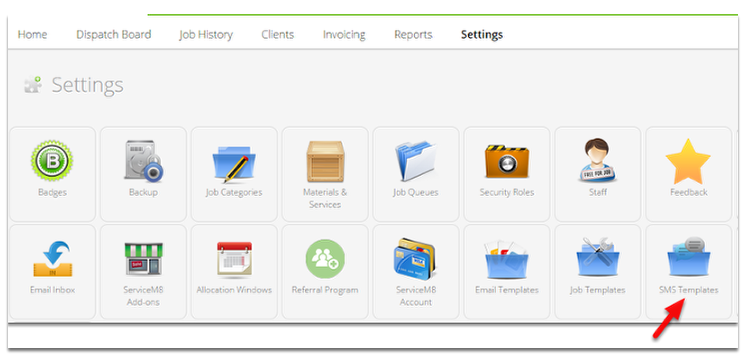
Click SMS Templates
Click Add SMS Template
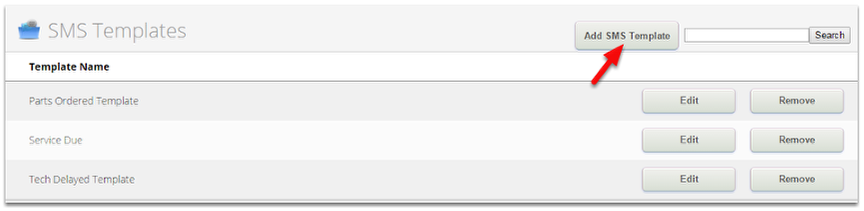
Note: You can click Edit button if you wish to modify an existing template.
Create a new SMS Template
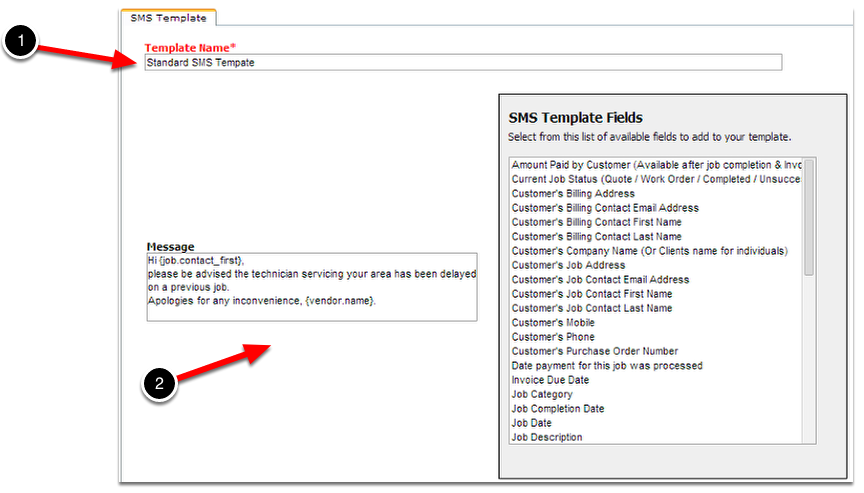
- In the Template Name box, enter the name of the new template.
- Type your message you want in the Message box.
Use the SMS Template Fields
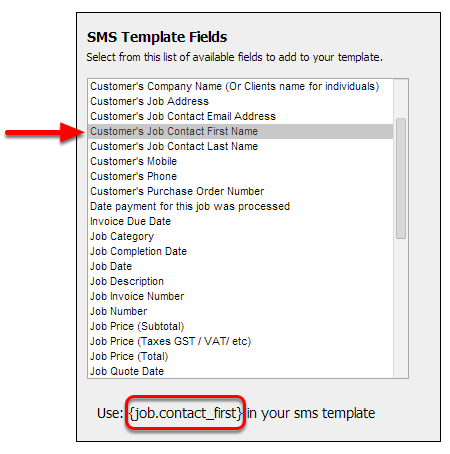
You can use the SMS Template Fields to automatically fill in the information to your message.
Example: Select Customer’s Job Contact First Name to show its field name
- Click the field that you want to use in the SMS Template Fields list box.
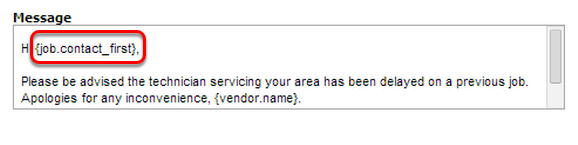
- Type the brackets and field name to insert the field in the Message box or simply copy and paste them.
Message box
Click Save Changes
Once you are finished, return to the job dispatch board to test your new SMS template.
Learn more about the kind of SMS you can send through ServiceM8.