

Jobs and scheduling
How to start & navigate to a job on the app
Learn how to start & navigate to a job on the app in ServiceM8.
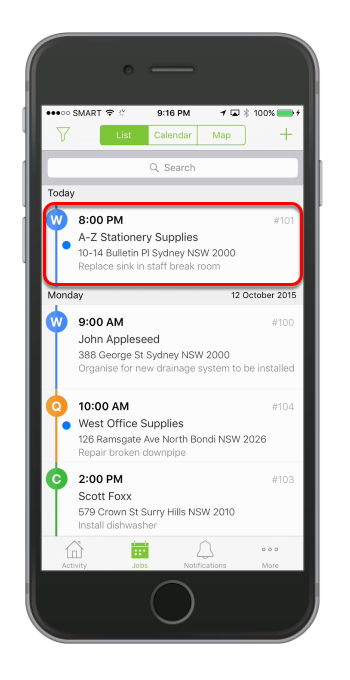
Open the job you would like to navigate to
Tap Start Job
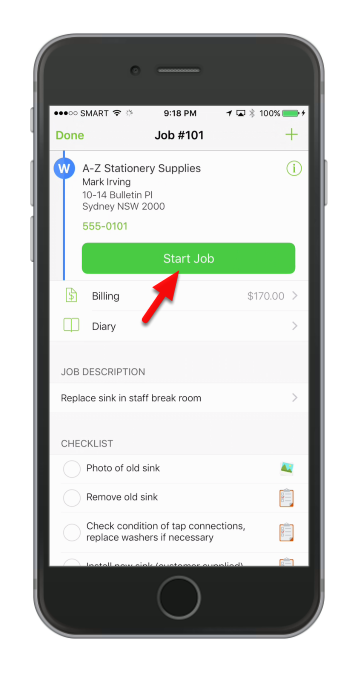
Please note that the job must have a valid address entered in order to use the Navigate function.
Hit Navigate to job
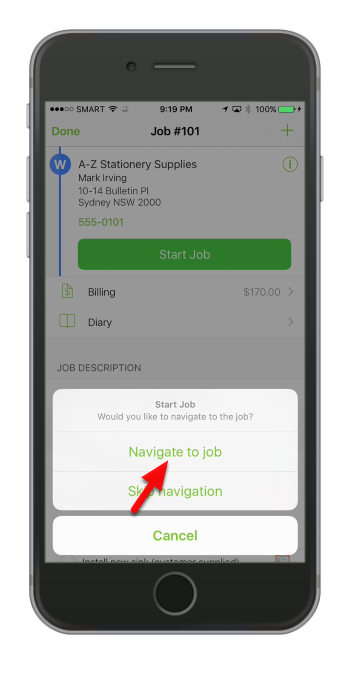
Tip: Navigate to job will automatically check in to the job, and the color of the button will change.
- Green: Not checked in. Tap button to navigate to or check in to the job.
- Blue: Navigating. Tap button to end navigation; this is used to track travel time and time on site separately.
- Red: Checked In. Tap button to check out.
Once you’ve reached the site ServiceM8 will automatically detect that you have arrived on site.
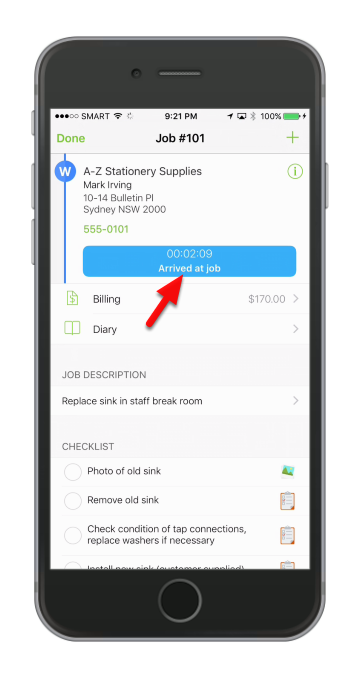
If ServiceM8 doesn’t detect your arrival automatically, tap Arrived at job. Your travel time will be recorded in the diary.