

Photos, notes and attachments
How to minimise videos using Picture in Picture
Learn how to minimise videos using Picture in Picture in ServiceM8.
When watching a video in ServiceM8, you can use Picture in Picture to minimise it. This allows you to continue watching the video while navigating elsewhere in the app. (Note: this feature requires iOS 14 or later.)
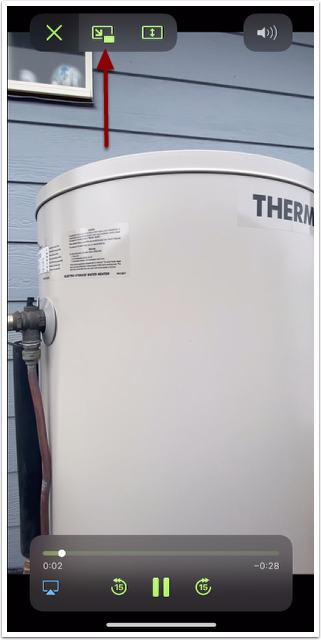
Open a video from the job diary, then tap the Picture in Picture icon while the video is playing
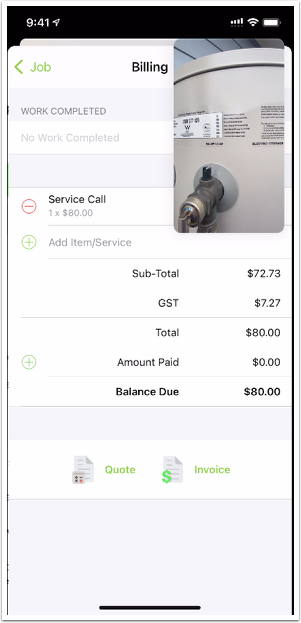
The video will continue to play, allowing you to navigate around the app
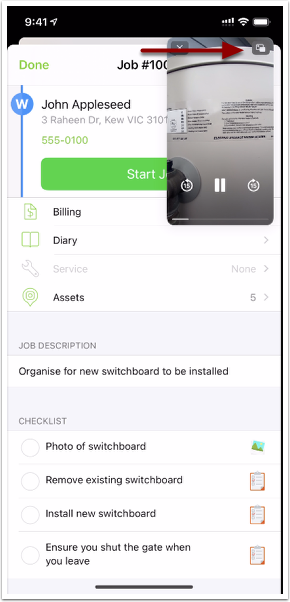
Tapping the Picture in Picture icon again will return the video to full size
Picture in Picture works for videos saved on the job diary and for Knowledge videos. You can also continue to watch your video outside the ServiceM8 mobile app.