

Accounting integrations
Resolving contact archive errors
Learn about resolving contact archive errors in ServiceM8.
When you send an invoice for approval, the contact linked to the job number must be active in Xero. If the contact is archived in Xero, you will get an error icon in Invoicing > Awaiting Approval alerting you that the contact must be un-archived before creating new invoices or credit notes.
The error will read: “The contact with the specified contact details has been archived. The contact must be un-archived before creating new invoices or credit notes.”
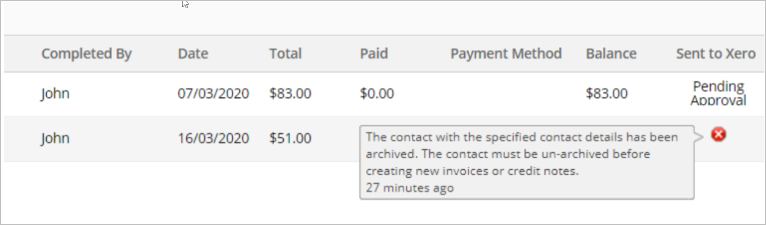
To resolve the contact archive error:
- In your Xero account, go to Contacts > All contacts > Archived.
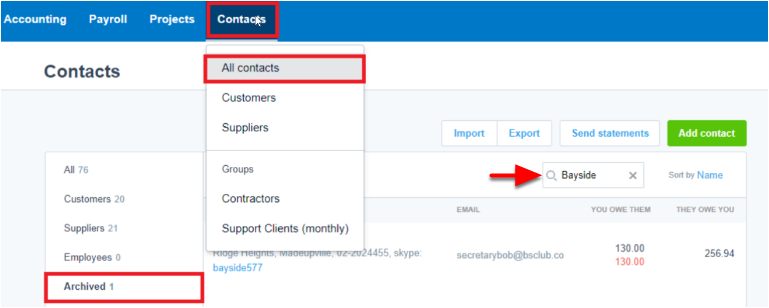
- Search for the archived contact and open it.
- Click Restore.

- Once restored, back in ServiceM8, go to Invoicing > Awaiting Approval. The contact archiving error will now be resolved and you can approve the invoice.