

Clients and contacts
How can I view the job history for a client?
Find out how to view the job history for a client in ServiceM8.
Online Dashboard
-
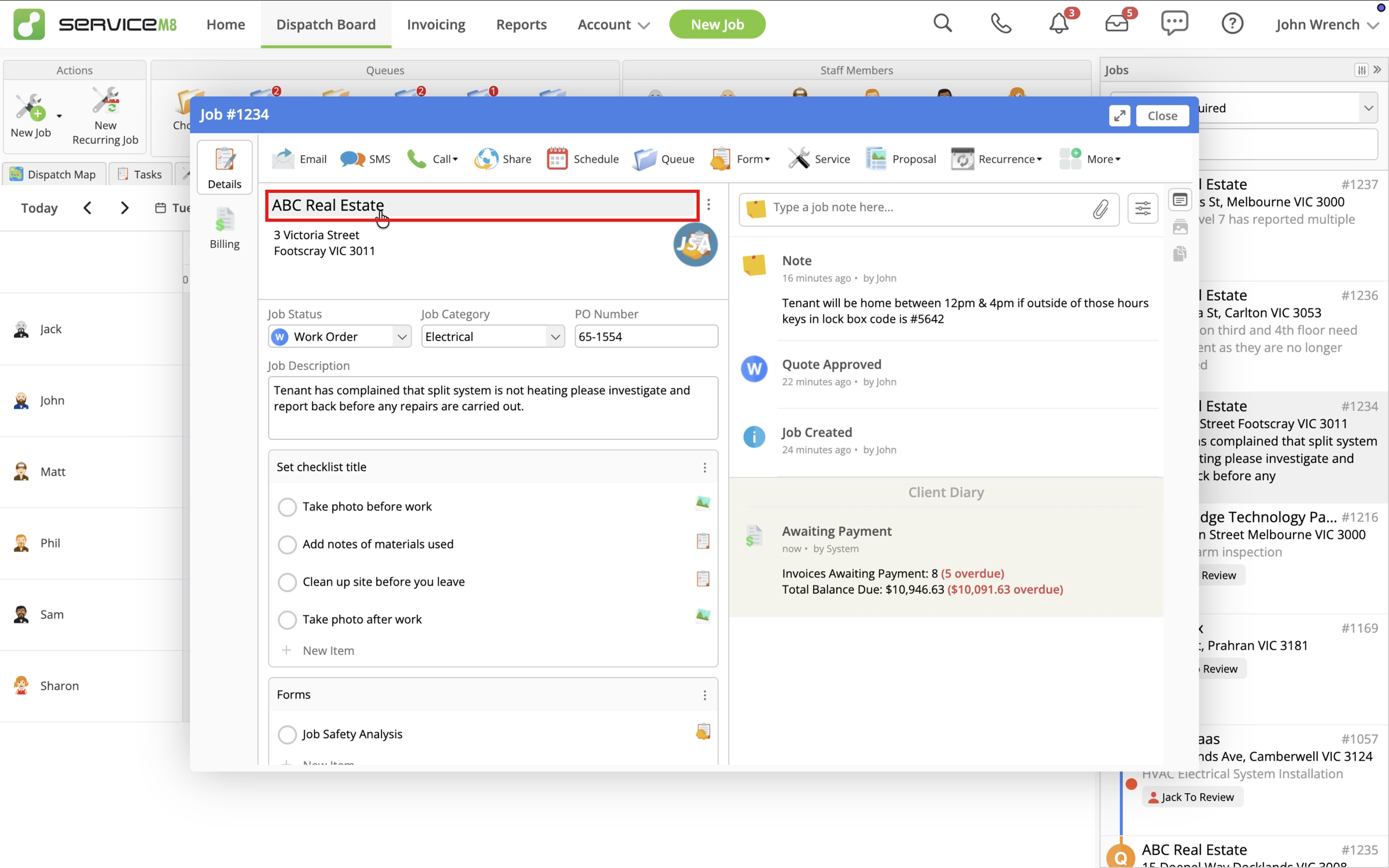
In the Online Dashboard, open a Job card and click the client name.
-
Click Jobs to view the client’s job history.
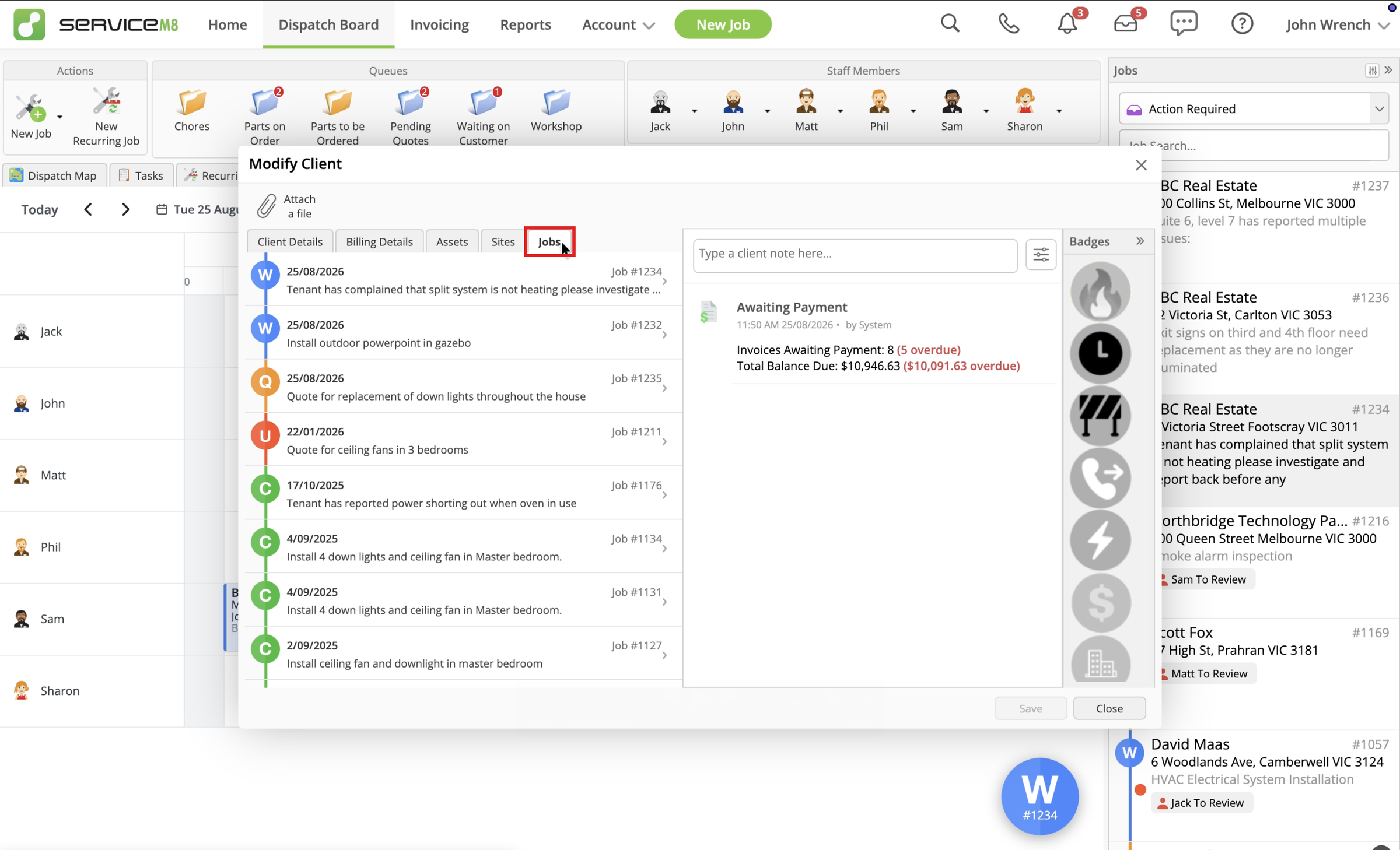
Use the date, job number and first-line description preview to find the job you need. The status markers show Q for Quote, W for Work Order, C for Completed and U for Unsuccessful. Jobs associated with separate Client Sites also show the site name.
-
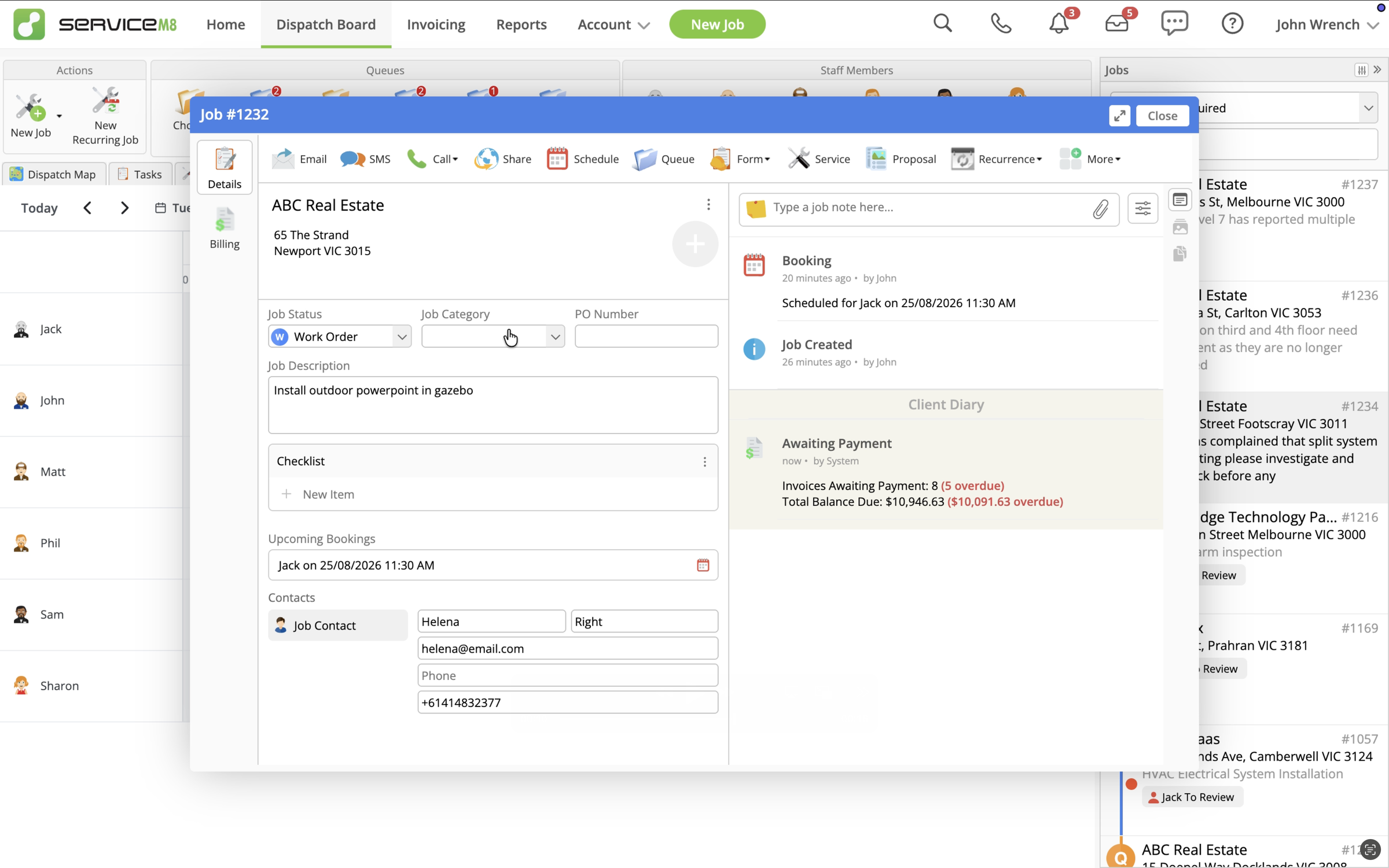
Click a job row to open its Job card.
In the app
- In the ServiceM8 mobile app, tap More, then Clients.
- Search for and open the client.
- Tap Job History to view the client’s completed and active jobs.