

Accounting integrations
I cannot see the MYOB Integration Wizard under settings
Learn about i cannot see the MYOB Integration Wizard under settings in ServiceM8.
Currently ServiceM8 only supports the integration of MYOB for the following regions:
- Australia
- New Zealand
If you are in one of these regions and still cannot see the MYOB Integration Wizard, then it’s possible your ServiceM8 account region has been set incorrectly.
To check/change this:
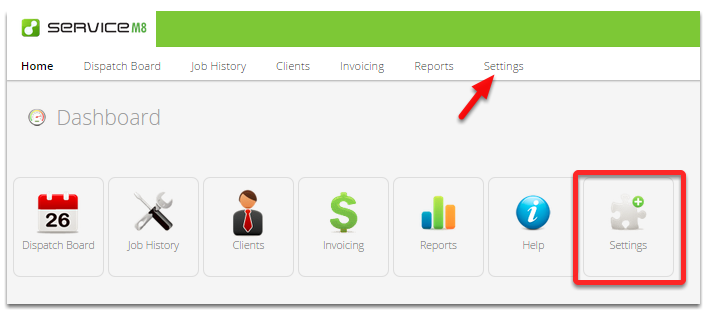
Go to Settings
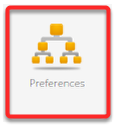
Click Preferences
From the Preference left panel, click Region & Language Settings
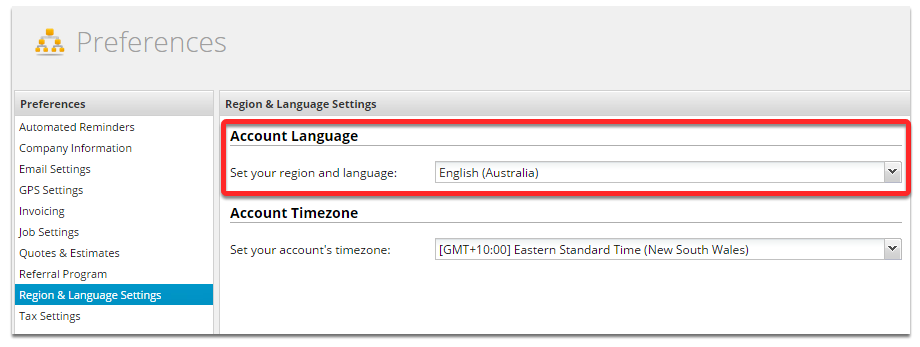
Now confirm your account region is set correct - if not change it and don’t forget to hit Save.
If you still cannot see the MYOB Integration wizard, please get in touch with the helpdesk for assistance.