

Dispatch Board
How do I communicate with staff via the Dispatch Board?
Find out how to communicate with staff via the Dispatch Board in ServiceM8.
You can message your team through the ServiceM8 mobile app or the Dispatch Board in the Online Dashboard.
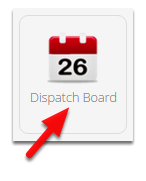
Go to Dispatch Board
Specify a staff member to message
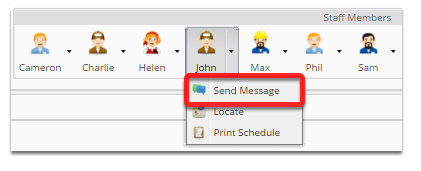
Click the drop-down arrow on the staff member you wish to send a message to
Send a message
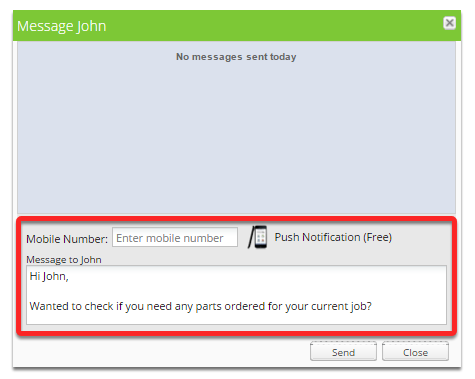
Enter the staff members mobile / cell number if required (this will be remembered for future messages). Enter your message to the staff member and click Send.
Note: if the staff member doesn’t have an active mobile device with the ServiceM8 app installed, an SMS message will be sent to their mobile. If they do, the message will be sent directly via ServiceM8 using a push notification (no charge).