

Clients and contacts
How to delete a client record
Learn how to delete a client record in ServiceM8.
Should you need to delete a client from your ServiceM8 account (perhaps as part of a privacy request from a particular client), this is a straightforward process.
In your Online Dashboard, go to Clients
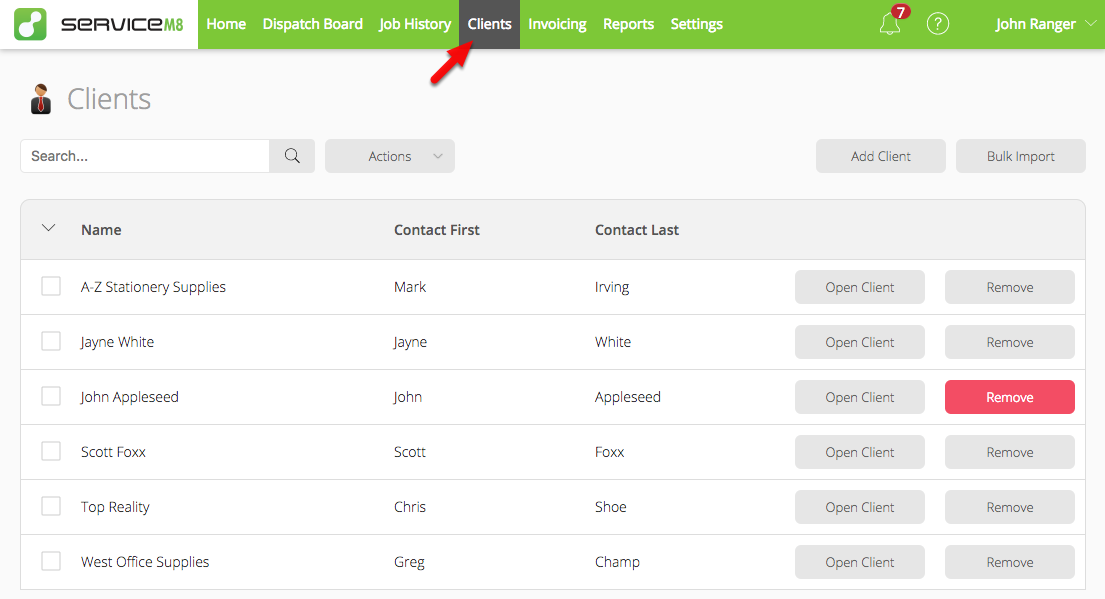
Click ‘Remove’ next to the relevant client, then confirm

In the App, go to More > Clients
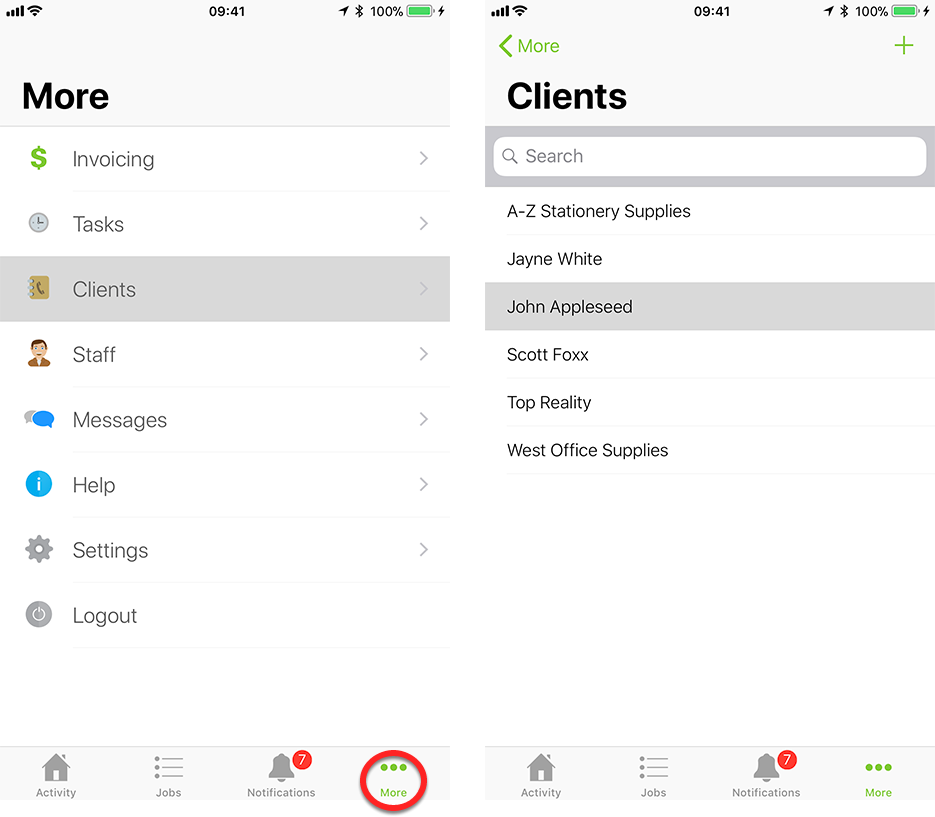
Scroll to the bottom and tap ‘Delete Client’
