

The mobile app
How can I disable automatic Check In & Check Out?
Find out how to disable automatic Check In & Check Out in ServiceM8.
By default the ServiceM8 app will automatically check you in and out of jobs if you forget to do so, backdating your arrival/departure times as well as the travel time from your location prior to arriving at the relevant job.
If you would prefer to manually Check In and Out of jobs, then this feature can be disabled on a iPhone/iPad-specific basis.
On the iPhone/iPad, go to Settings > ServiceM8 > Time Tracking, and turn off Automatic
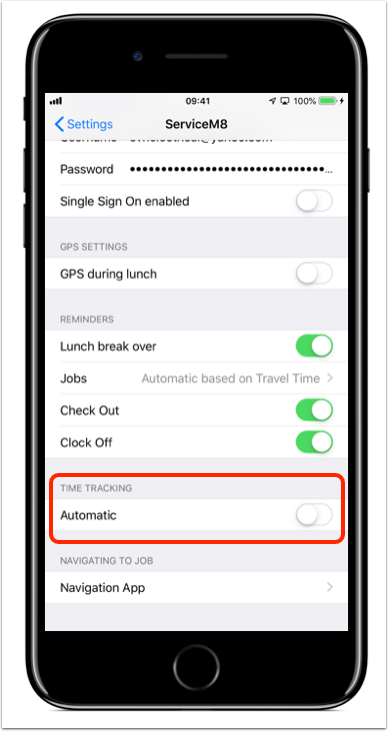
With Automatic Time Tracking deactivated, you will need to remember to manually Check In and Check Out of jobs throughout each day.