Jobs and scheduling
How to customise the Job Actions bar
Learn how to customise the Job Actions bar in ServiceM8.
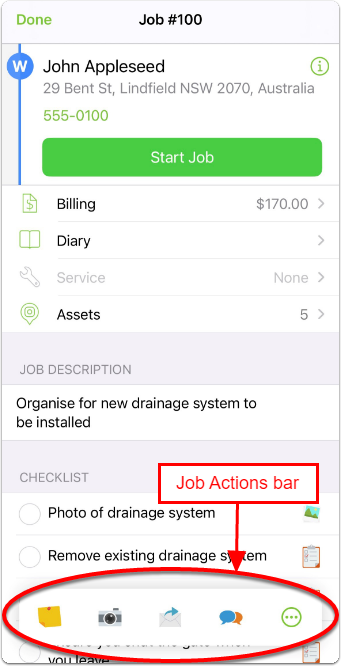
When you open a job card in the ServiceM8 App, you will see a floating bar at the bottom of the screen called the Job Actions bar. The Job Actions bar contains one-tap access to four job-related actions or forms within ServiceM8, and a button to open more on the Job Actions page.
Any actions you select from the Job Actions bar or the Job Actions page will be associated with the job card from which you opened the action.
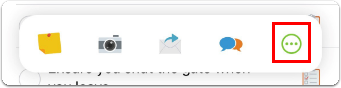
To see your complete list of favourite Job Actions, tap More (…).
The Job Actions page opens to display all Job Actions you have identified as favourites.
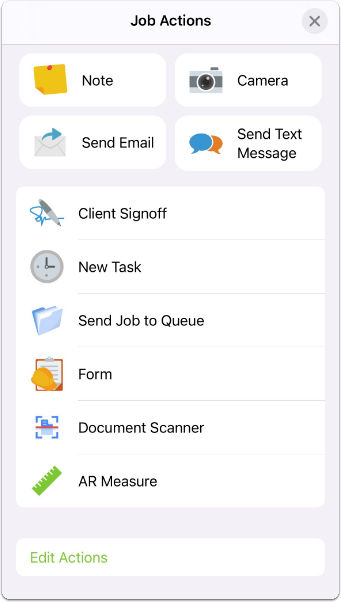
You can customise what appears on your Job Actions bar to meet the needs of your workflow.
To customise your Job Actions bar:
- From the Job Actions screen, tap Edit Actions.

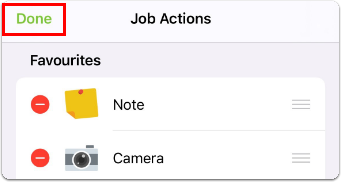
- Tap plus (+) to add and minus (-) to remove actions you want appearing as favourites in your Job Actions bar. You can also add frequently used Forms and Third Party Add-On actions.
- Use the handles to drag your favourites into your desired order. The top four actions (or forms) will be those included as one-tap access on the Job Actions bar, and the others will be available when you tap More.
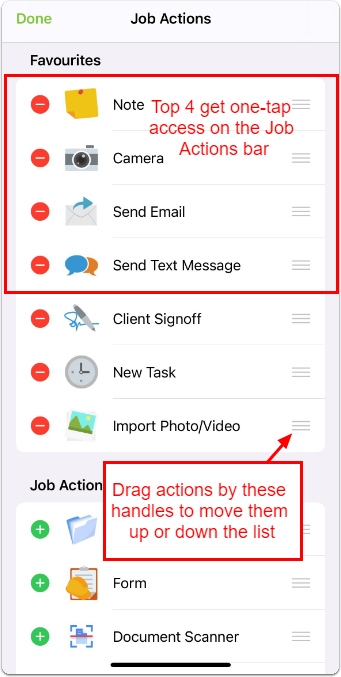
- Tap Done to save changes to your Job Actions bar.