

Accounting integrations
Sending your first job to Xero
Learn how to send your first job to Xero in ServiceM8.
This lesson will show you how to send your first job through to Xero online.
Before a job / invoice can be sent through to Xero, it must first be marked as completed.
Go to Dispatch Board
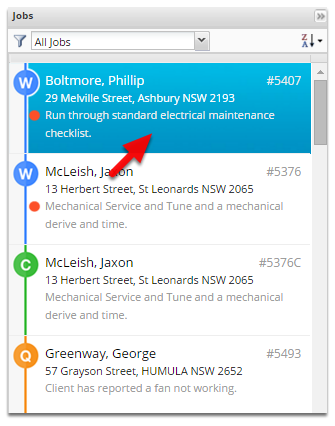
Open the job
Change the job status to Completed, click Save
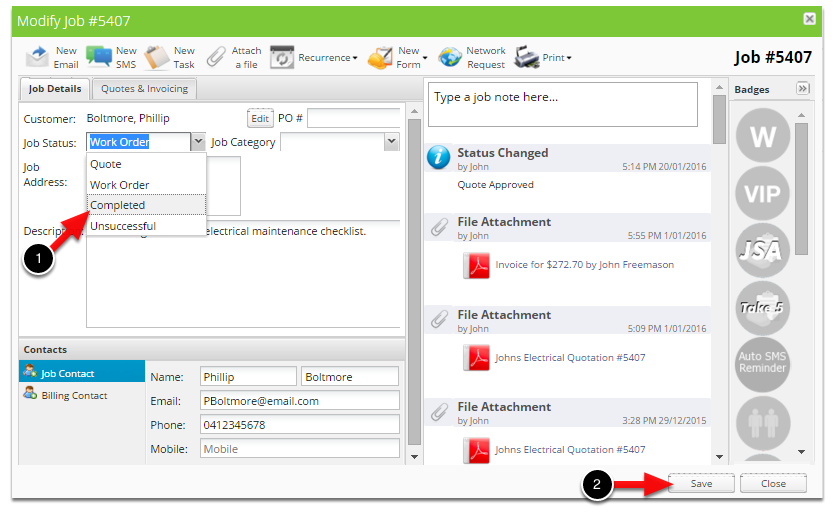
The job is now saved and will be available in the Invoicing page.
Click Invoicing
The job we just completed will be inside the Awaiting Approval tab.
Click Awaiting Approval
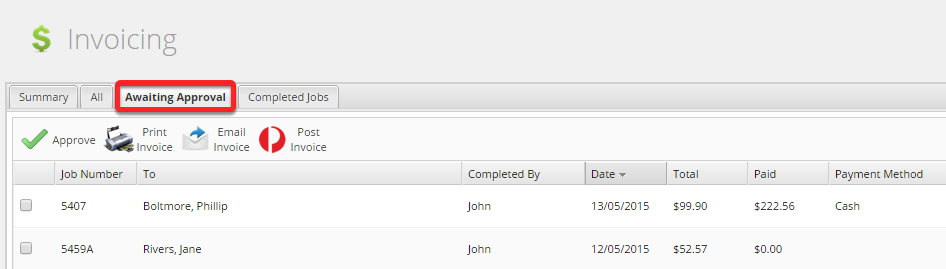
All completed jobs will arrive on the invoice Awaiting Approval page for review prior to being sent through to Xero.
TIP: To check that the tech’s have added all required items to the job, double click the job to review pricing and materials.
To send the invoice to Xero, tick the job and then click the Approve button.
Once done that, the invoice will begin syncing to Xero.
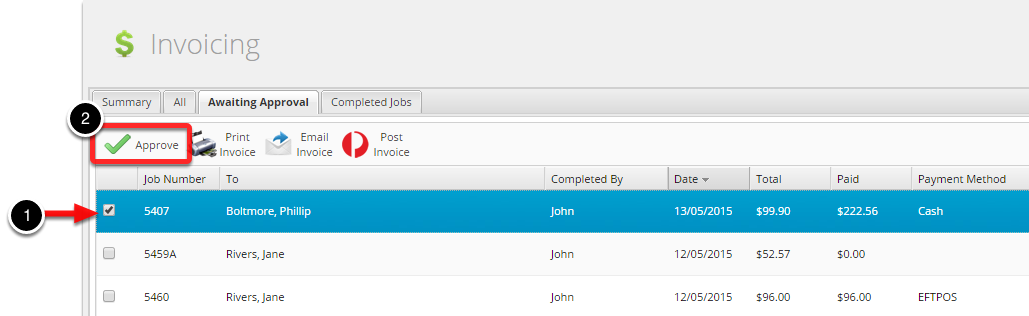
Once you’ve pressed the Approve button, the invoice will begin syncing to Xero.

If there are any issues processing the job, you will get a red cross - hover your mouse over the cross to get additional information on how to resolve the issue.
Finish

Once the invoice has successfully been raised in Xero, the spinning circle will turn into a green tick.