

Jobs and scheduling
How can I remove a job from a Queue?
Find out how to remove a job from a Queue in ServiceM8.
To remove a job from a Queue, locate the job in the Dispatch Board Job List, if you are not sure which filter to use, try All Jobs.
Right Click on the job and select the “Remove from queue” menu link.
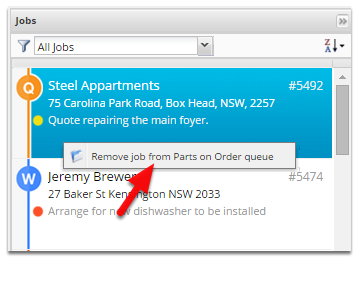
This will immediately remove the job from the queue.