

Jobs and scheduling
How to mark a job as unsuccessful
Learn how to mark a job as unsuccessful in the Online Dashboard.
If a quote is declined or the work is no longer going ahead, you can mark the job Unsuccessful from the Job card in the Online Dashboard. This keeps the job record and client details in ServiceM8 so you can find it again later if plans change.
1. Open the job
From the Dispatch Board, open the job you want to update.
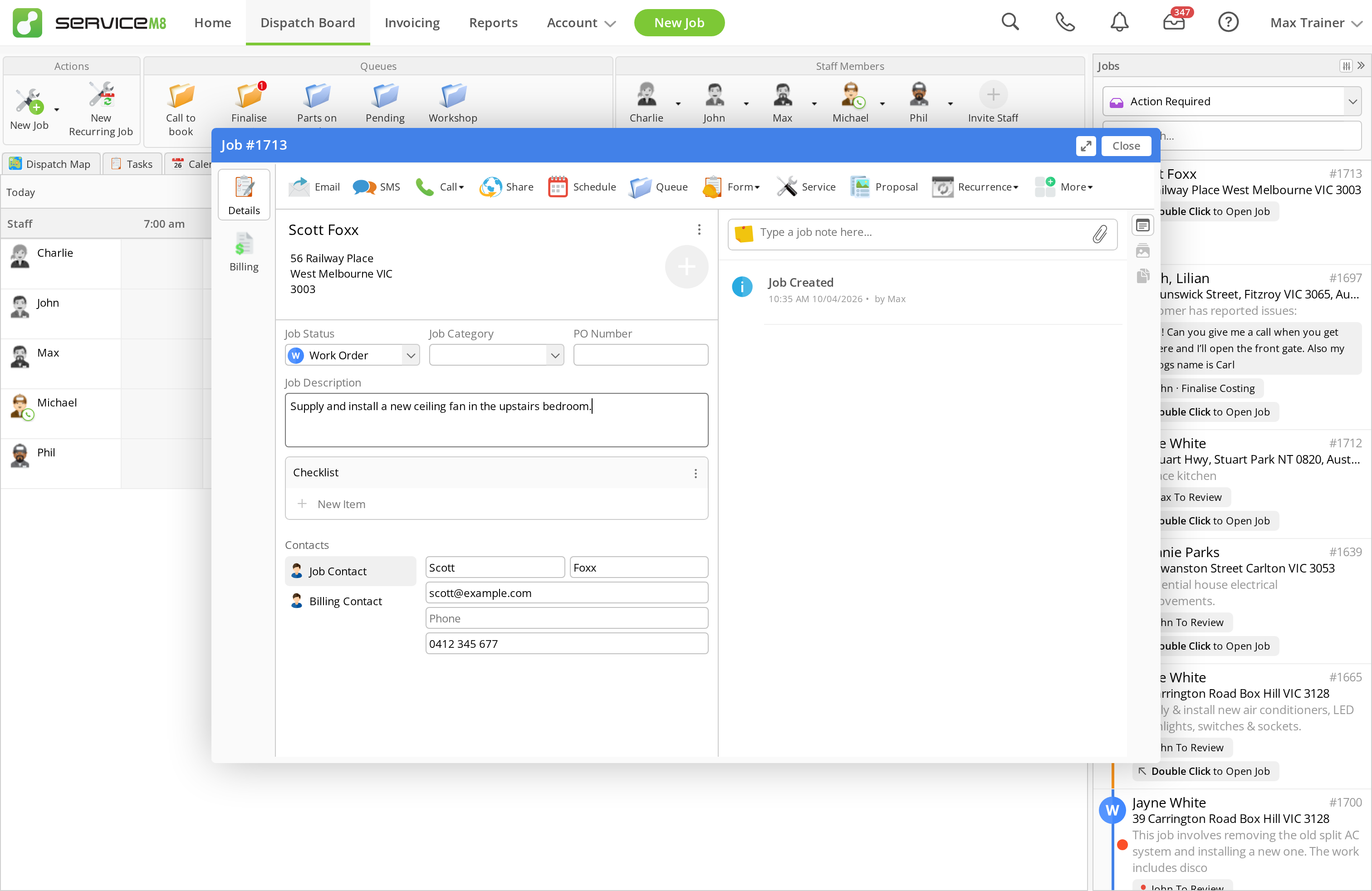
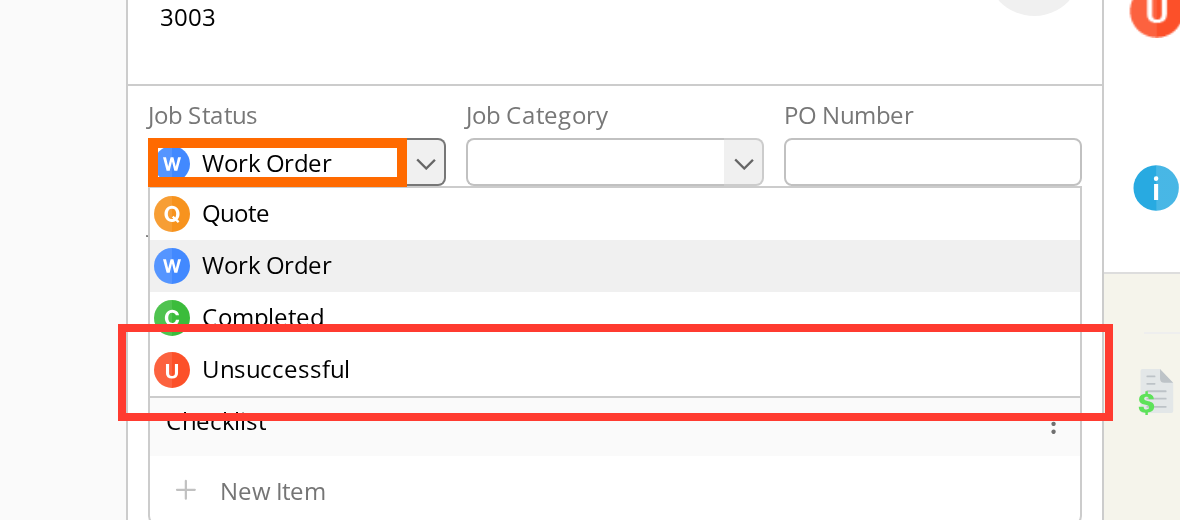
2. Change the job status to Unsuccessful
In the Job Status dropdown, select Unsuccessful.
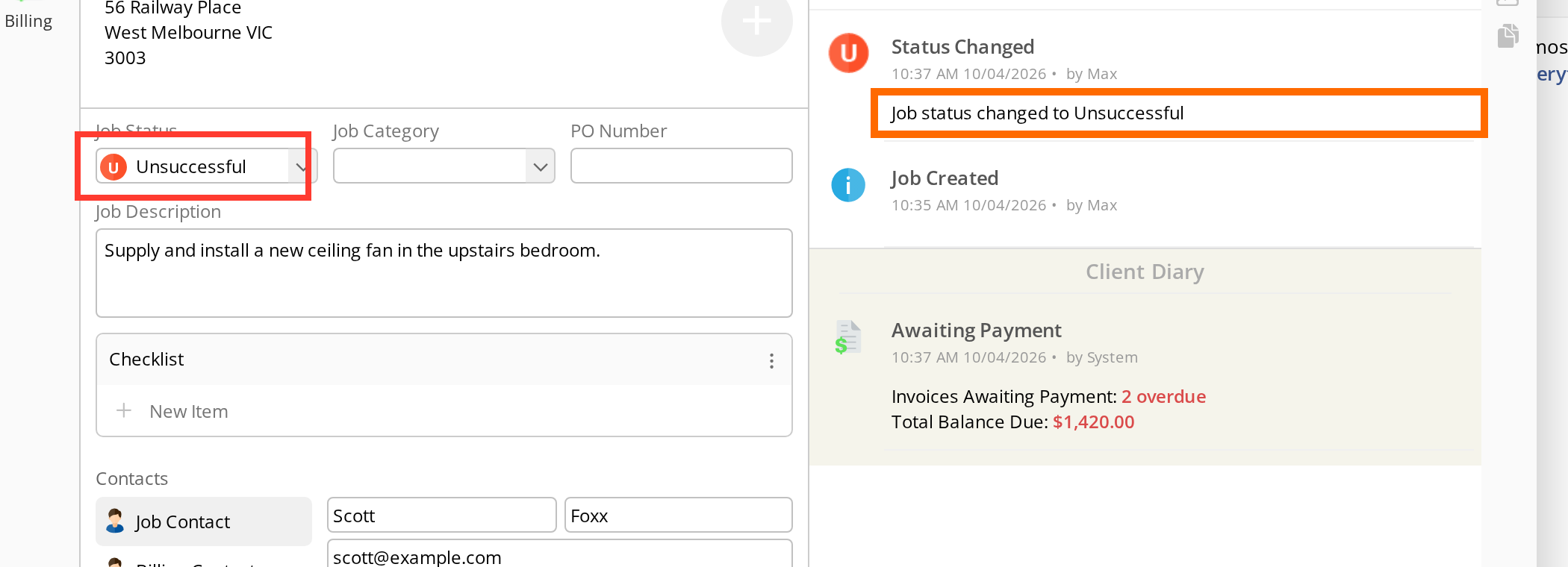
ServiceM8 saves the change automatically. You will see the status update to Unsuccessful and a status change entry in the diary.
The job will remain on the Dispatch Board for 48 hours, then it will drop out of the standard lists.
3. Find the job again later
Use Job Search to search for the job by the job number, client name, phone number, address, or another job detail.
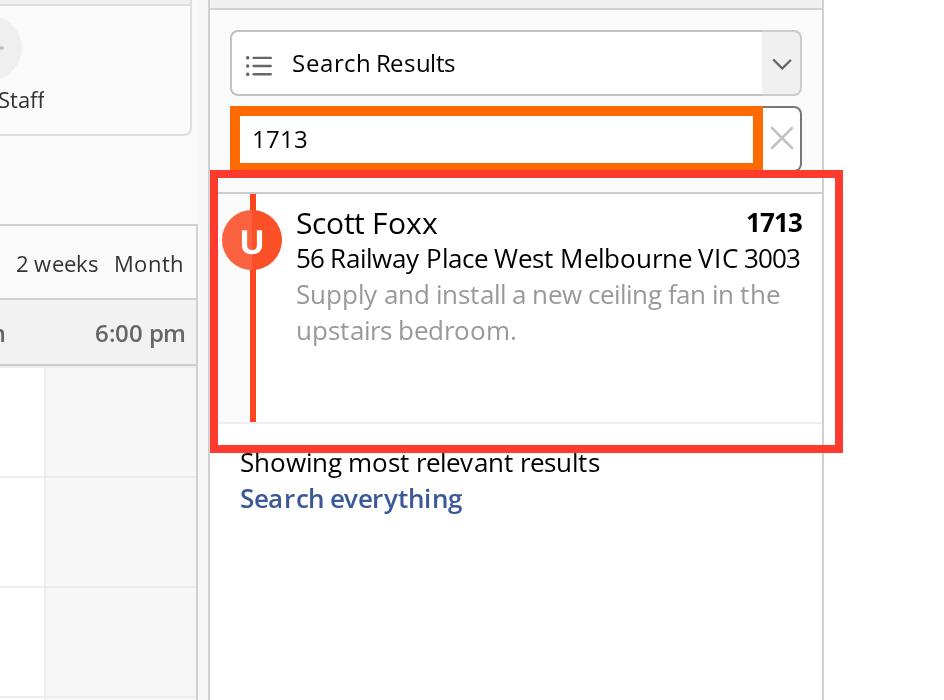
If your client changes their mind later, open the job and change the status back to Quote or Work Order.