

Account and billing
Changing your subscription plan from Apple to ServiceM8
Learn how to change your subscription plan from Apple to ServiceM8 in ServiceM8.
As your business grows, you may want to upgrade your plan to Premium or Premium Plus, or you may want to use some ServiceM8 third-party add-ons that are not supported through Apple Subscriptions.
If you set up your ServiceM8 plan through Apple Subscriptions, before you can upgrade beyond Growing or use certain ServiceM8 add-ons, you will need to cancel your Apple subscription plan and move your subscription to the ServiceM8 Online Dashboard.
To cancel your Apple subscription:
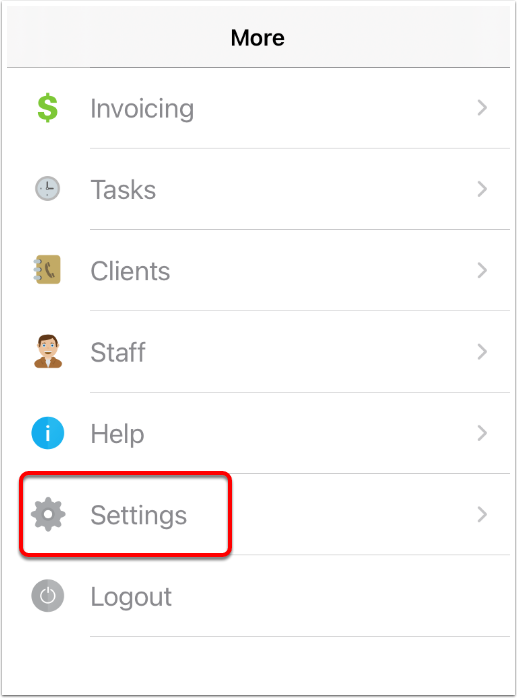
- Log in to your mobile ServiceM8 app and tap More.

- Tap Settings.
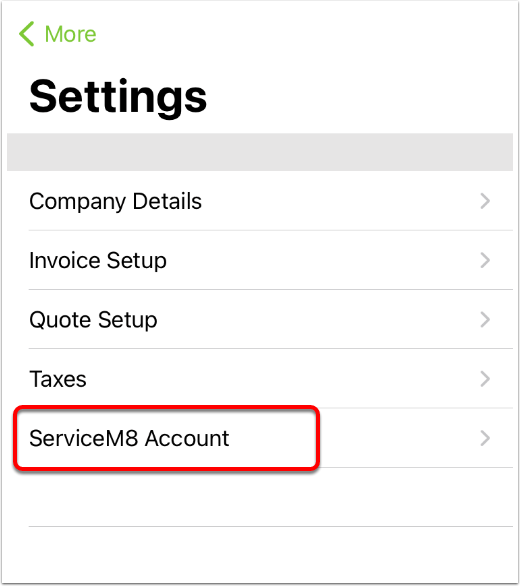
- Tap ServiceM8 Account.
- Tap Cancel Subscription.
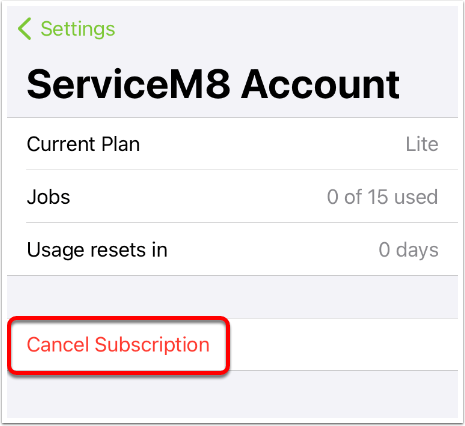
- Your Apple Subscriptions page will open. Tap ServiceM8 and cancel your subscription. Your plan will revert to Trial.
NOTE: you can also manage your Apple subscription with ServiceM8 directly from your iOS settings. To do so, from your iPhone/iPad home screen, go to Settings > Apple Account (or search “Subscriptions”), then under ACTIVE, tap “ServiceM8 - Job Management App”.
Once you have cancelled your Apple subscription, you can resubscribe using the ServiceM8 Online Dashboard and manage your account from there.
To resubscribe using the ServiceM8 Online Dashboard:
-
On your desktop computer, go to https://www.servicem8.com/login-page , log into your account, and go to Account > Settings.
-
Click ServiceM8 Account.
- Under Your Account, click Choose Plan.

- Find your desired pricing plan and click Select Plan.
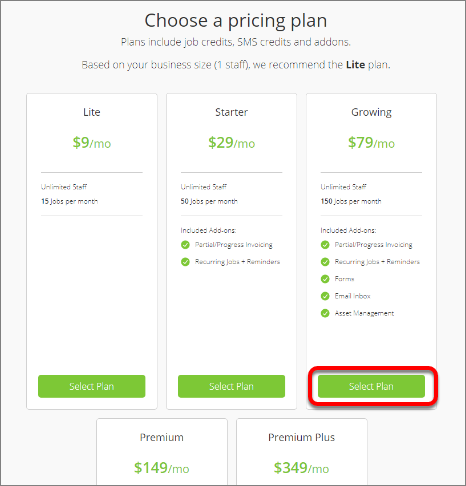
- You will be prompted to enter your credit card information. When entered, click Confirm.
You have now changed your subscription plan to be managed through the ServiceM8 Online Dashboard.