The mobile app
Once I've Checked In & Out of a job on the app, where do I find it?
Learn about once I've Checked In & Out of a job on the app, where do I find it in ServiceM8.
Once you’ve Checked In and Checked Out on a job, the information is stored and can be viewed at any stage.
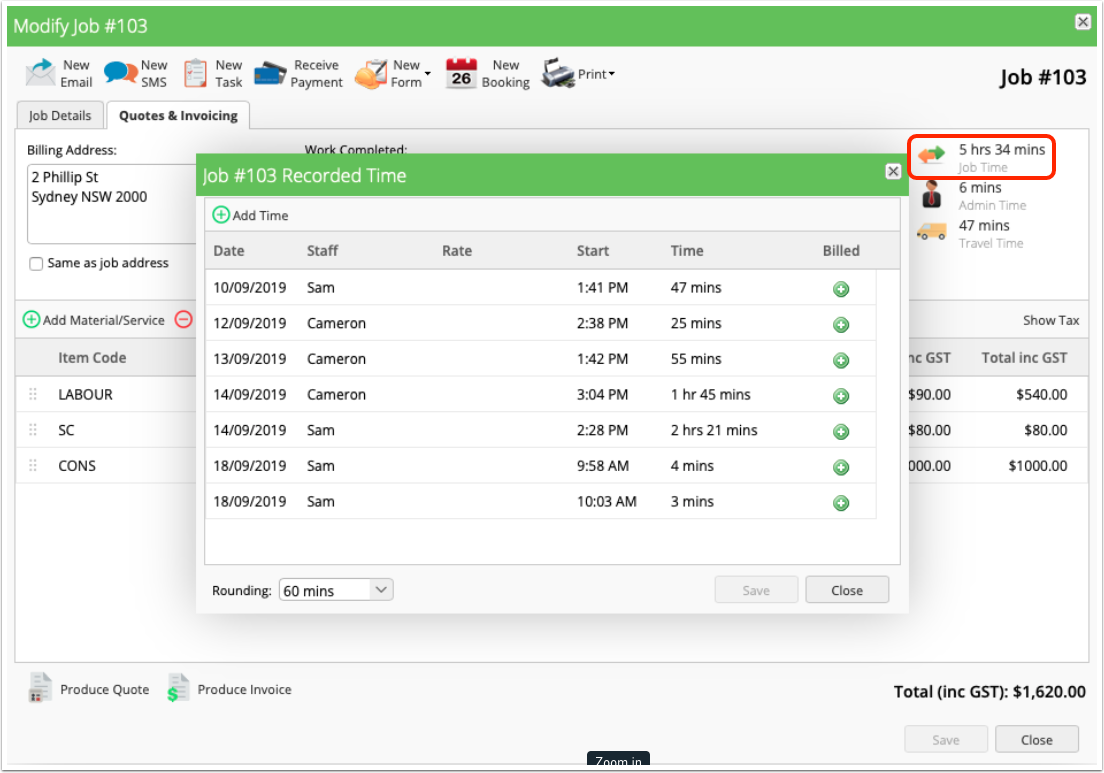
In the ServiceM8 app, recorded Check In time can be viewed in the job Diary:
If you scroll through the Diary, you’ll see any entry for each staff member that has checked into this specific job, and the duration of the Check In event.
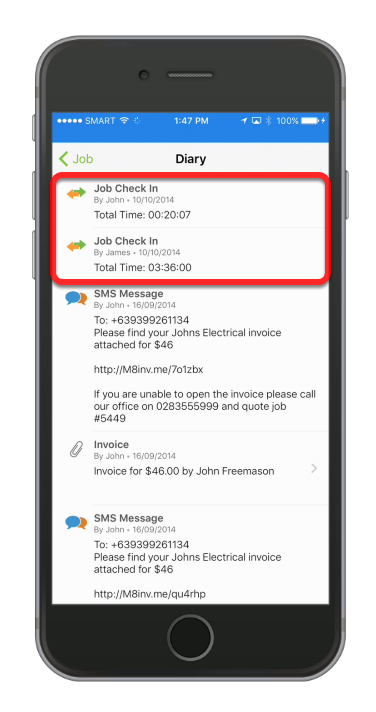
In the Online Dashboard, recorded Check In events are visible in the Quotes and Invoicing tab of the job card:
1. The single ‘Job Time’ figure which is always visible in the top-right of the job card is a total of all Checked In time for all recorded Check-in events for the job. This figure does not include Travel time.
2. The single ‘Travel Time’ figure which is always visible in the top-right of the job card is a total of all Travel time recorded when navigating to the job i.e. when staff tap ‘Start Job’, then ‘Navigate to Job’, and the travel timer starts.
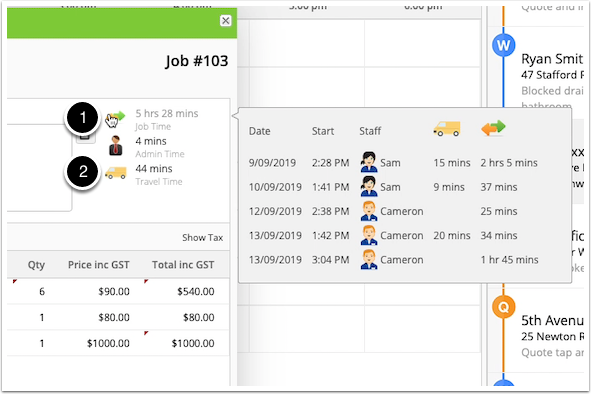
Hovering over ‘Job Time’ with your cursor will display a breakdown of all Check-In events & associated Travel time (visible to the right, above).
Clicking on ‘Job Time’ will open the Recorded Time window, where you can apply a labour rate to the recorded Check In time/s and bill this to the job, and add/edit Check In times if needed: