
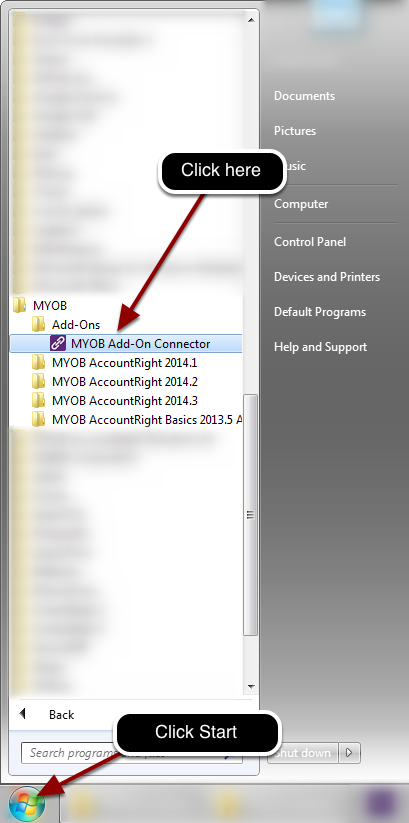
Locate the MYOB Add-on connector in the start menu.
Once successful, it will run in the background and the its icon will show in Windows’ system tray

- Turn off the MYOB Add-on (In your ServiceM8 online dashboard, go to Settings > ServiceM8 Add-ons, click ‘MYOB’ and switch to OFF).
- Log out of your ServiceM8 online dashboard, then log back in again.
- Turn on the MYOB Add-on, to start the connection process (In your ServiceM8 online dashboard, go to Settings > ServiceM8 Add-ons, click ‘MYOB’, then ‘Connect’).
- At the ‘MYOB Link’ step, select ‘Online’, then proceed through the remainder of the connection process.