

Job Filters help you view the right jobs at the right time, so you can stay on top of scheduling, follow-up, and customer communication.
You can use Job Filters in both the ServiceM8 app and the Online Dashboard to view:
- smart lists that highlight jobs needing attention
- jobs in a specific Queue
- jobs scheduled to a specific staff member
- custom filtered job lists you create for your workflow
- In the ServiceM8 iOS app, open the Jobs view to switch between your available lists.
- In the Online Dashboard, use the Jobs List dropdown on the right side of the Dispatch Board to switch lists, or the options icon in the Jobs panel to manage custom filters.
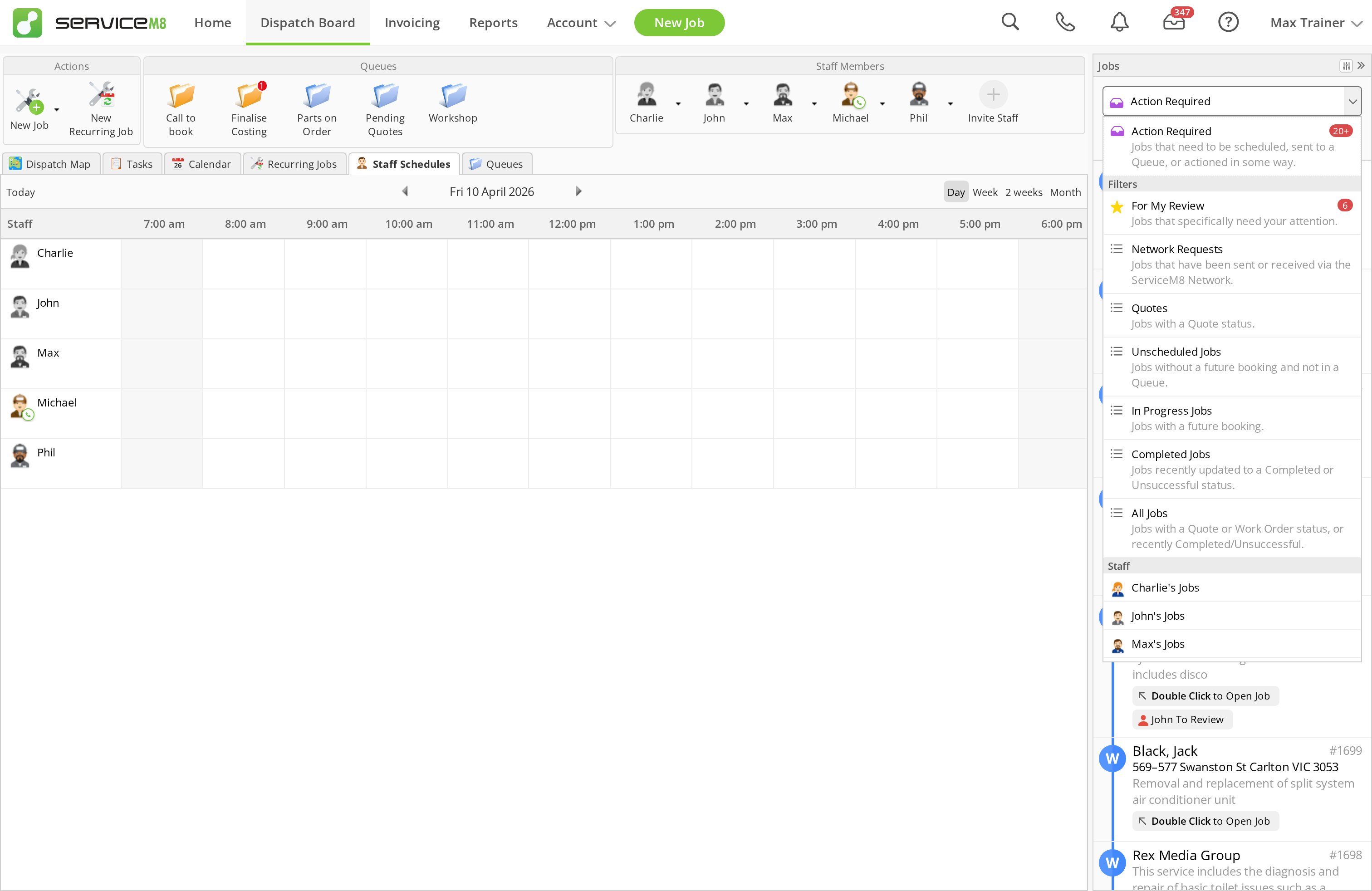
Common job filters
- All Jobs for jobs with a Quote or Work Order status, plus jobs recently updated to Completed or Unsuccessful
- In Progress Jobs for jobs with a future booking
- Unscheduled Jobs for jobs with no future booking and no Queue. You should aim to keep this list clear.
- Completed Jobs for jobs updated to Completed or Unsuccessful in the last 48 hours. After that, you can still find them using search or in Job History.
- Quotes for jobs with a Quote status
- Action Required for jobs that need follow-up or action, such as unscheduled jobs, expired Queue jobs, or client replies waiting on a response
- For My Review for jobs that need a specific staff member’s attention, such as assigned tasks, unread mentions, Queue assignments, and jobs that were scheduled to them in the past but were not actioned when they checked out
- My Schedule and Today in the app, for jobs scheduled or allocated to you
Create a custom job filter on the Dispatch Board
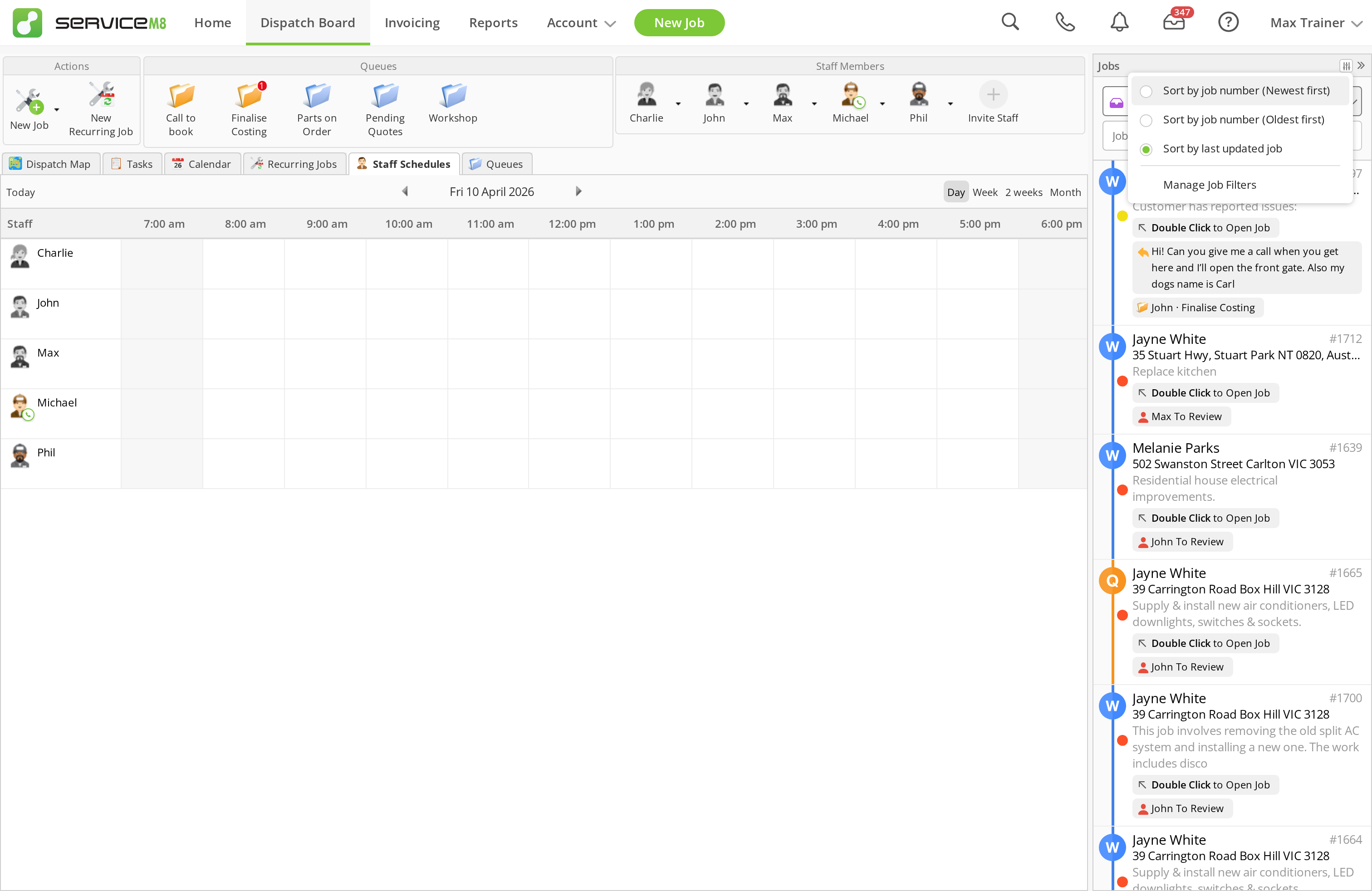
Standard filters cannot be edited, but you can create your own custom filters:- From the Dispatch Board, click the options icon at the top right of the Jobs panel.
- Click Manage Job Filters.
- Click New Filter.
- Enter a filter name.
- Choose the job statuses, scheduling options, categories, and Queues you want to include.
- Click Save Changes.
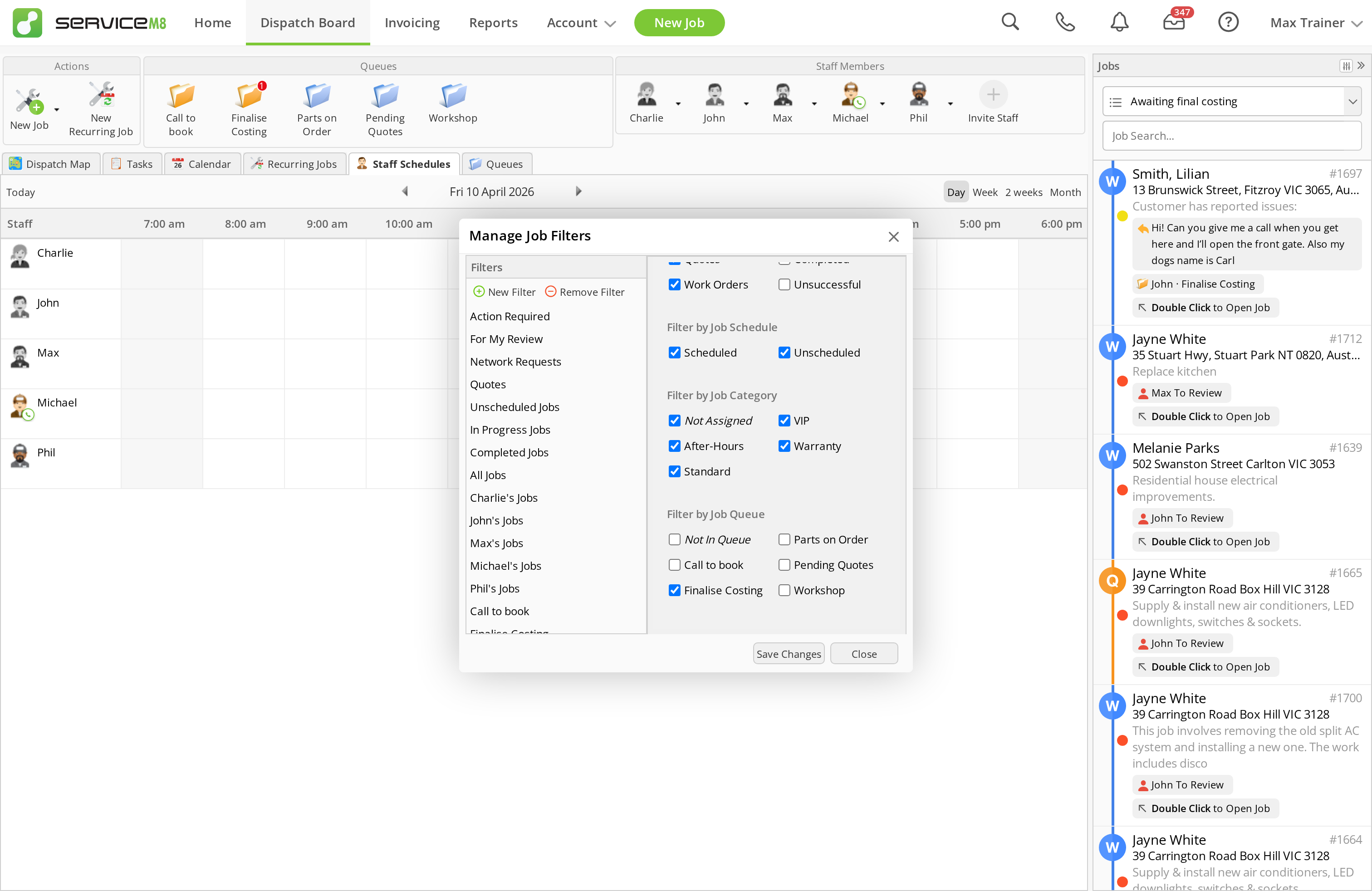 Custom filters are available to all staff automatically.