

Reports
Returning Customer Rate in the Business Dashboard Report
Learn about returning Customer Rate in the Business Dashboard Report in ServiceM8.
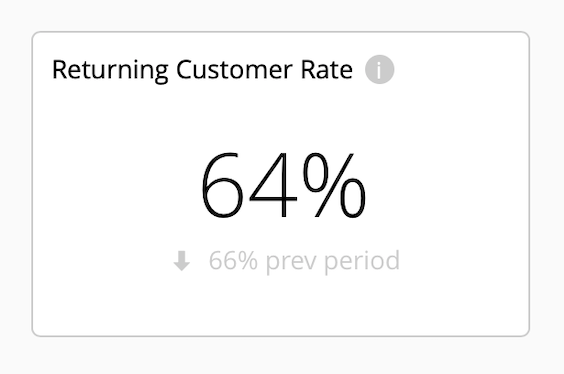
Your Returning Customer Rate in the Business Dashboard is the percentage of jobs completed during the selected reporting period where a separate job was completed for the same client before that period began.
The smaller figure below is your Returning Customer Rate for the immediately preceding period of equal length. The arrow shows whether the current rate is higher or lower.
Repeat customers are cheaper to retain than acquiring new ones, and are worth more to your business than one-off customers. There are various ServiceM8 features and best practices which can help you keep in touch with past clients and generate repeat work:
Automate Client Follow-Ups
Use the Automation Add-on to automatically send an email and/or text to clients a set period after their job is Completed.
Ask clients how they’re going, if they’ve had any issues you can help with, and whether they need any other work done. Customer service like this helps build your brand, generate work and earn you loyal repeat customers.
Learn more about follow-ups with the Automation Add-on.
Send Email Campaigns with Mailchimp
Create a Mailchimp account and connect it with your ServiceM8 account to run email marketing and/or newsletter campaigns to your customers. Email marketing is cost effective, direct, measurable, and a great way to keep in touch with your client base so you’re always front-of-mind the next time they need work done.
You can send out quarterly newsletters about your business and updates in your industry, information about common or seasonal problems including DIY tips and relevant services you offer, FAQ’s from customers & “myth busting”, or special offers on products or services you provide.
Learn more about the benefits of email campaigns and how ServiceM8 works with Mailchimp.
Provide Great Client Communication
Use ServiceM8’s communication features to build a reputation of consistently delivering great customer service & communication which keeps clients coming back.
- Use Booking Reminders with the Automation Add-on to automatically remind clients of their scheduled booking time via email and/or text a set period before their booking.
- Send On-the-Way texts when navigating to a client’s job location, letting them know you’re on the way, with an auto-calculated Estimated Time of Arrival (ETA). Activate the Track My Arrival Add-on to add a location tracker to your On-the-Way texts with which clients can view your progress to their job location.
- Use Email & SMS templates to standardise consistent, professional messaging to clients across various job types and scenarios, which also save time and help jobs run smoother. Learn how to Create an Email Template or how to Create an SMS Template.
Know your Top Clients
Check out the Top Clients Report — an on-demand report in the Reports tab of your Online Dashboard, the Top Clients Report graphs your Top 10 Clients in terms of revenue of Completed jobs in the year to date, helping you identify who your most valuable clients are. Learn more.